
Sachin International Travel ERP
ERP Case Study
Sachin International Travel ERP, in One System
A complete ERP for a travel agency — CRM, package tours, itineraries and quotations with printable PDFs.
CRMPackage ToursItinerary Builder
Travel AgencyINDUSTRY
Custom ERPSOFTWARE TYPE
19 ModulesCOVERAGE
Quotation PDFsDOCUMENTS
Demo video coming soon
ERP Working Video
See the Sachin International Travel ERP in Action
A guided tour of the working system. Screens show sample data.
- CRM
- Package Tours
- Itinerary Builder
- Quotations & PDFs
Modules
What the ERP Covers
The key modules of Sachin International Travel ERP, working together in one system.
DashboardOverviewToday's enquiries, bookings, receipts and documents expiring soon, on one screen.
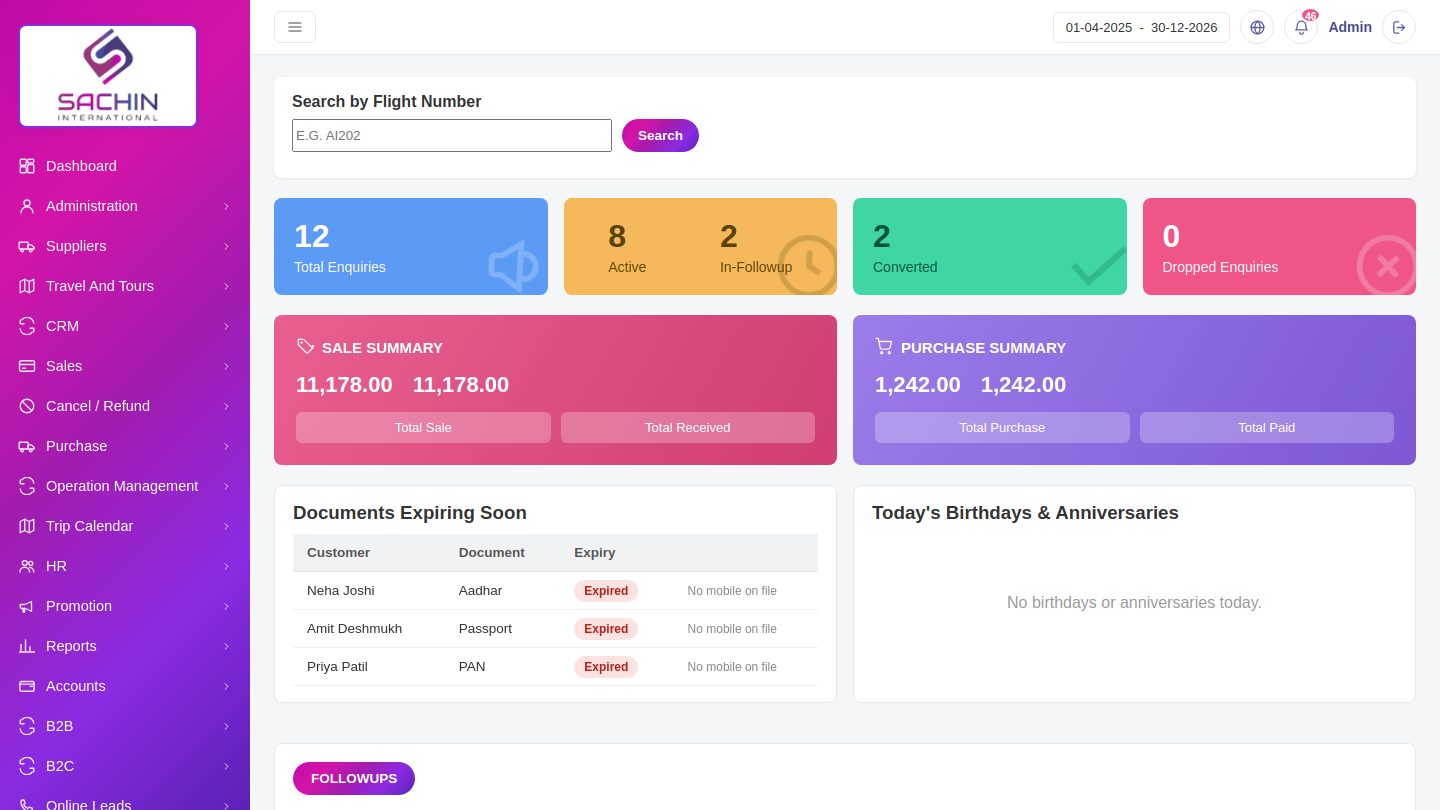
- Summary cards show enquiries, active, converted and lost counts.
- Sale and purchase summaries show amounts at a glance.
- Documents expiring soon and today's birthdays and anniversaries are listed.
AdministrationAdminBranches, company profile, roles, users and the customer master.
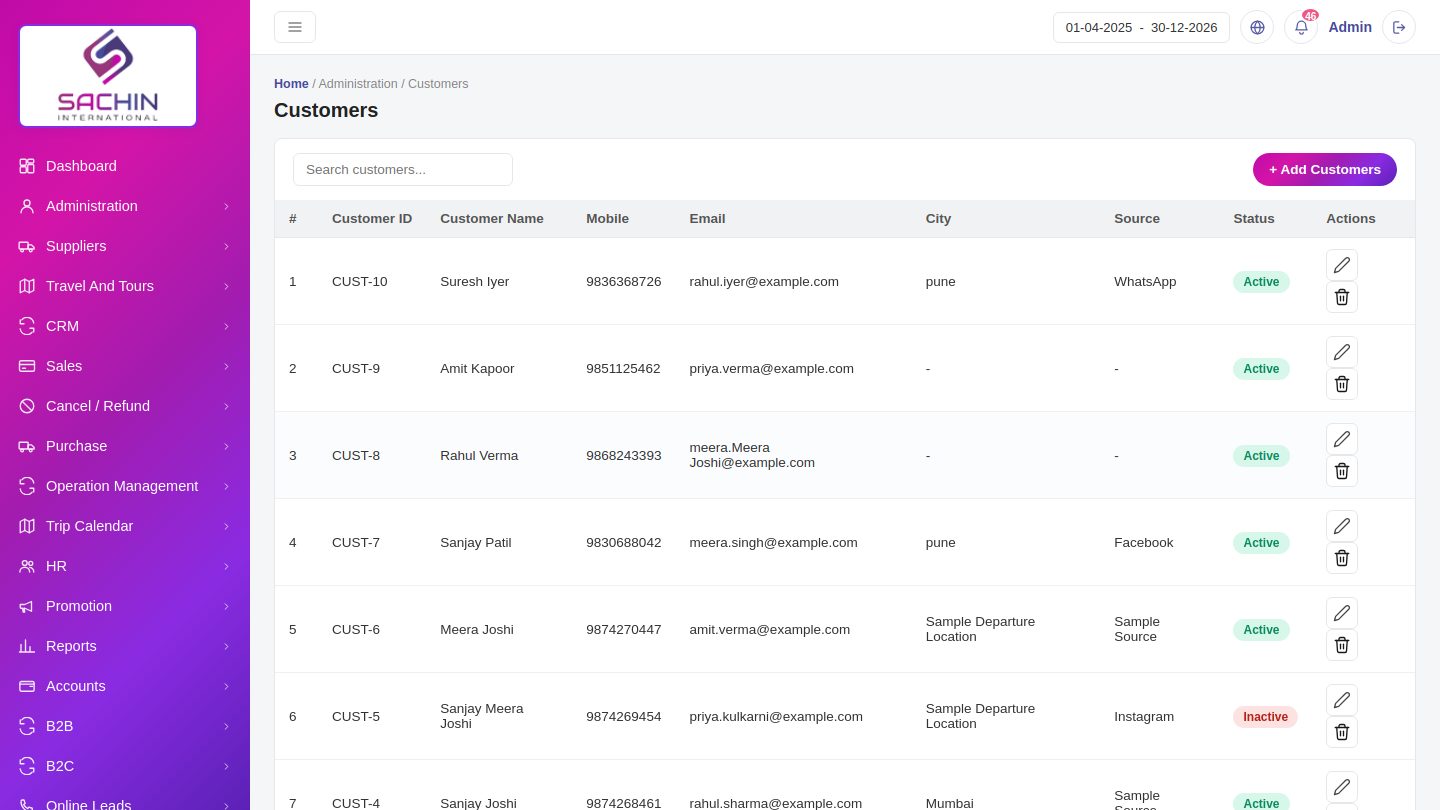
- Add branches and set the company profile used on every quotation and invoice.
- Create users with roles and tick the modules each user may open.
- Customers get an auto ID and can be searched by name, mobile or city.
SuppliersMasterOne supplier list with contact details used for supplier enquiries.
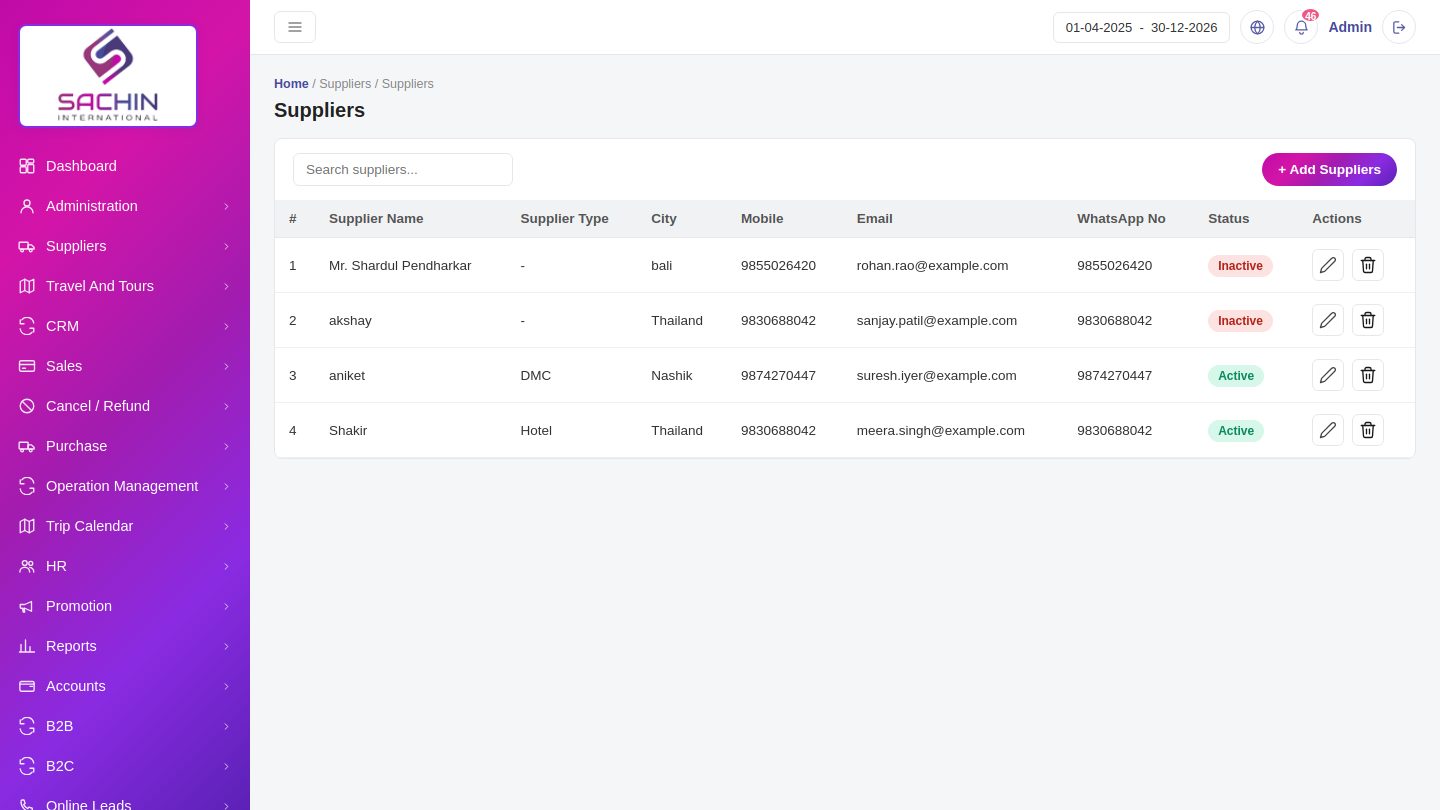
- Add a supplier with type, city, mobile, email and WhatsApp number.
- The email on file is used to send an enquiry to suppliers in one click.
- Mark a supplier Active or Inactive from the edit form.
Travel And ToursToursCustomized and group tours that autofill details when building a quotation.
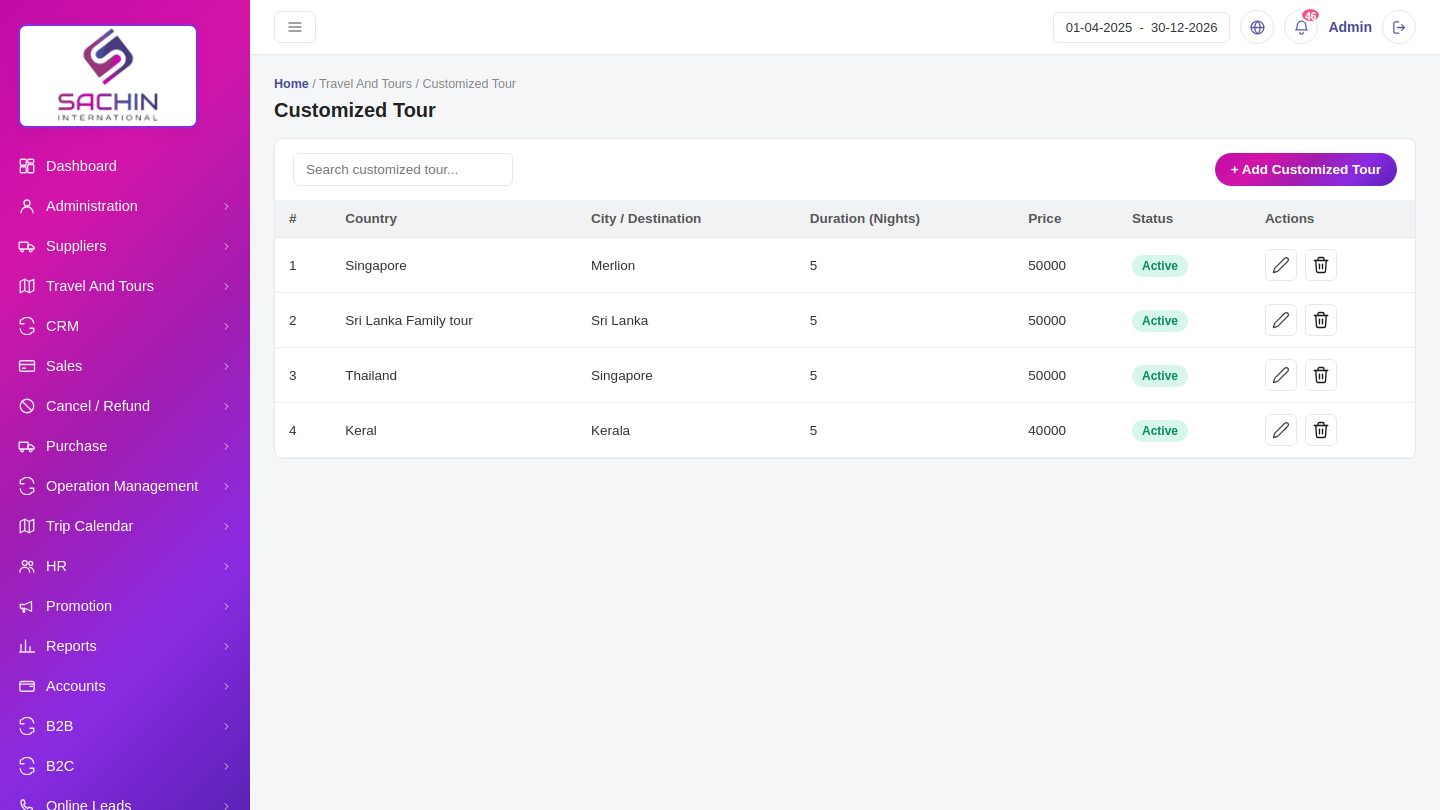
- Create a tour with destination, duration, price and status.
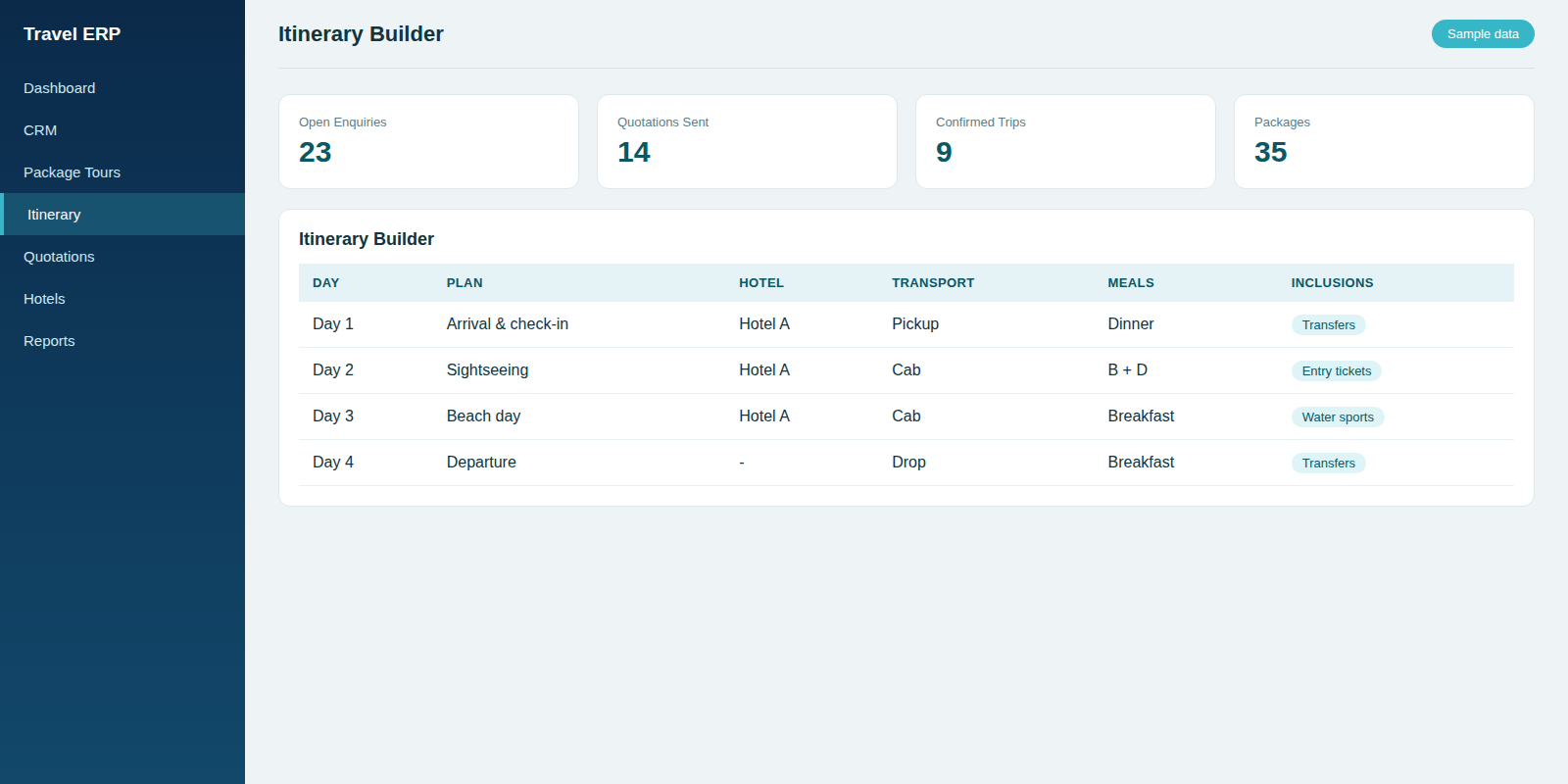
- Add day-wise itinerary, inclusions and exclusions to the tour.
- Pick the tour while preparing a quotation to fill the details automatically.
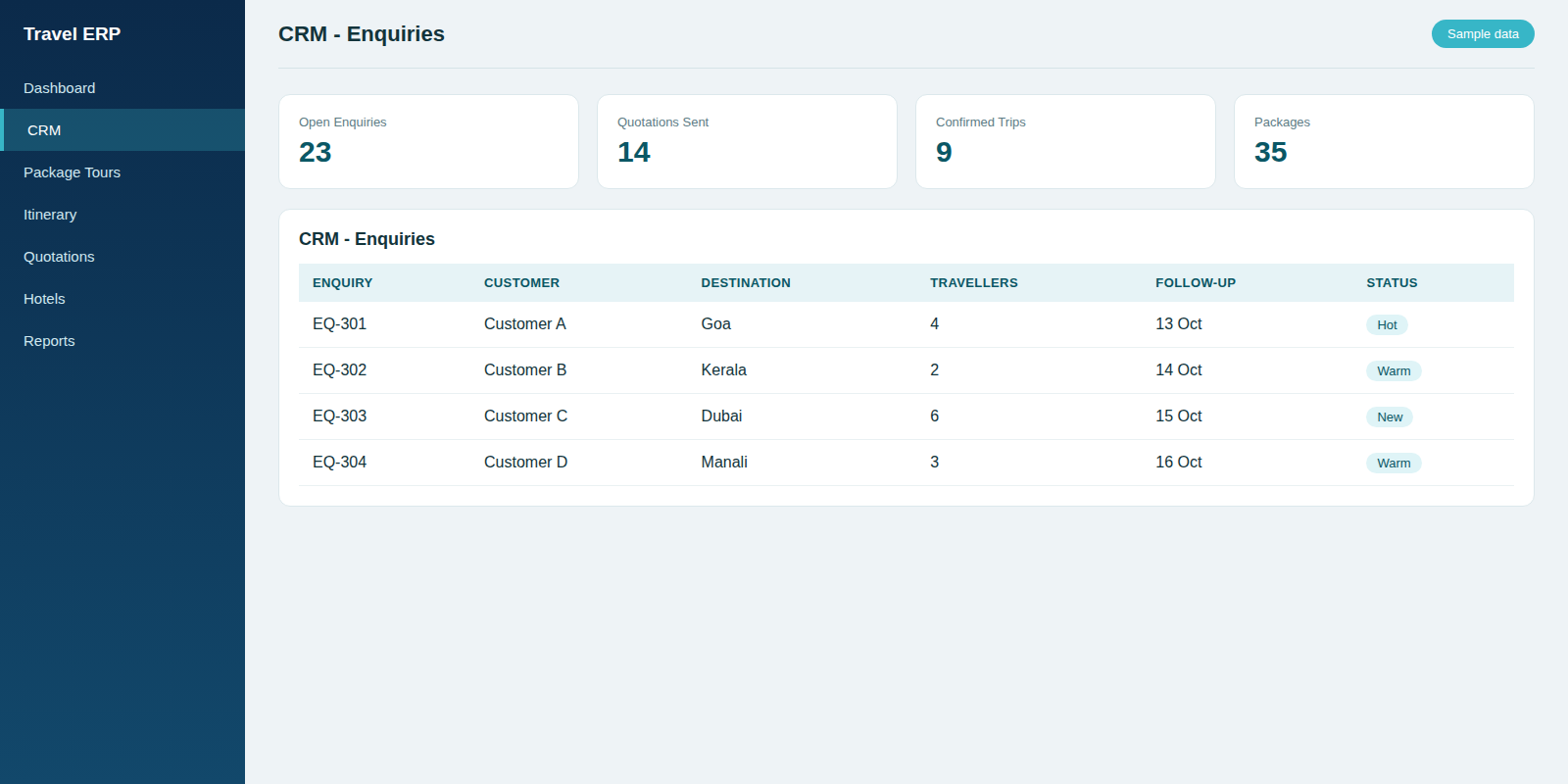
CRMSalesEnquiries, follow-ups, customer communication and quotations in one place.
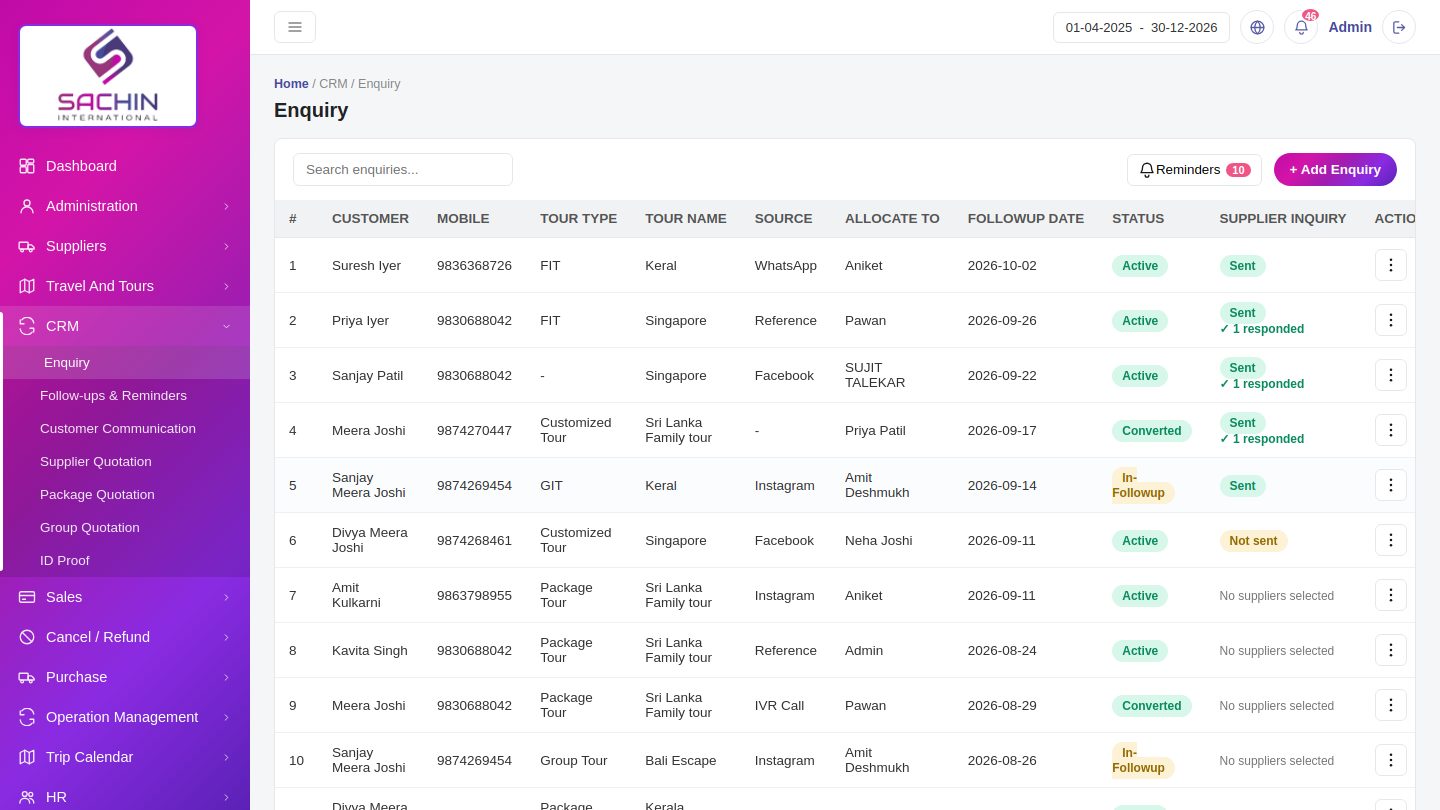
- Add an enquiry with tour type, source and who it is allocated to.
- Follow-up reminders show which customers are due for a call.
- Send an enquiry to suppliers and track who has responded.
SalesBillingInvoices for tours, hotels, flights, cars, cruises, visas and insurance.
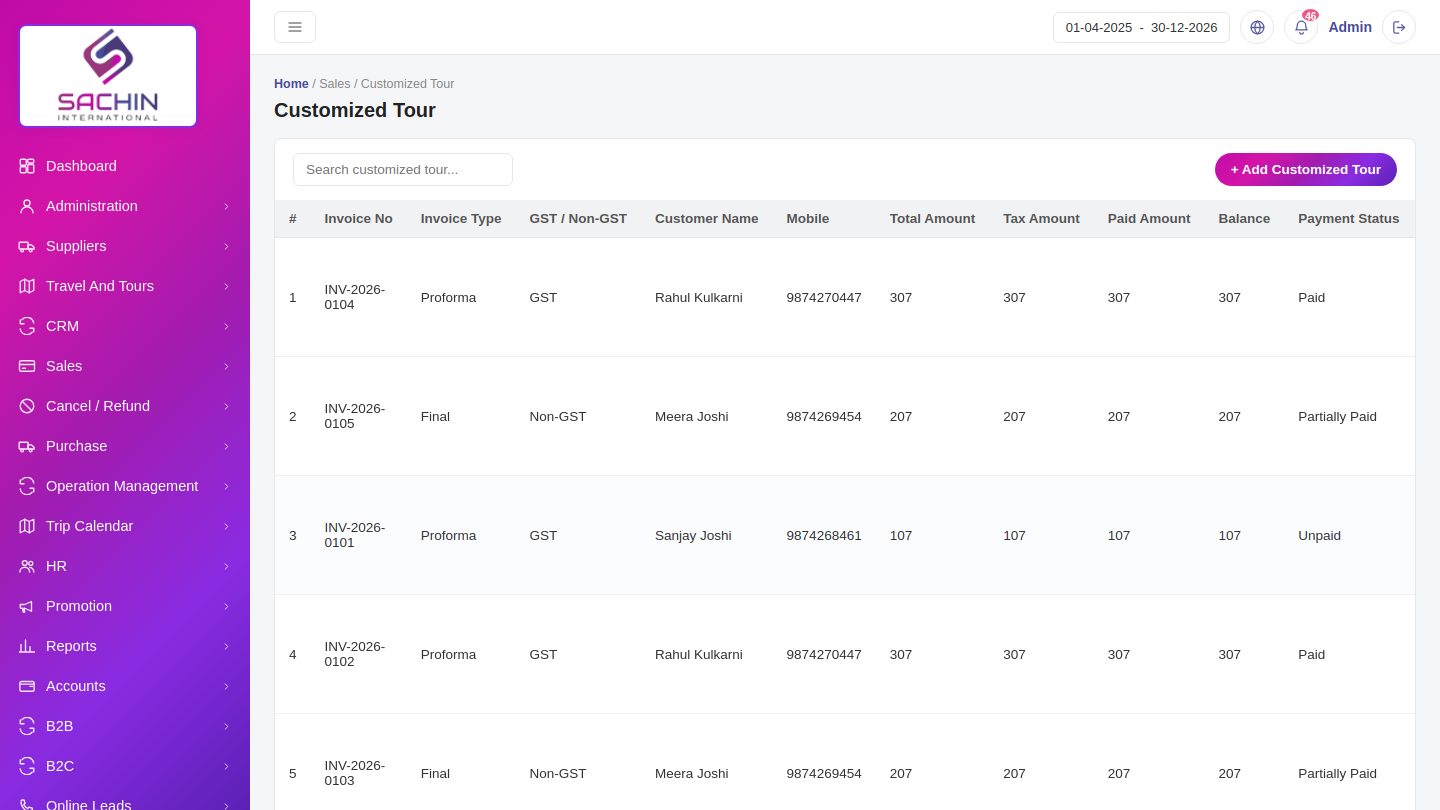
- Create a sale with GST or Non-GST type and proforma or final invoice.
- Paid amount and balance are tracked against each invoice.
- Print the invoice as a PDF to share with the customer.
Cancel / RefundBillingRecord cancellations and the refund given for each invoice.
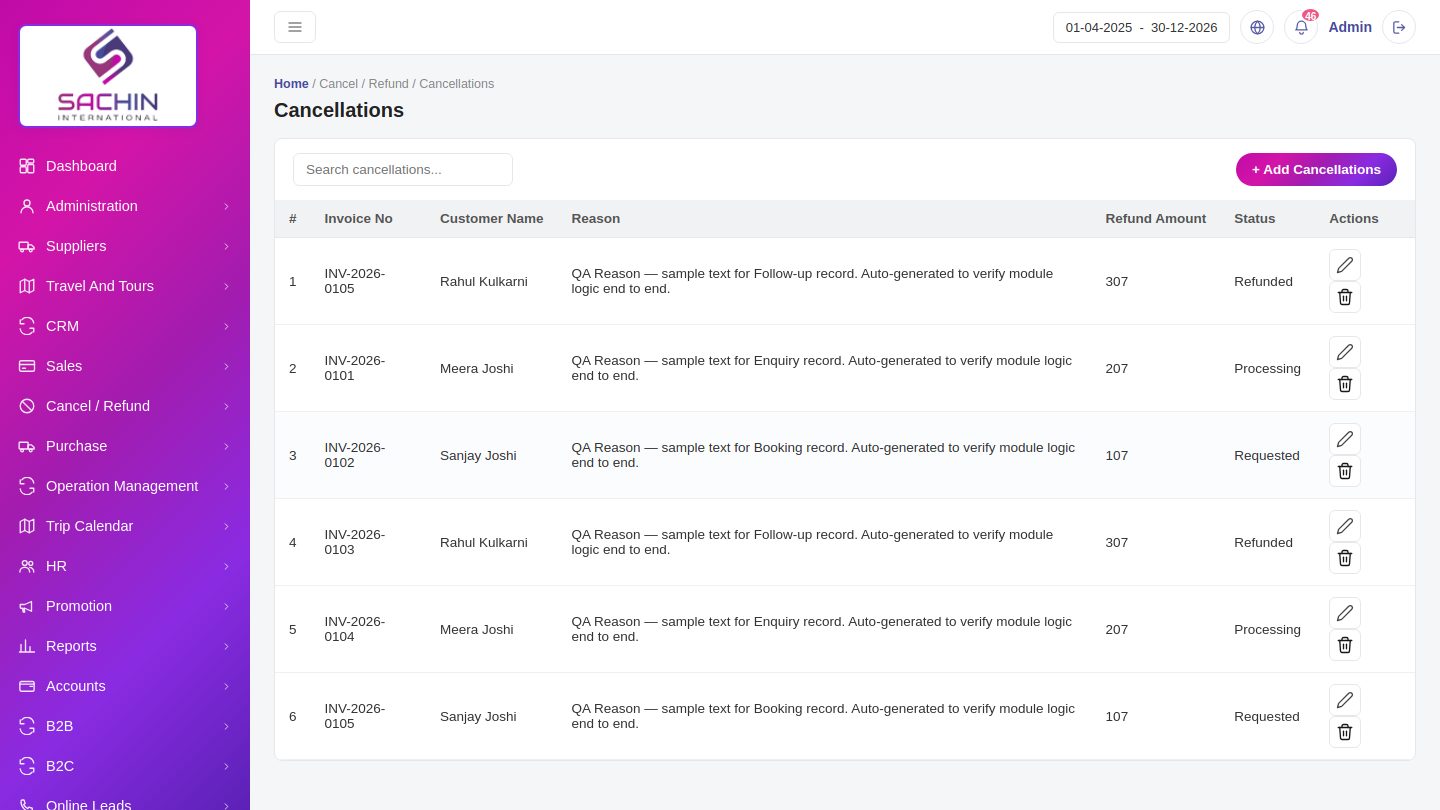
- Pick the invoice and enter the cancellation reason and charges.
- The refund amount and status are shown in the list.
- Track a refund from Processing to Refunded.
PurchasePurchasePurchase orders to suppliers with payment and approval status.
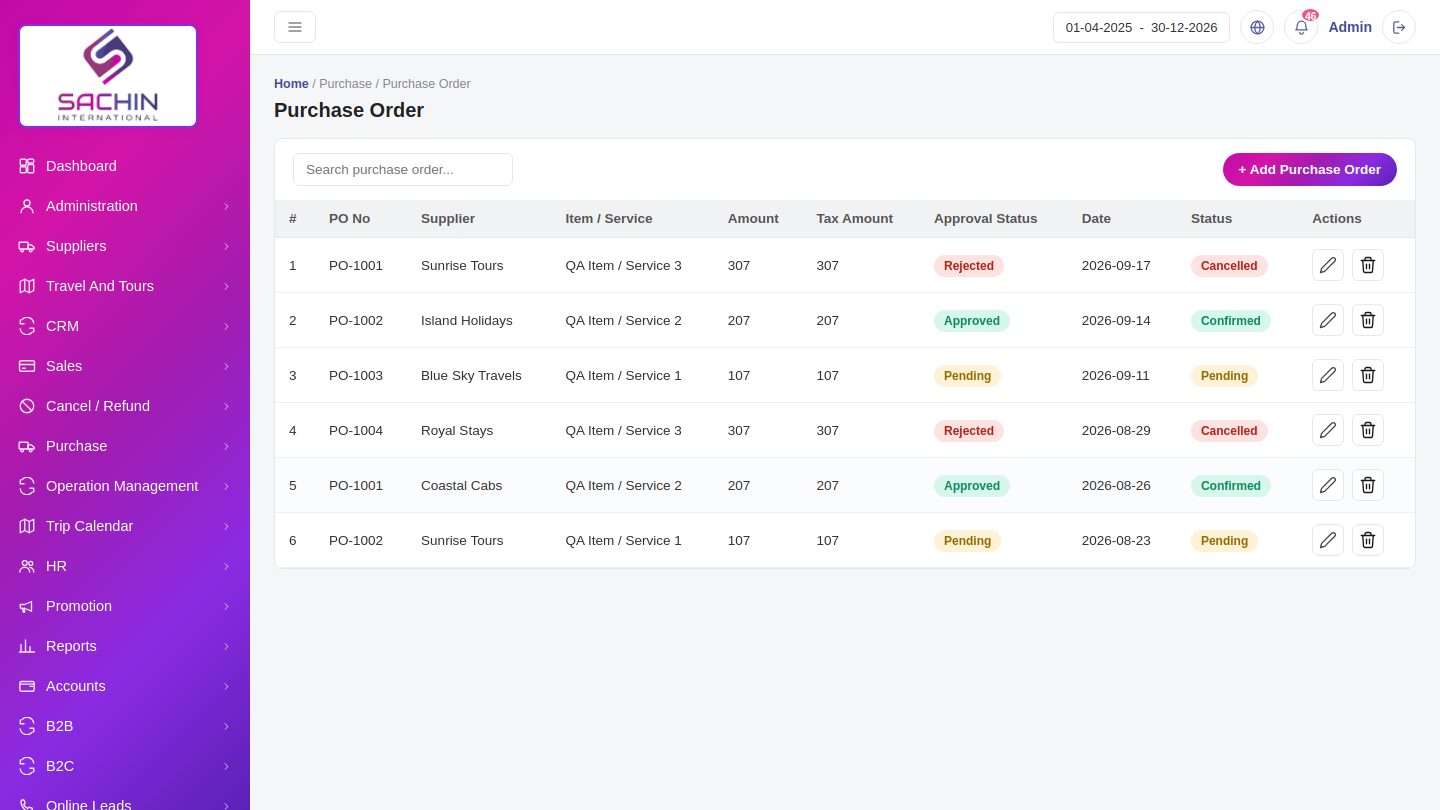
- Create a purchase order with supplier, item, amount and tax.
- Approval and payment status are shown on every order.
- Land expenses are recorded against a booking.
Operation ManagementOperationsTasks and vouchers for bookings that are being delivered.
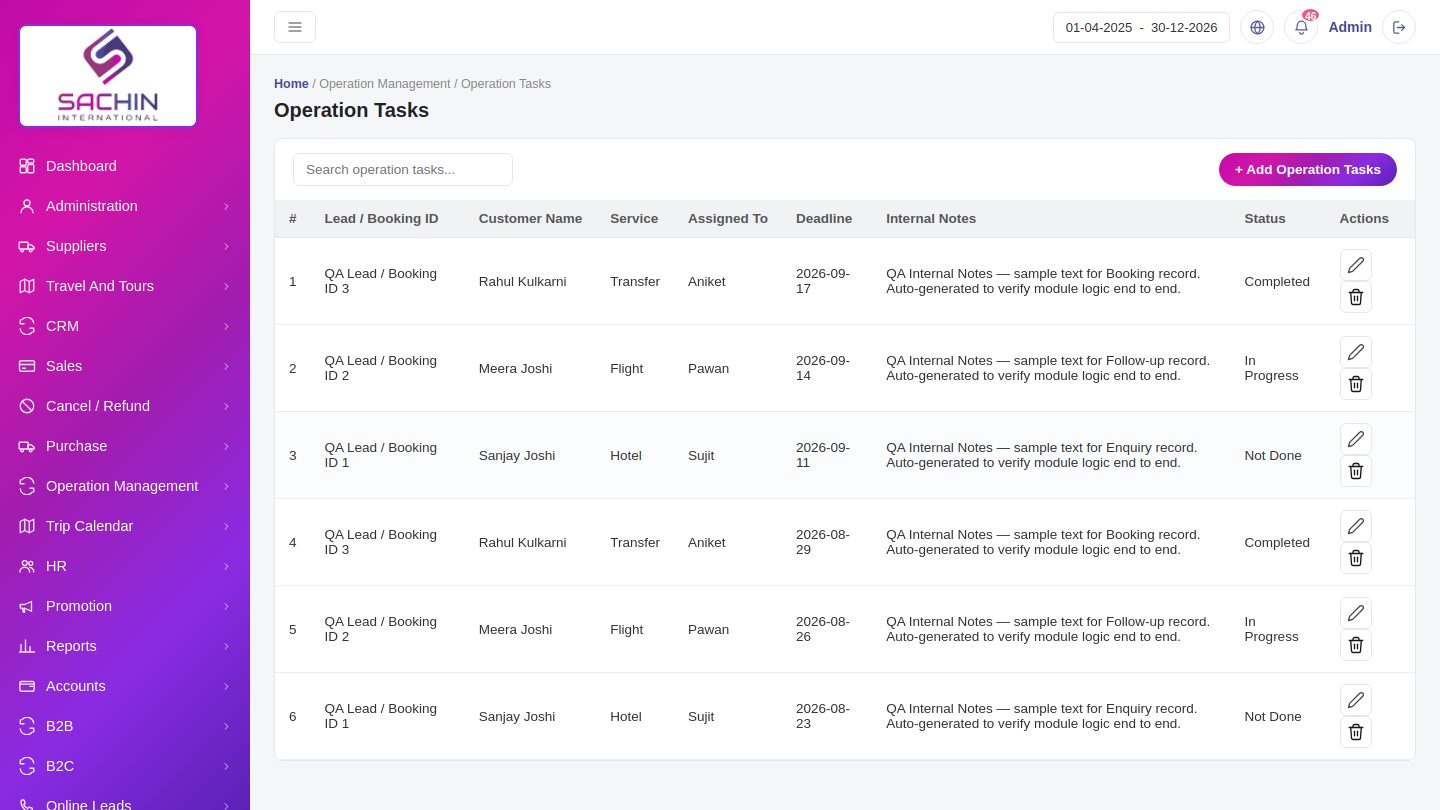
- Assign an operation task with a deadline and internal notes.
- Follow each task from Pending to Completed.
- Generate vouchers for hotels, transfers and flights.
Trip CalendarOperationsSee all running and upcoming trips with their reminders.
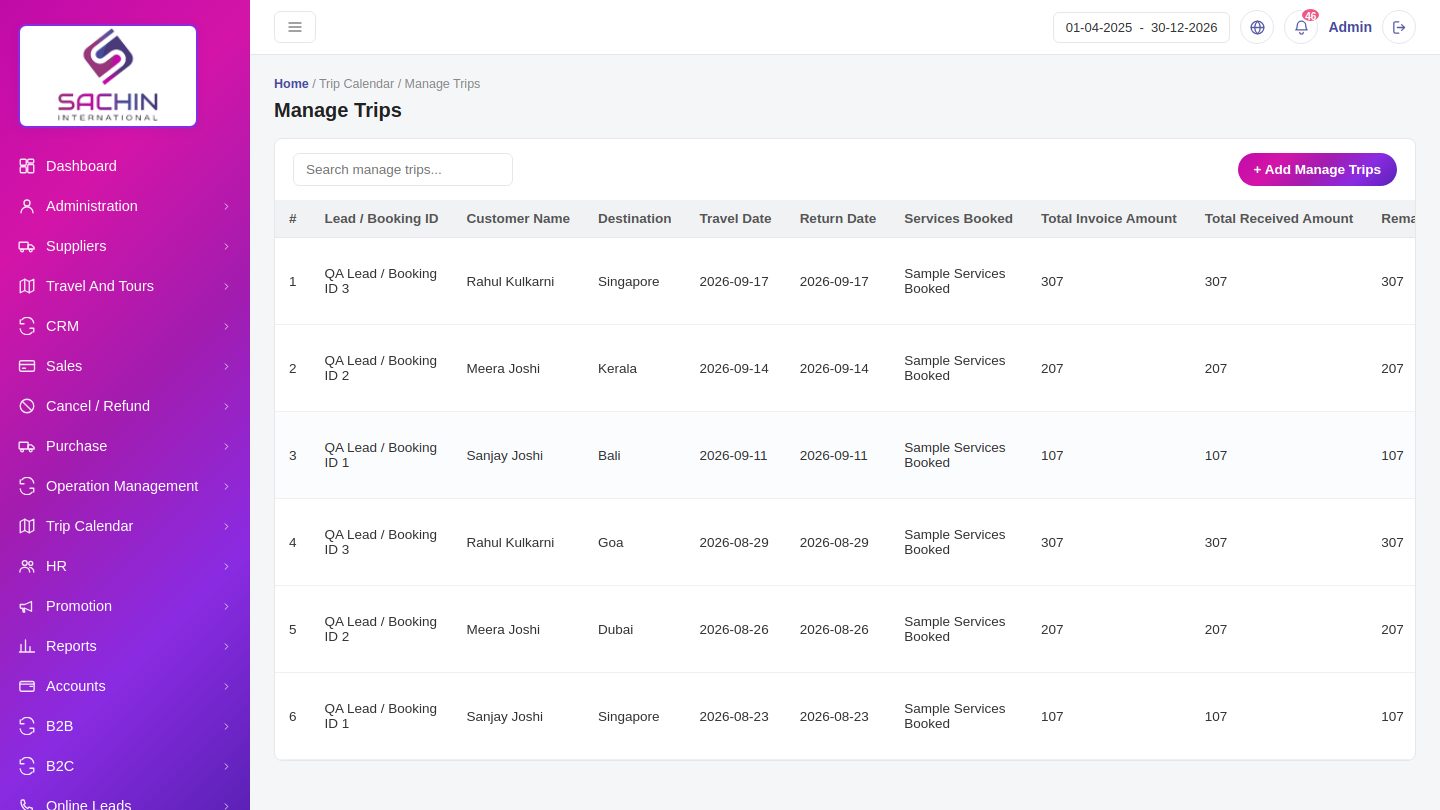
- Trips show on a calendar by travel date.
- Manage trips lists service booked, amounts received and balance.
- Trip reminders alert staff before the departure date.
HRHREmployees, attendance, leave and payroll.
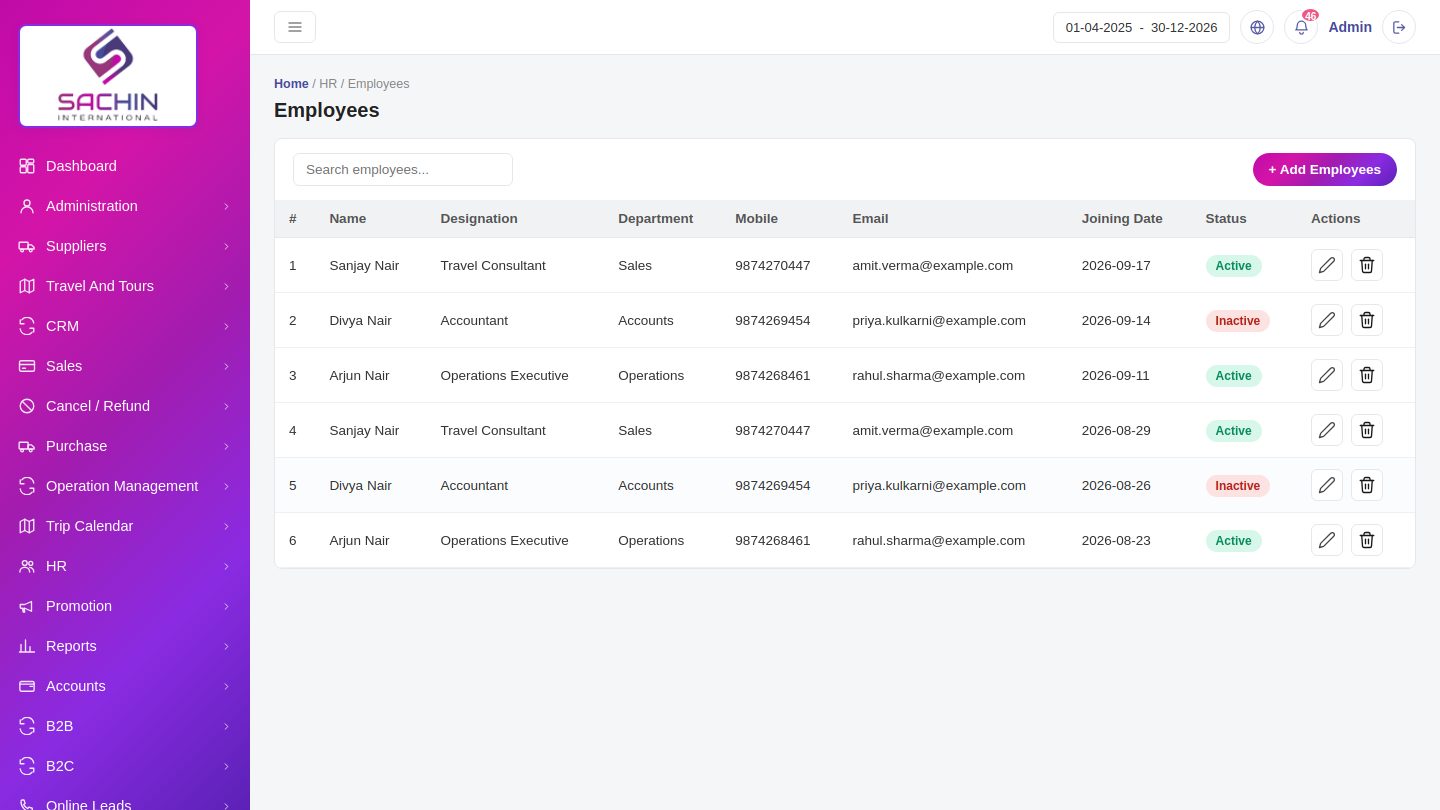
- Add an employee with designation, department and joining date.
- Mark attendance and manage leave requests.
- Generate payroll for the month.
PromotionMarketingOffers, email campaigns and SMS campaigns for customers.
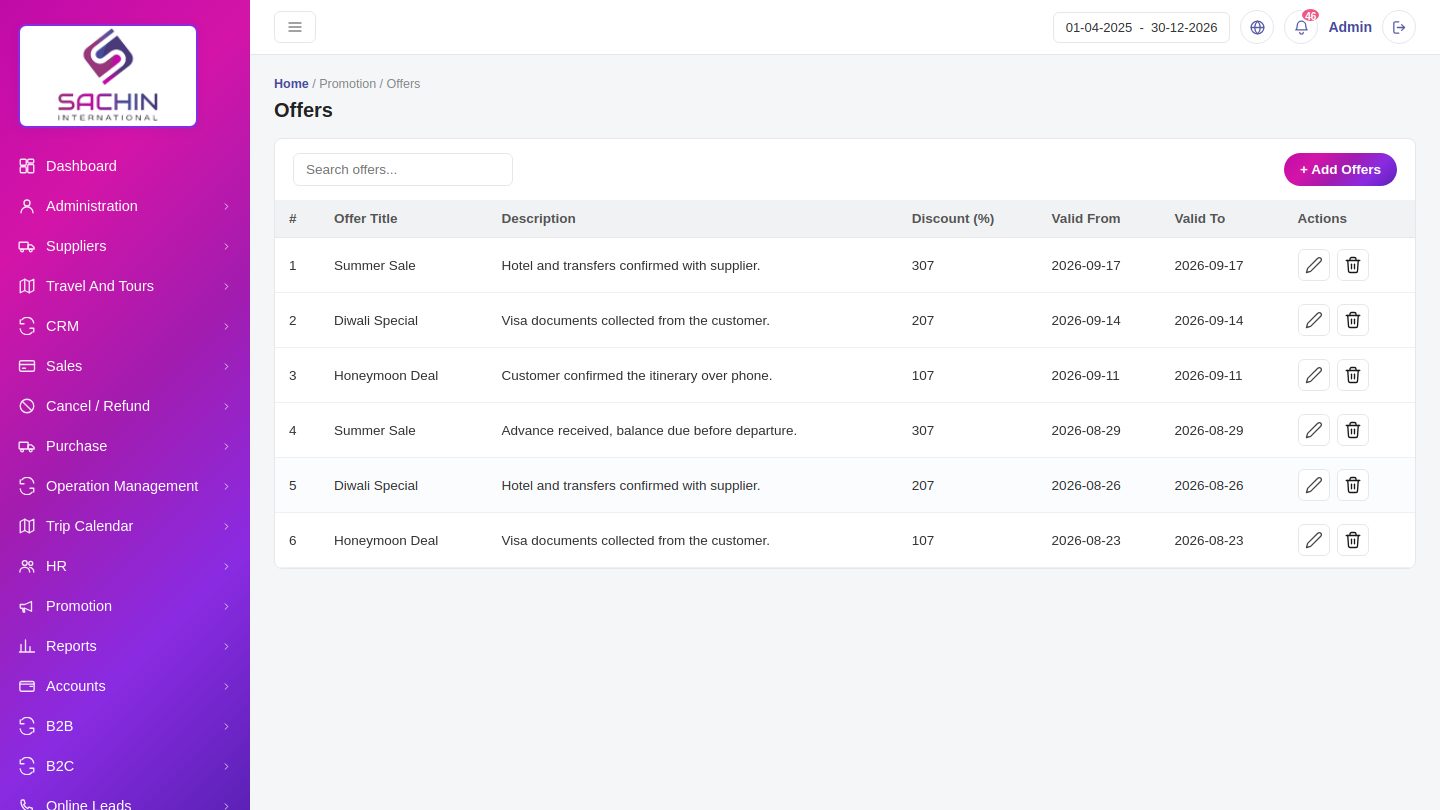
- Create an offer with discount and validity dates.
- Send an email campaign to selected customers.
- Run SMS campaigns for festive and seasonal deals.
ReportsReportsSales, GST, purchase, enquiry, outstanding and profit and loss reports.
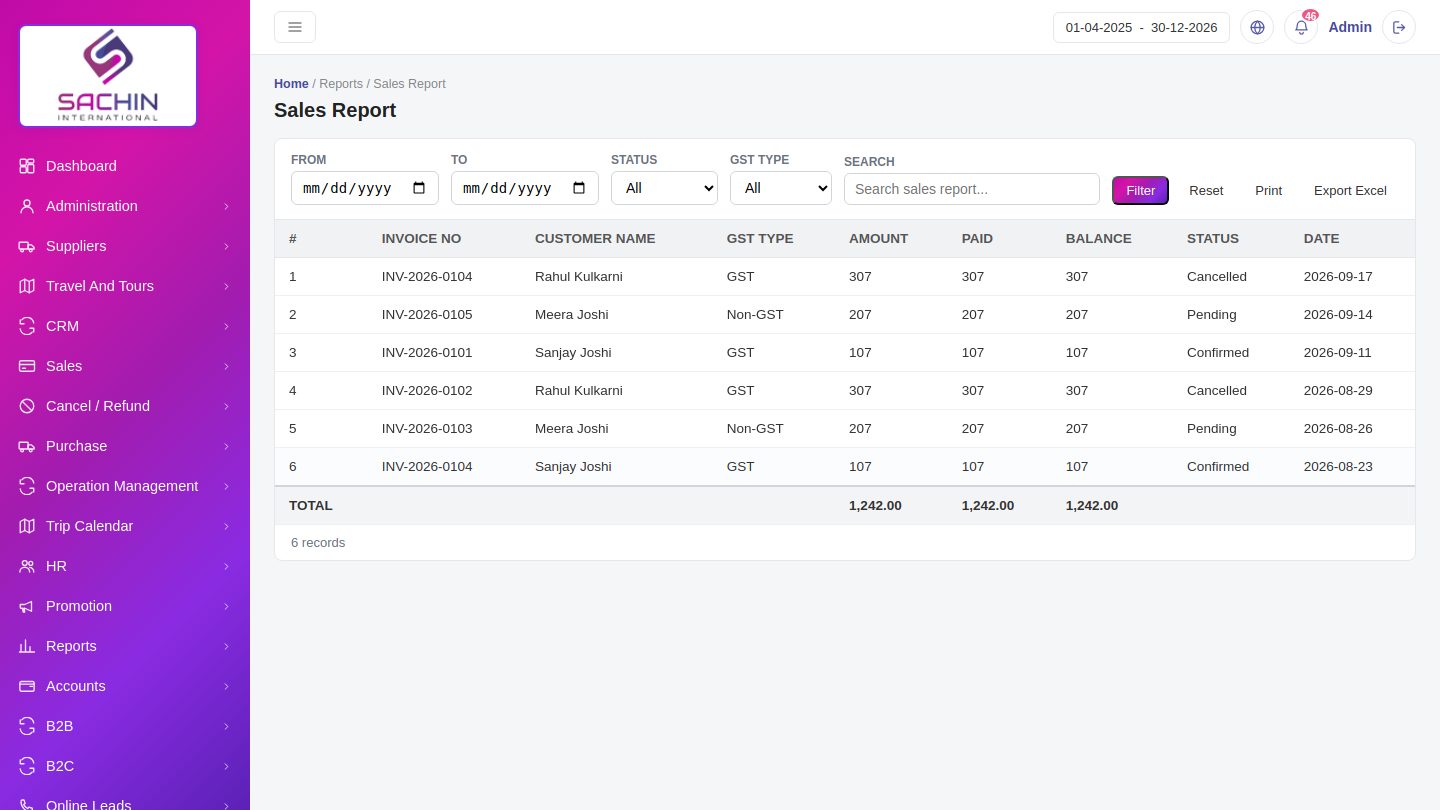
- Filter any report by date range, status or GST type.
- Totals for amount, paid and balance are shown at the bottom.
- Staff assignment report shows enquiries per staff member.
AccountsAccountsLedger, payment voucher, receipt voucher and bank accounts.
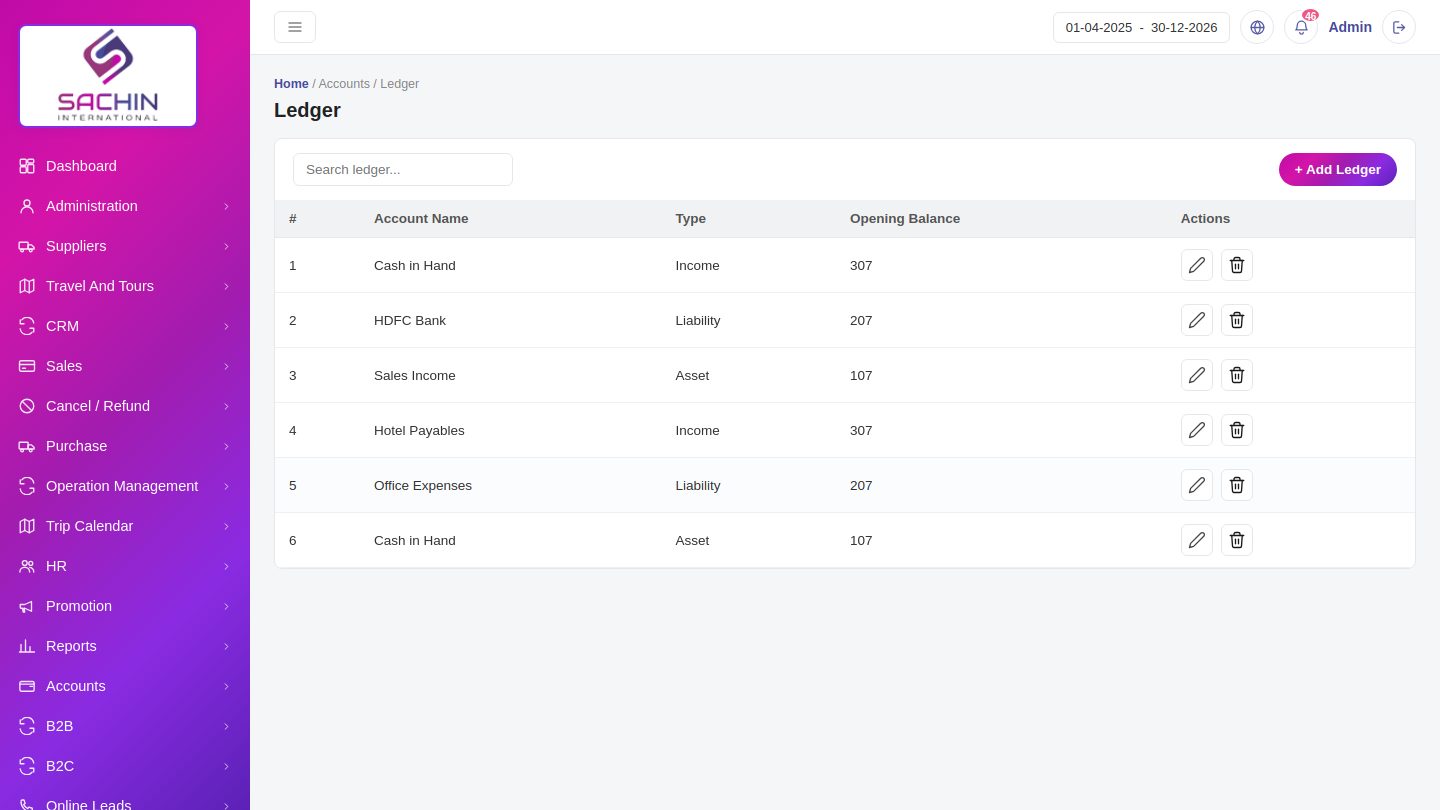
- Maintain the ledger with account type and opening balance.
- Record payment and receipt vouchers.
- Keep bank accounts used for receipts and payments.
B2BPartnersTravel agents who book through you, with their bookings.
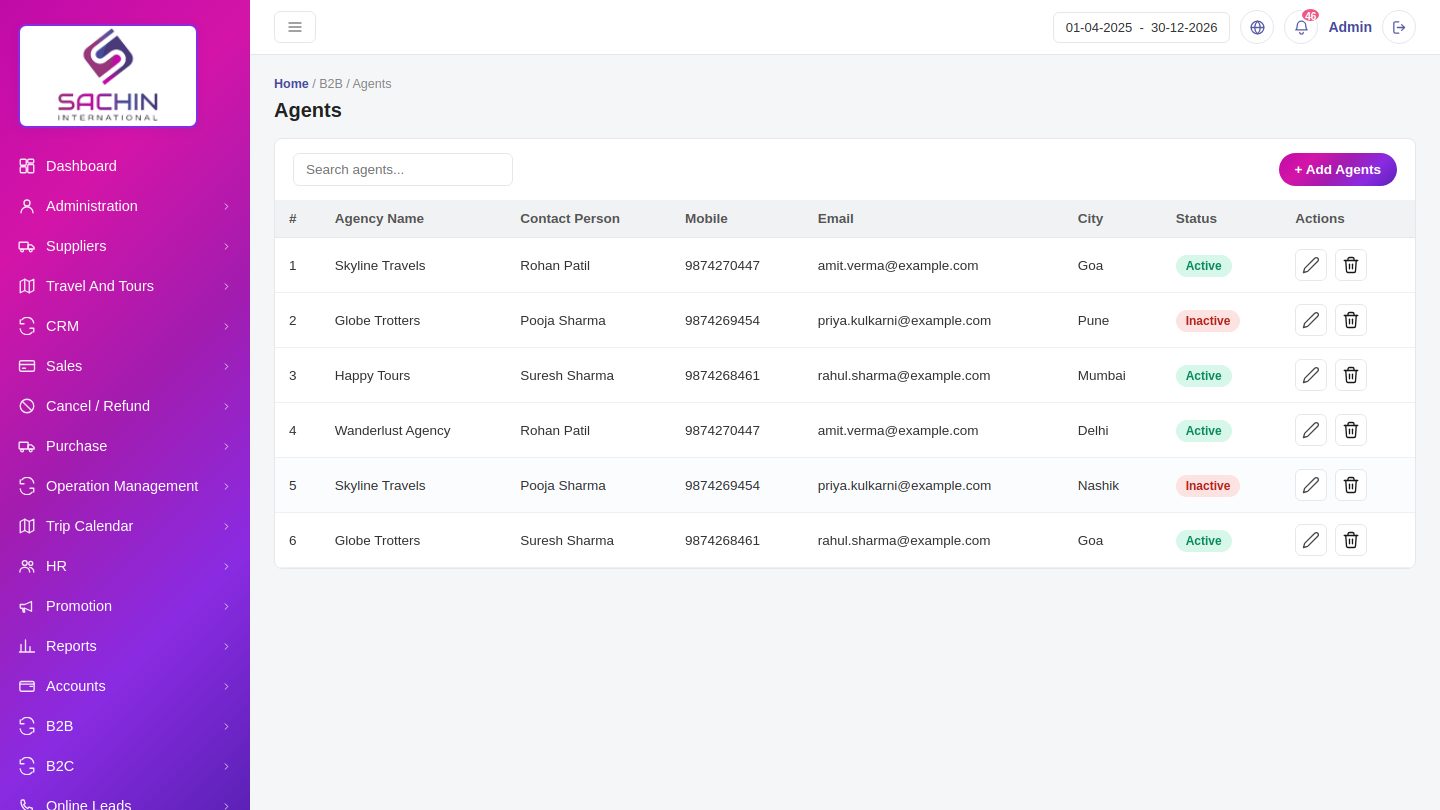
- Add an agent with agency name, contact person and city.
- See each agent's bookings and their status.
- Mark an agent Active or Inactive.
B2CCustomersDirect online customers and the bookings they make.
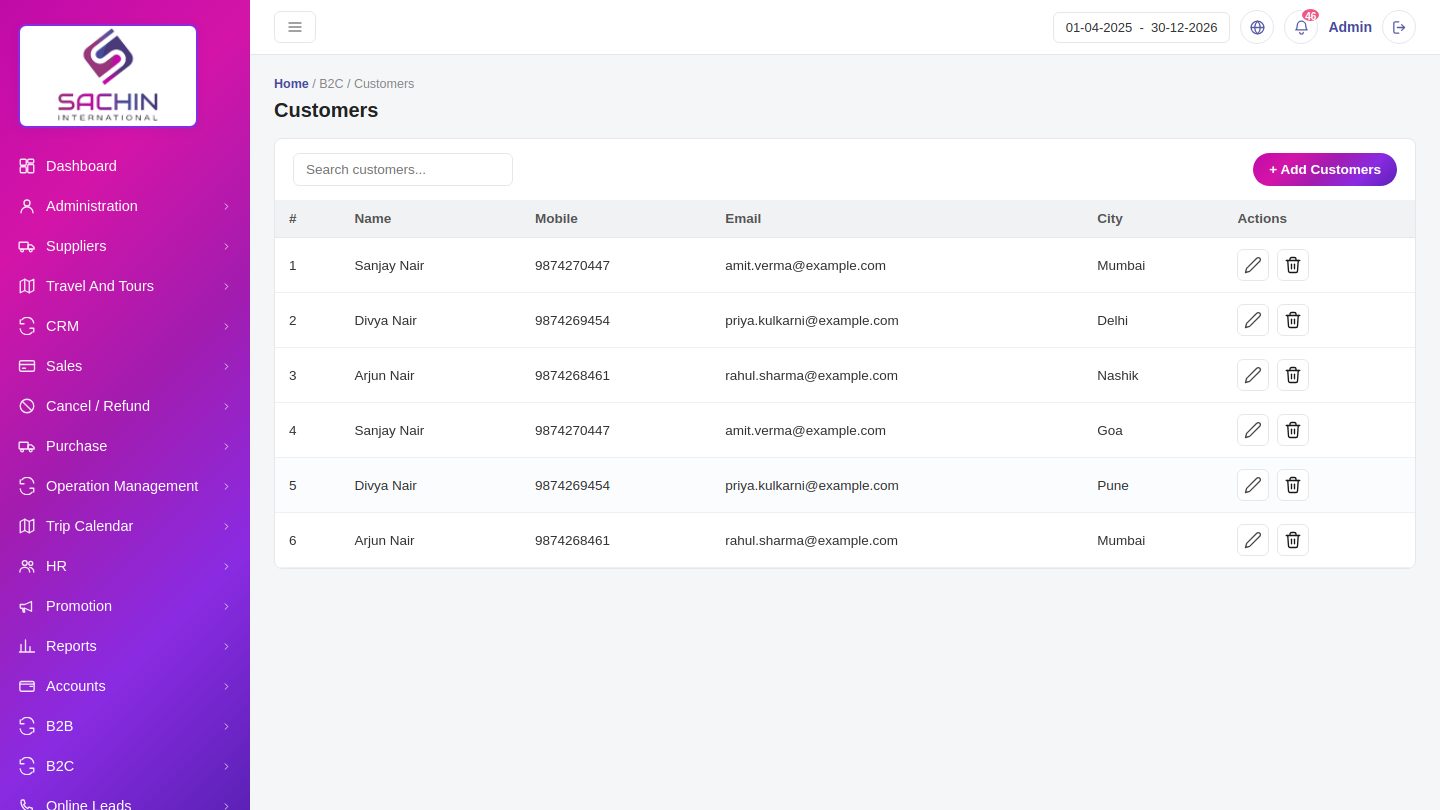
- Customers who sign up online appear here with mobile and email.
- Their bookings are listed with status.
- Edit or remove a customer when needed.
Online LeadsLeadsLeads that arrive from the website and online sources.
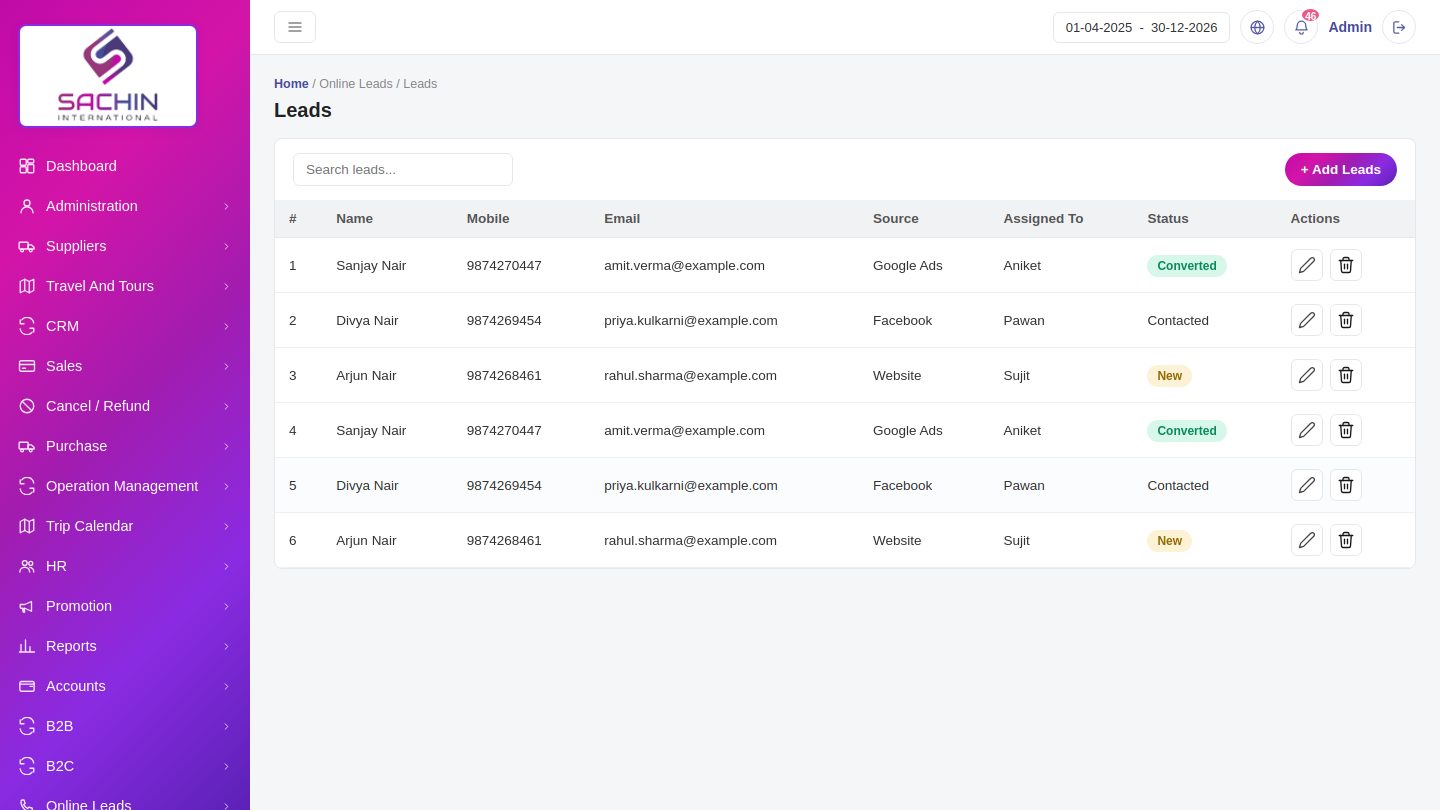
- Each lead shows source, contact and who it is assigned to.
- Update the status as the lead moves from New to Converted.
- Convert a lead into an enquiry in CRM.
SupportSupportSupport tickets raised by staff with their status.
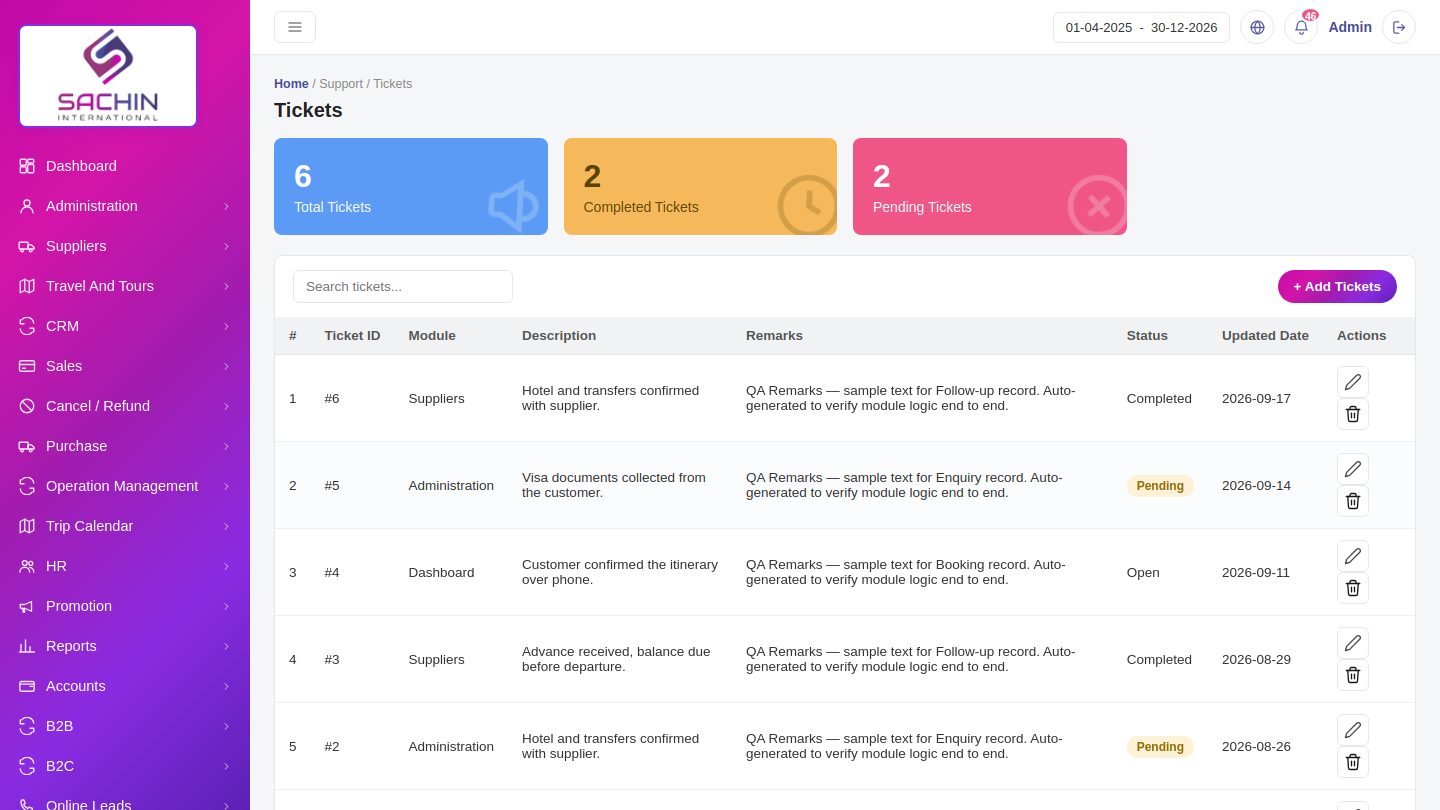
- Raise a ticket with a module, description and priority.
- Summary cards show total, completed and pending tickets.
- Close the ticket once the issue is solved.
LibraryDocumentsCompany documents and templates kept in one place.
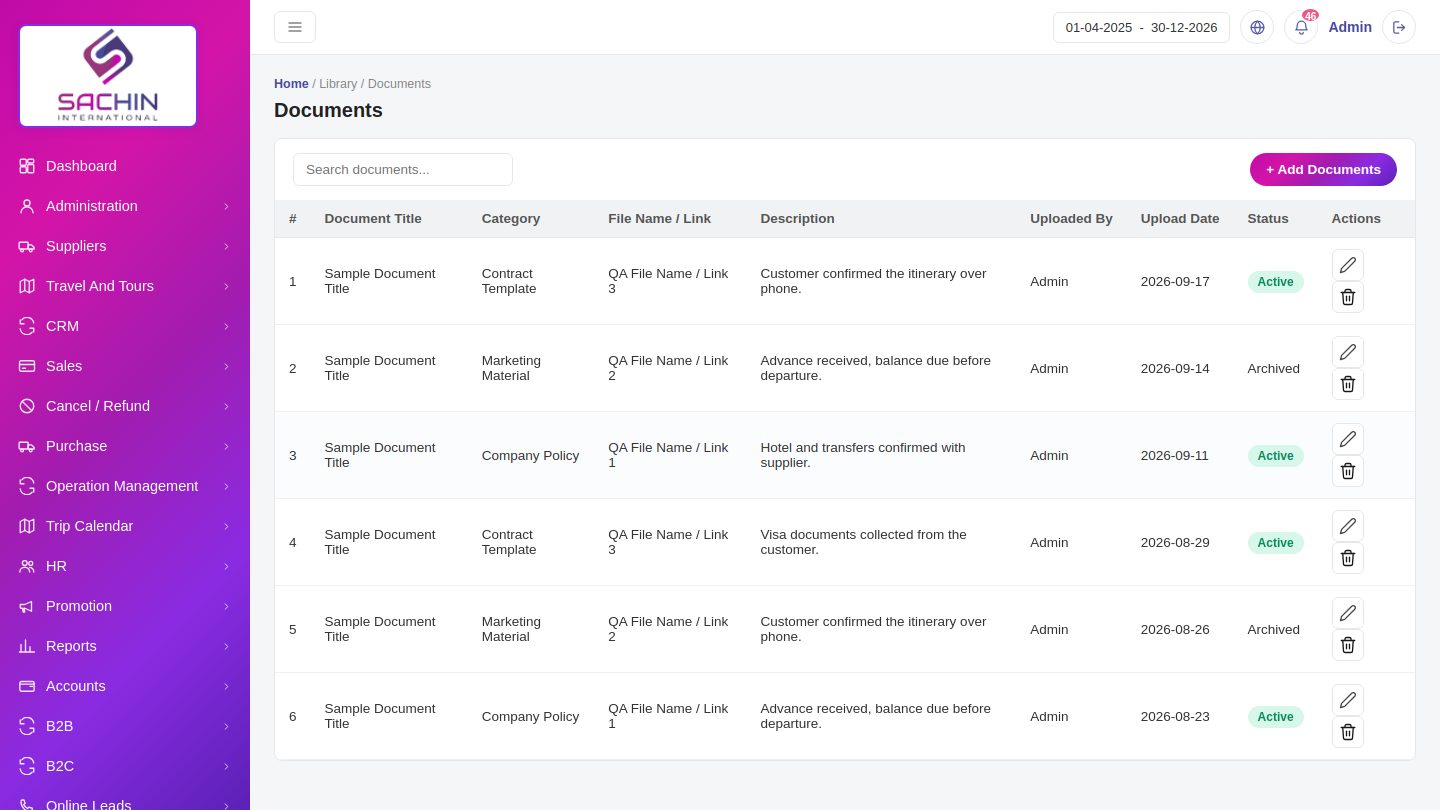
- Upload a document with a title and category.
- Search documents by name or category.
- Archive old documents without deleting them.
HelpdeskHelpFAQs for staff, grouped by category.
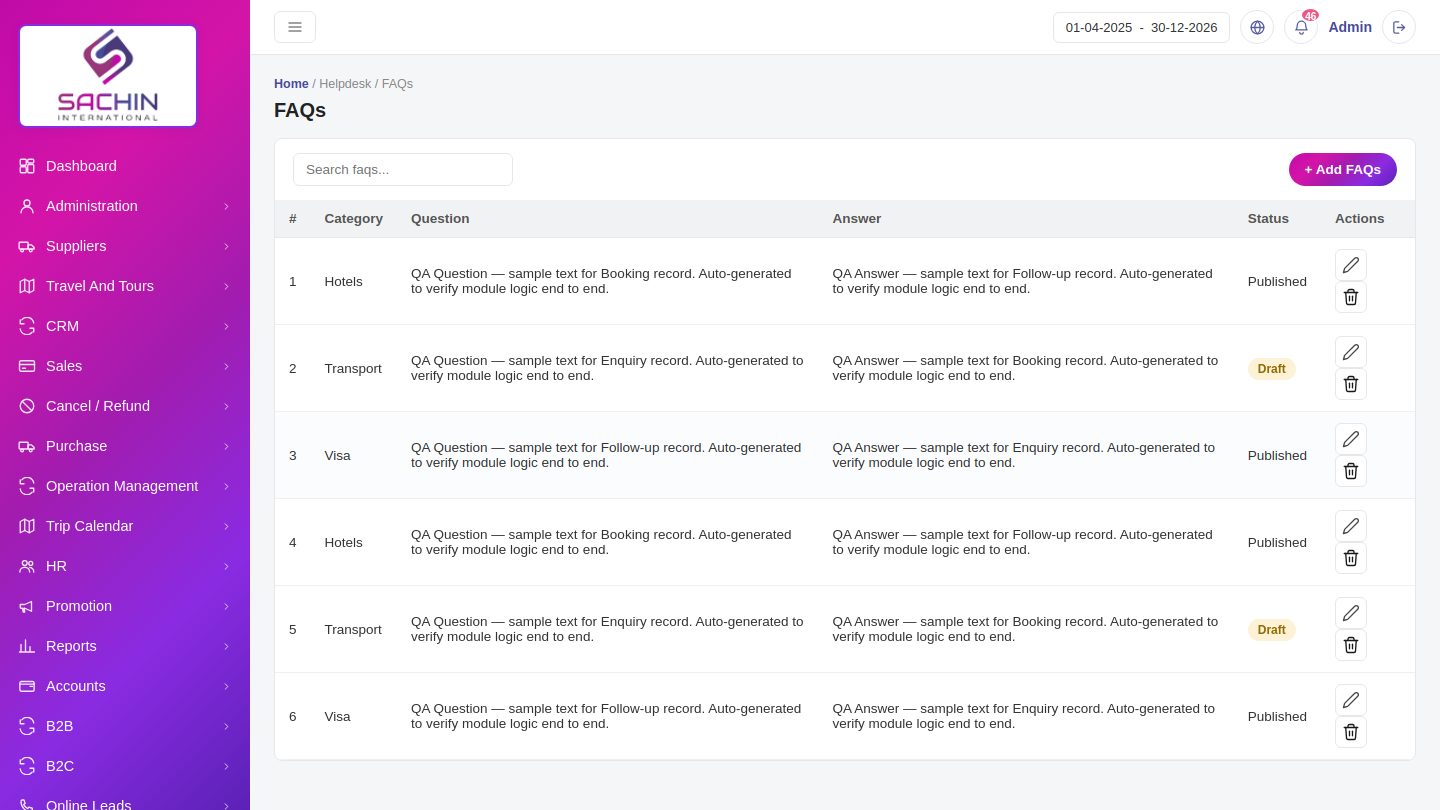
- Add a question and its answer under a category.
- Show or hide an FAQ using its status.
- Staff can search the FAQ list for quick answers.
Workflow
How It Works
One connected flow, from start to final report.
1
Enquiry in CRM
2
Choose package
3
Build itinerary
4
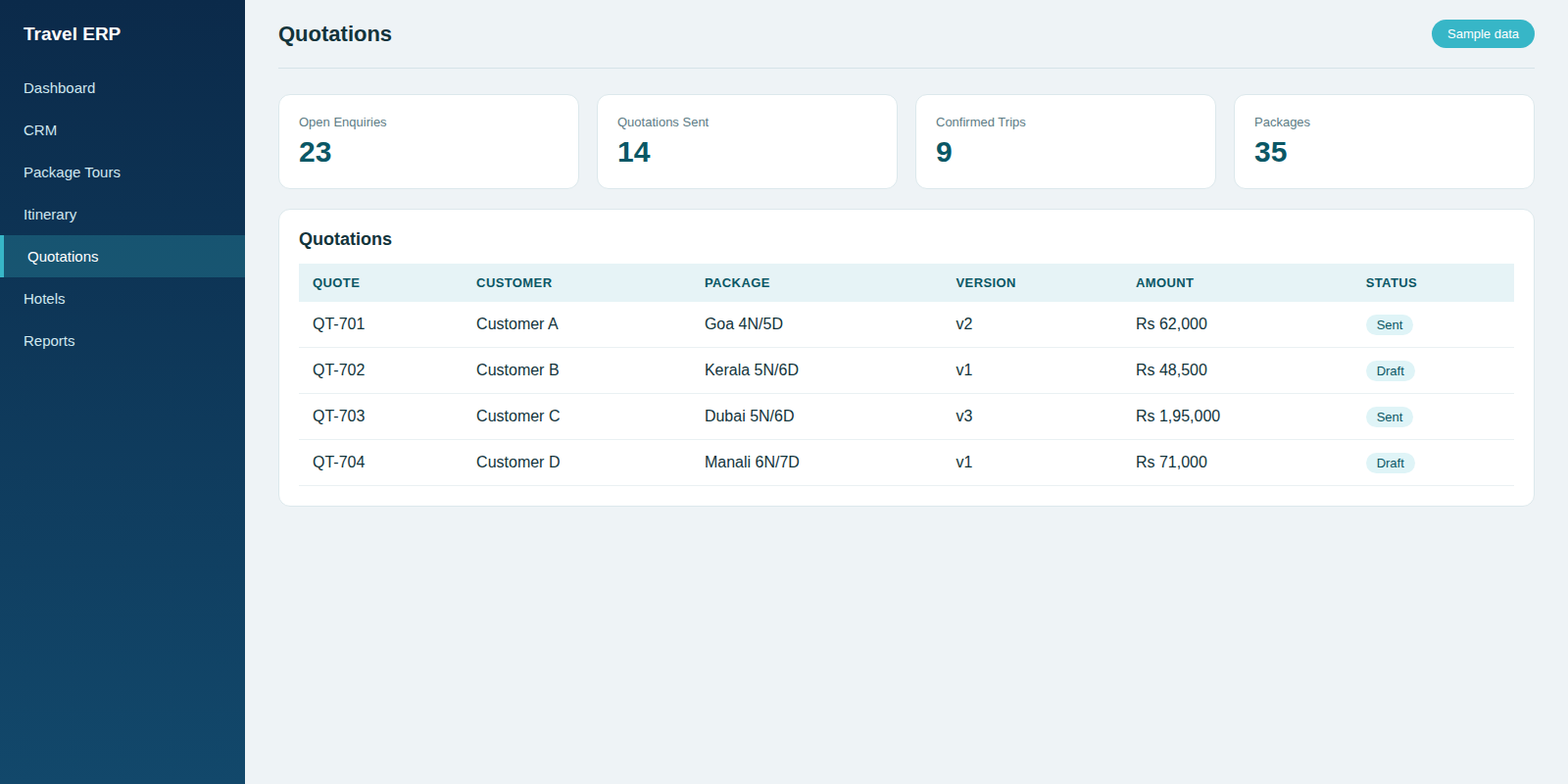
Create quotation
5
Send PDF
6
Confirm booking
Screens
ERP Demo Screens
Click a screen to view it full size. Screens show sample data.
Need a similar ERP for your business?
Tell us about your process — we will build the system around it.