
Kokoco Ice-Cream ERP
Everything Kokoco Ice-Cream Needs, in One System
A custom ERP for ice-cream, kulfi and milk-product manufacturing — from buying raw material to scanning boxes at dispatch, billing, ledgers and GST reports.
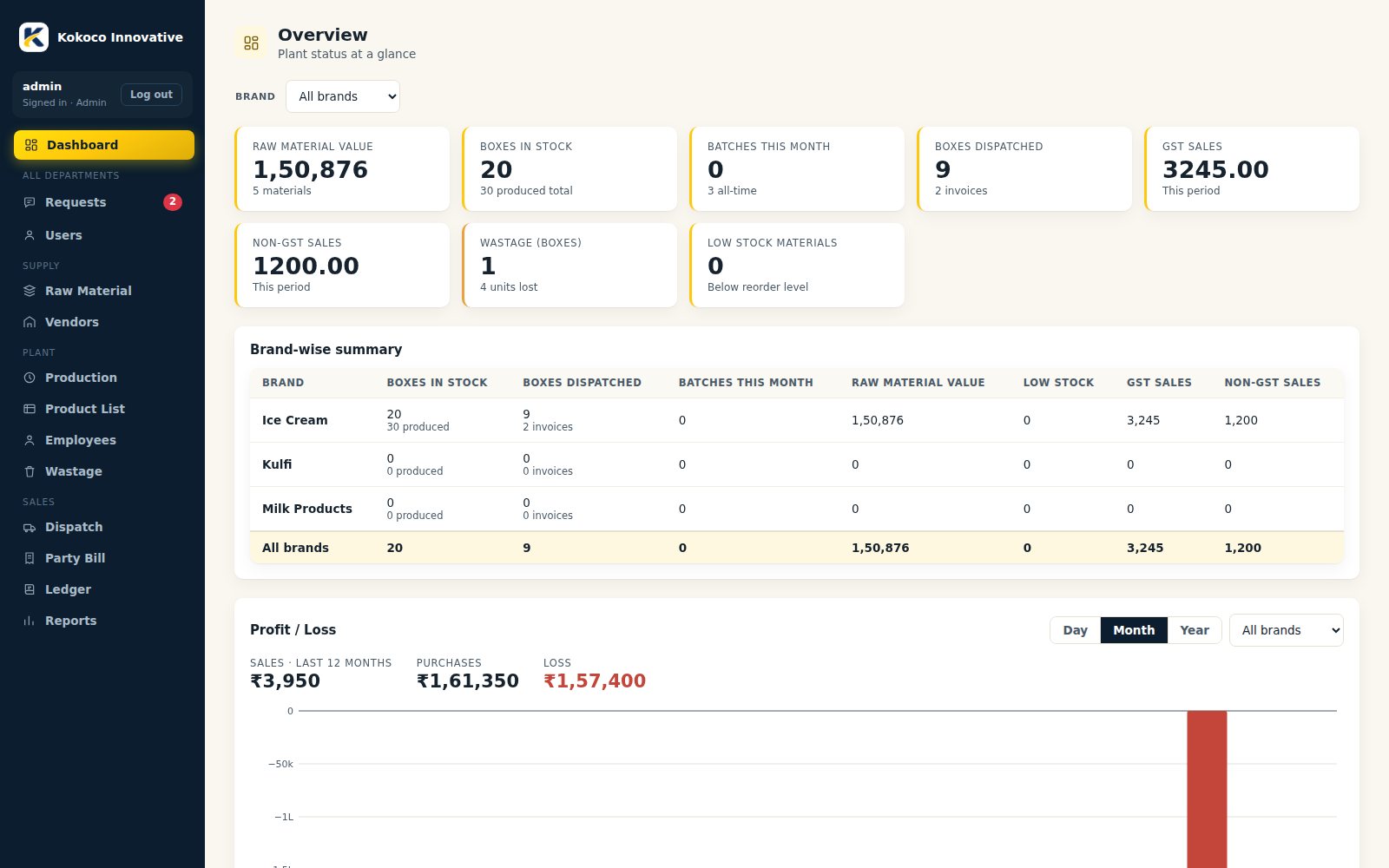
See the Kokoco ERP in Action
A guided tour of the live system — watch how a request becomes a production batch, how every box gets a barcode and how a scan turns into an invoice. Screens show sample data.
- Dashboard for all three brands at a glance
- Recipe-based batch production with box barcodes
- Scan-based dispatch with GST / Non-GST invoices
- Ledger, wastage and GST-ready reports
Modules & How They Work
Tap a module to see its working step by step. Three brands run side by side — Ice Cream, Kulfi and Milk Products — each with its own stock, batches, invoices and GST ledger.
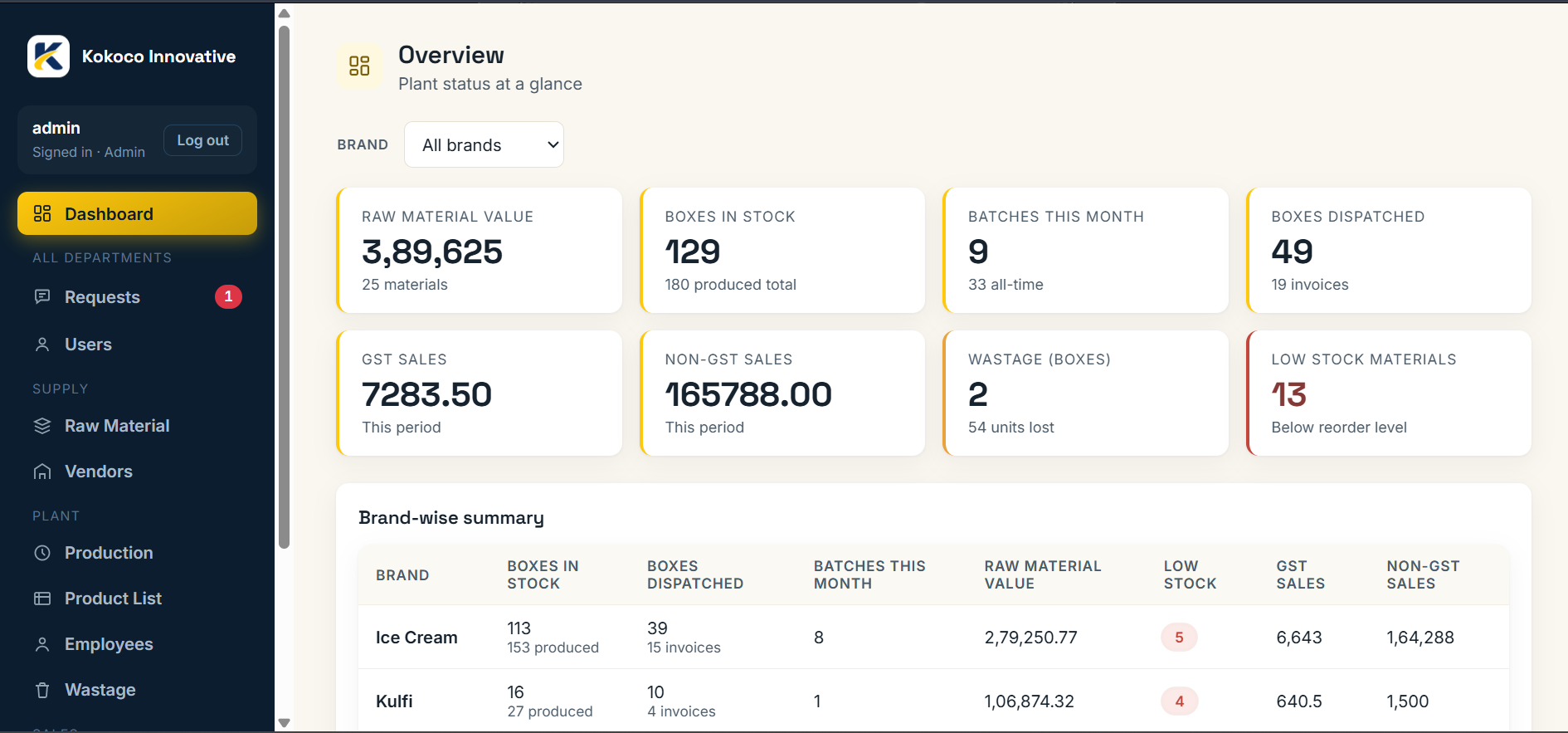
DashboardAdminAll three brands at a glance: KPI cards, expiry watch, low-stock list and a brand-wise summary.
- Overview shows Ice Cream, Kulfi and Milk Products added together.
- Brand dropdown switches KPIs, expiry watch and low stock to one brand.
- Brand-wise summary table always lists every brand with an all-brands total row.
RequestsAll departmentsAdmin sends work to any department; the department updates the status and everyone sees it live.
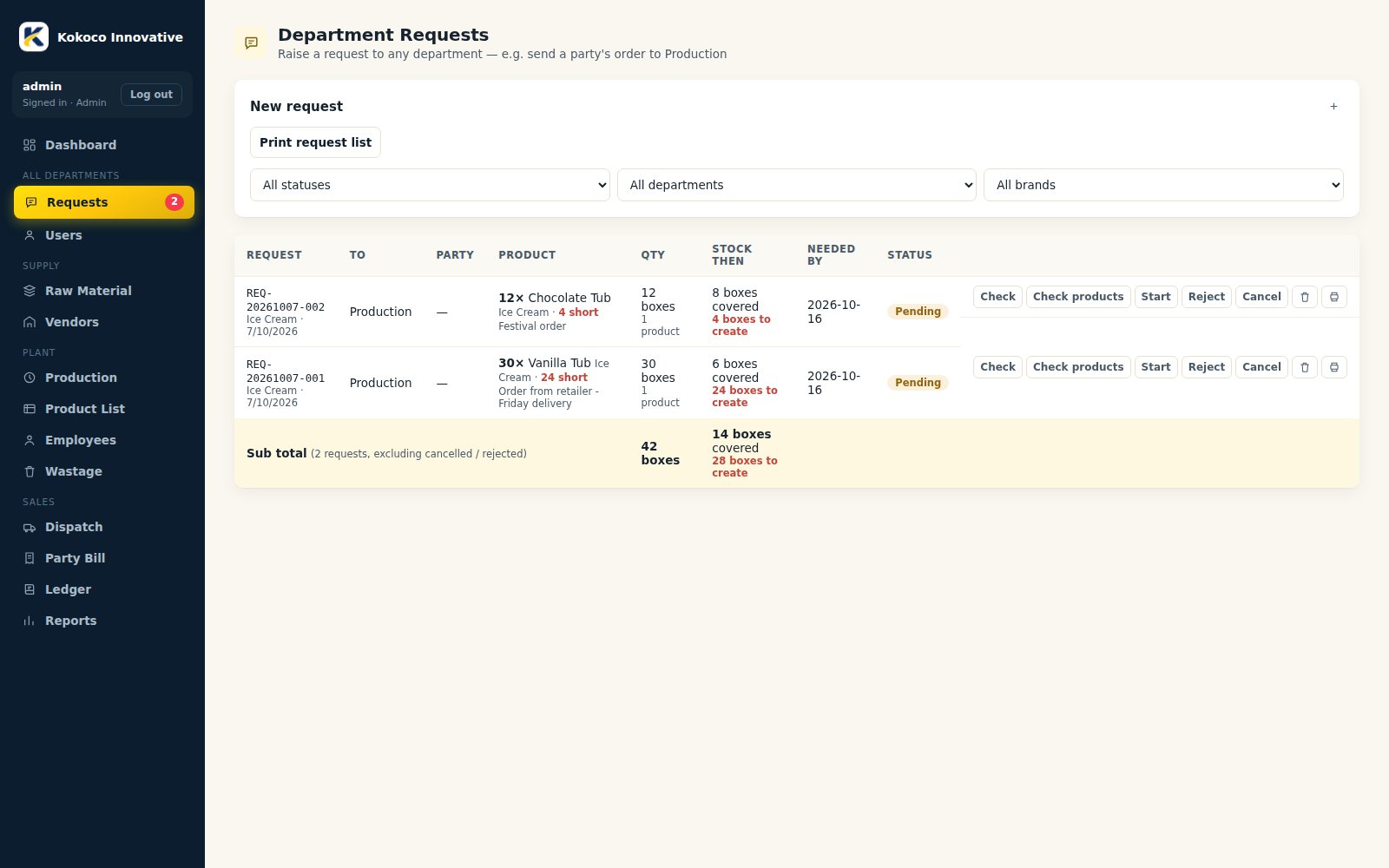
- Admin picks department, party, due date and adds product lines (brand, product, boxes).
- Current stock shows as you type, with boxes short and boxes to create.
- Status moves pending → in-progress → completed, or rejected / cancelled, with full history.
- Check re-reads live stock; Send shortage to Production raises a new request for only the missing boxes.
- Sidebar badge and table update live; requests can be printed.
Raw MaterialStoreMaterial master, purchases and a running stock ledger, with shortage alerts and borrowing between brands.
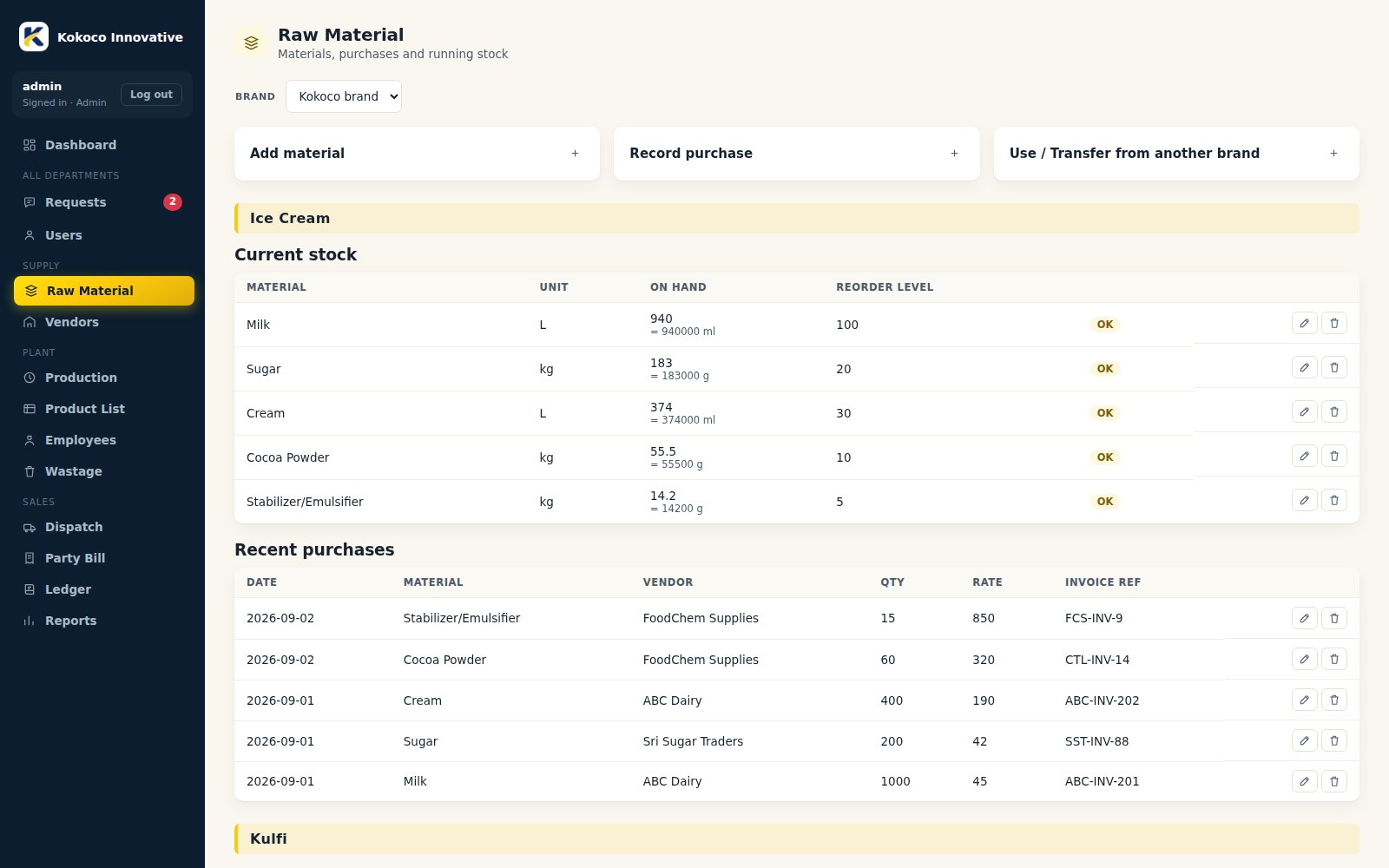
- Add a material once and tick other brands to create it there too (common raw material).
- Stock is kept in kg / L / pcs; recipes use g / ml and are converted automatically.
- Record purchases against a vendor; stock updates and the ledger gets an entry.
- Low stock shows against the reorder level; Borrow moves stock from another brand and logs the transfer.
VendorsStoreVendor master linked to purchases, so every purchase also feeds the vendor account.
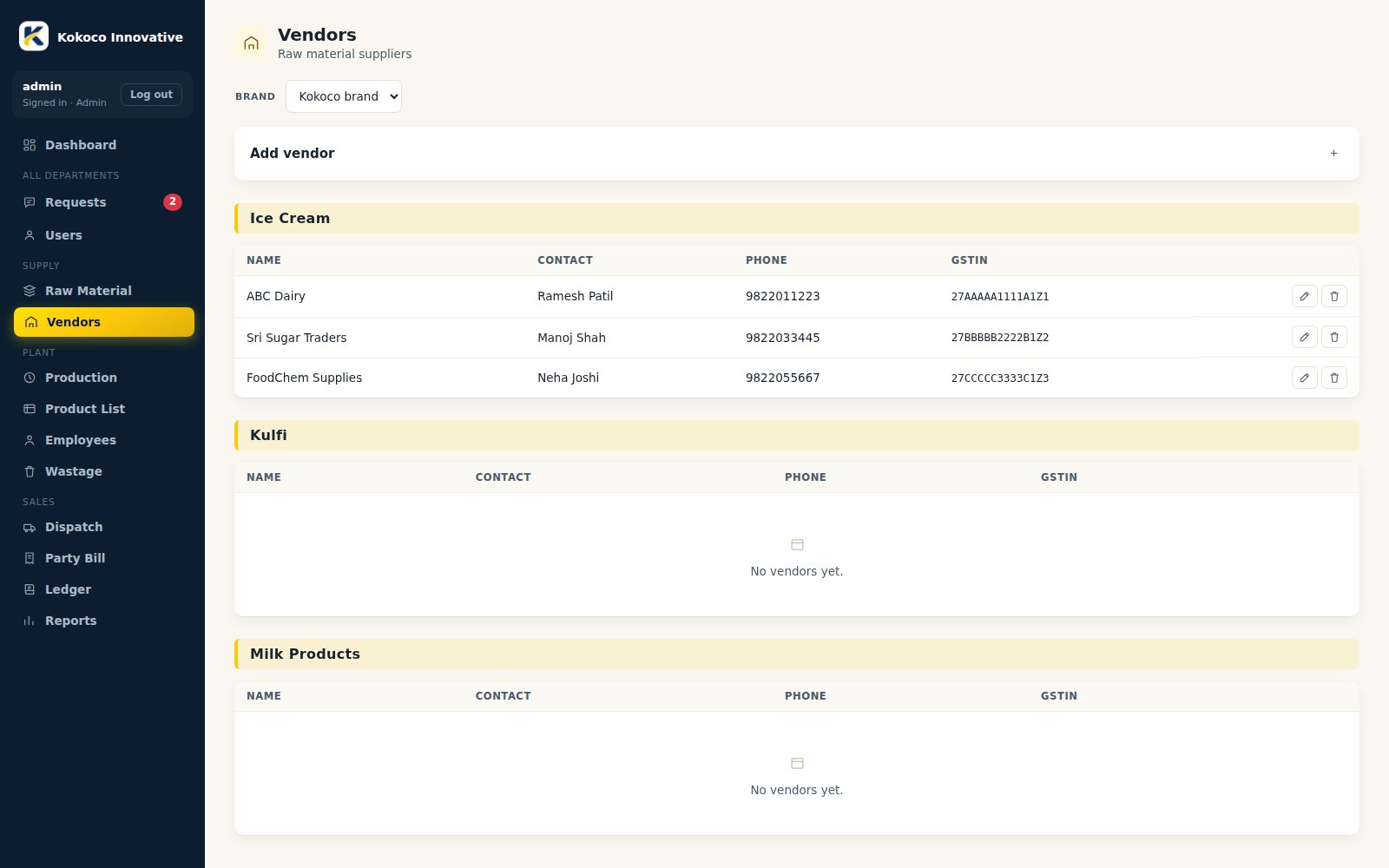
- Add vendors per brand with GSTIN and phone.
- Choose the vendor when recording a raw-material purchase.
- Purchases appear in the vendor ledger as payable.
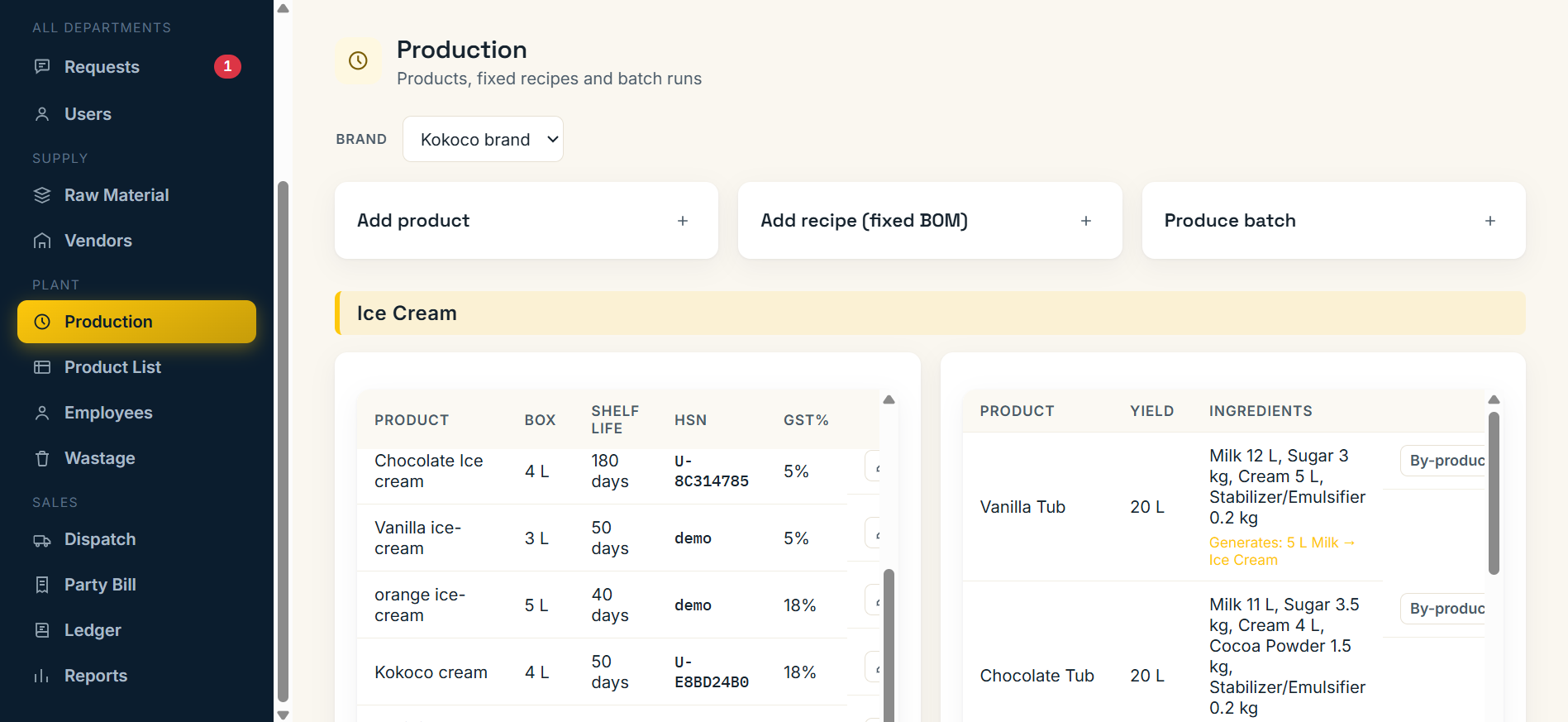
Catalog & RecipesProductionProducts with shelf life, HSN code and box size, plus a fixed recipe (BOM) for each product.
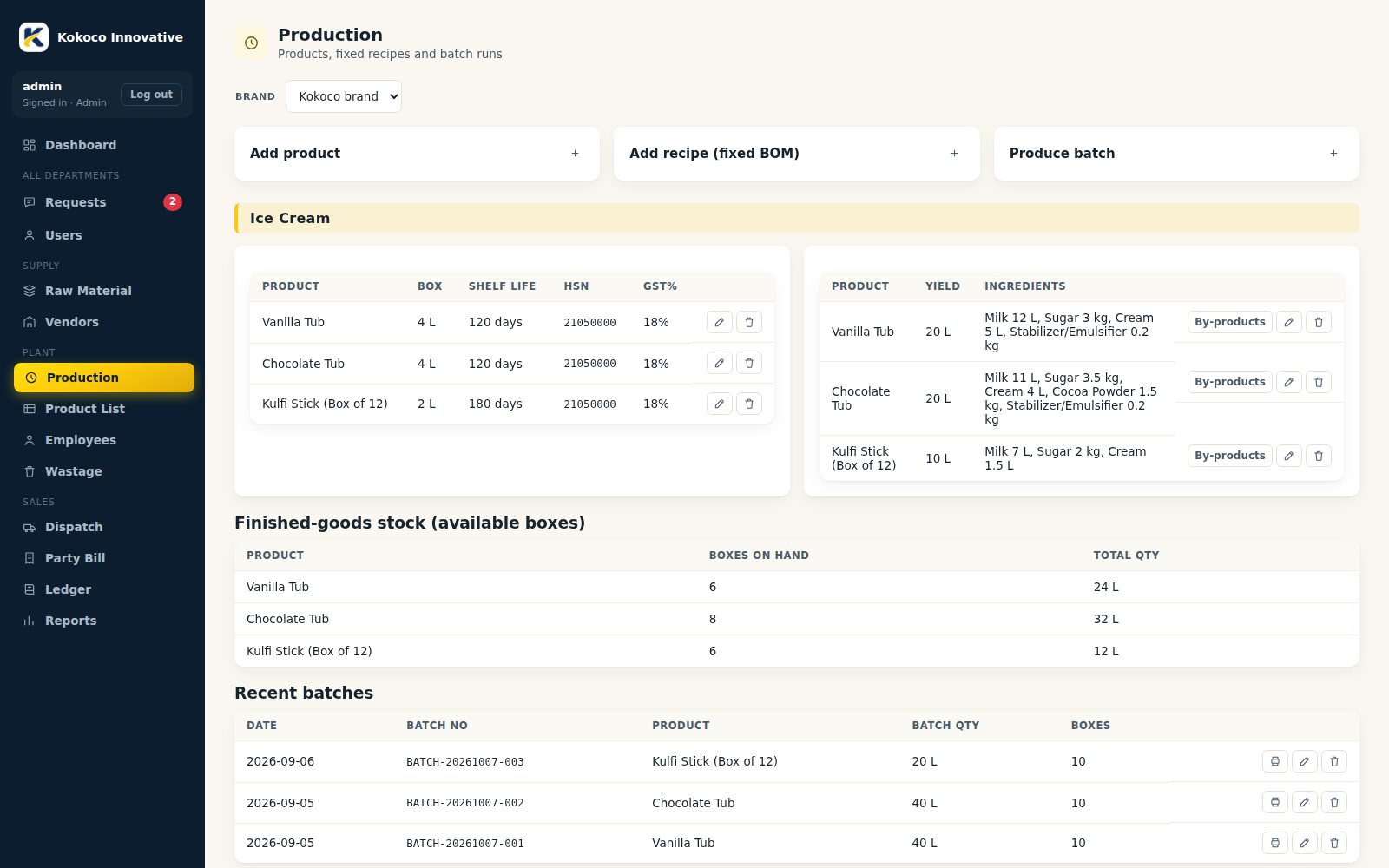
- Create the product with shelf life, HSN code and box size.
- Add the recipe: each raw material with its quantity and unit.
- Optional by-products: material a batch generates and the brand whose stock receives it (for example Malai from milk).
ProductionProductionProduce a batch from a recipe; stock is checked and deducted and every box gets a barcode.
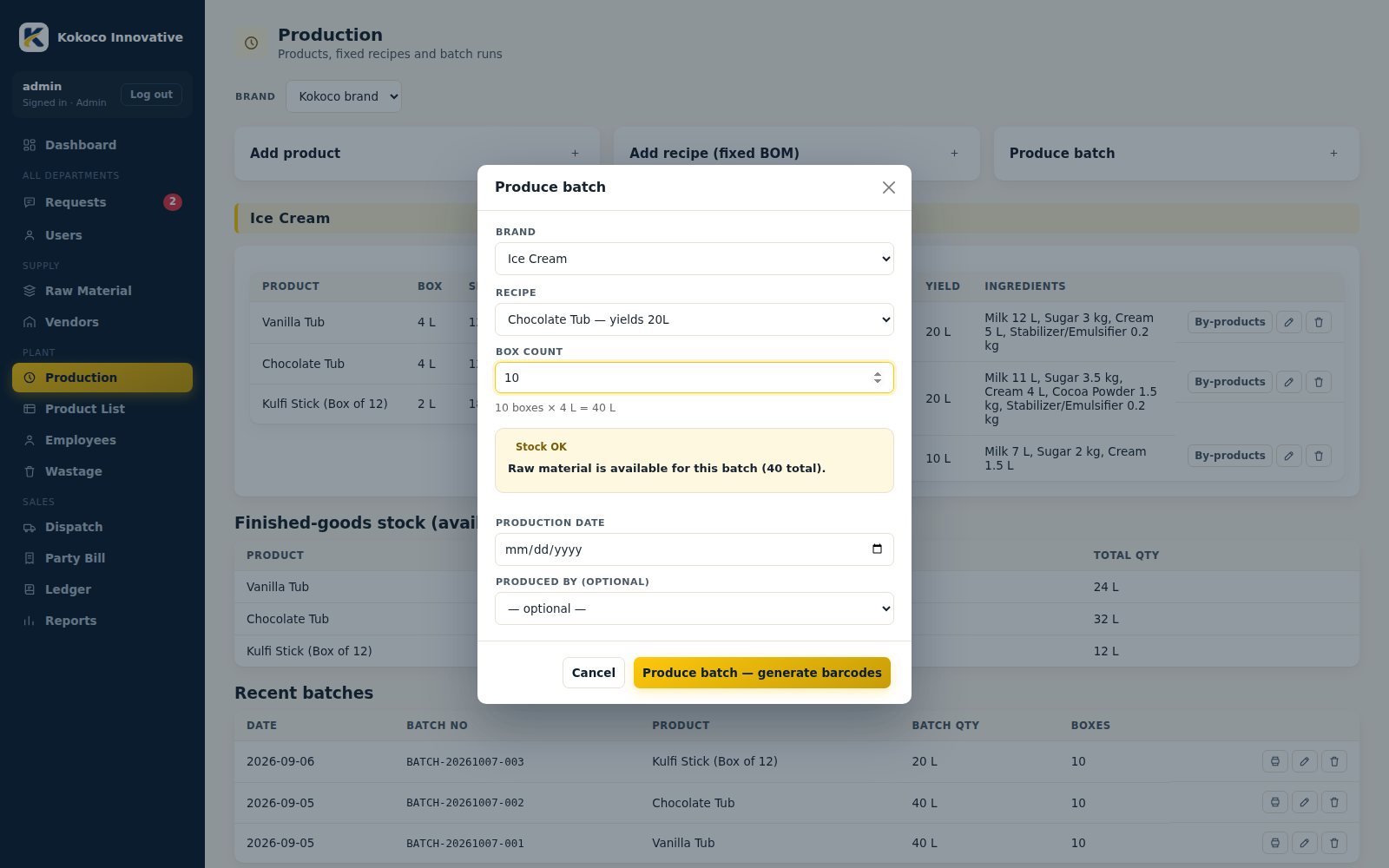
- Pick the recipe and enter the number of boxes (Kulfi box size is 50 or 100 per batch).
- Ingredient quantities scale automatically and are checked against stock; any shortage is flagged.
- On save, raw stock is deducted, one barcoded unit is created per box and by-products are added to stock.
- A batch can be edited (date, producer) or deleted while every box is still available; deleting gives the raw material back.
BarcodeProduction / DispatchCode128 barcode image for every box, ready to print on labels.

- The barcode holds only an internal ID; product, batch and dates are looked up on scan.
- Corrections to a record never need a reprint.
- Labels for a batch can be reprinted without producing it again.
Product ListProductionEvery produced box with batch, production date, expiry date and status.
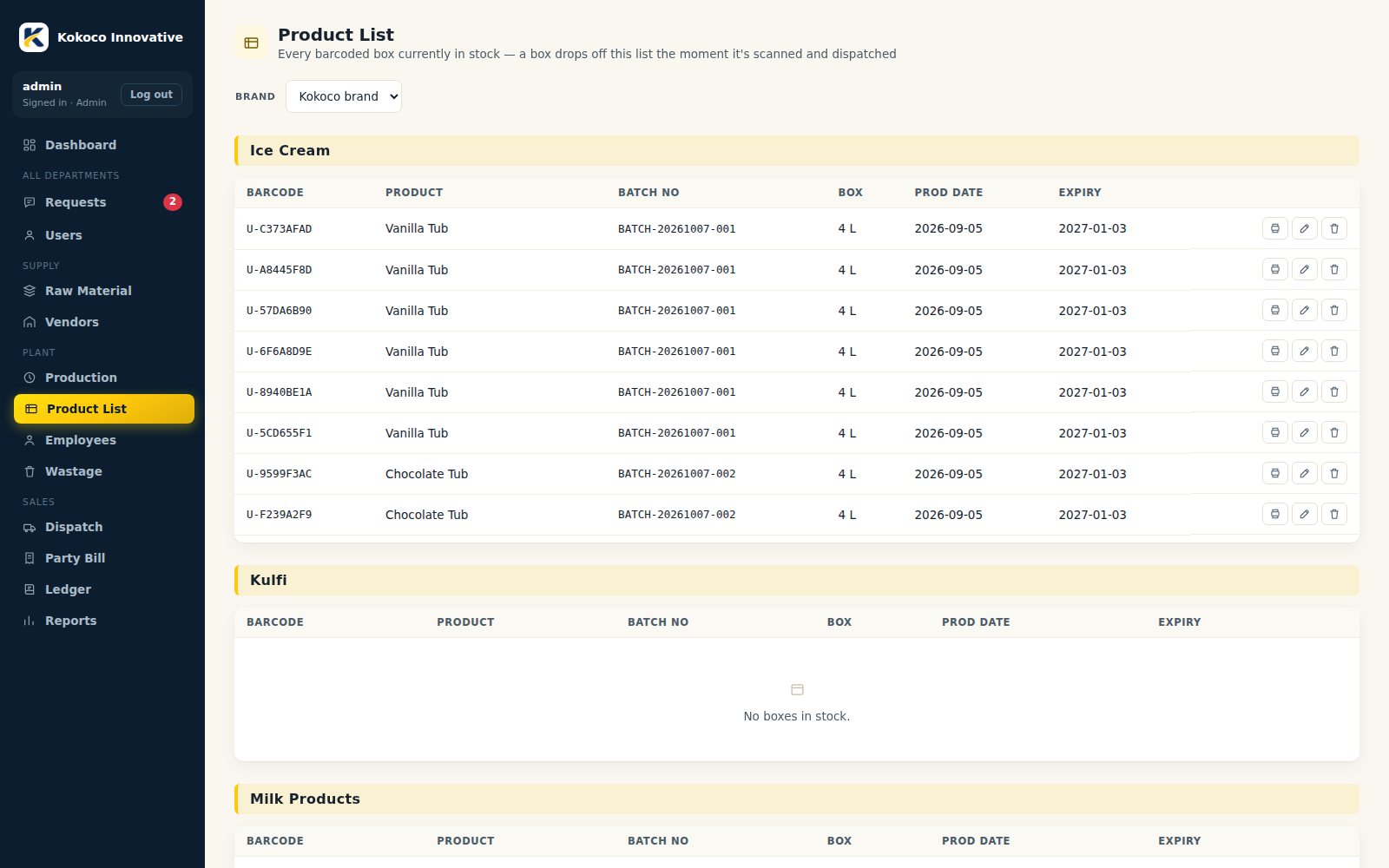
- Filter by brand and product to see available, dispatched and wasted boxes.
- Edit production or expiry date of a box that is still available.
- Delete a mistaken box while it is available.
DispatchDispatchScan boxes, pick the party and create a GST or Non-GST invoice.

- Choose the party; saved party-wise rates are filled in for each product.
- Scan each box; product, batch and dates fill in automatically.
- If an older batch of the same product is in stock, a FIFO warning asks you to confirm.
- Choose GST (CGST+SGST or IGST) or Non-GST and confirm; boxes leave stock and the PDF invoice is created.
- Mark paid, edit date / party / rate, or delete the invoice, which returns the boxes to stock.
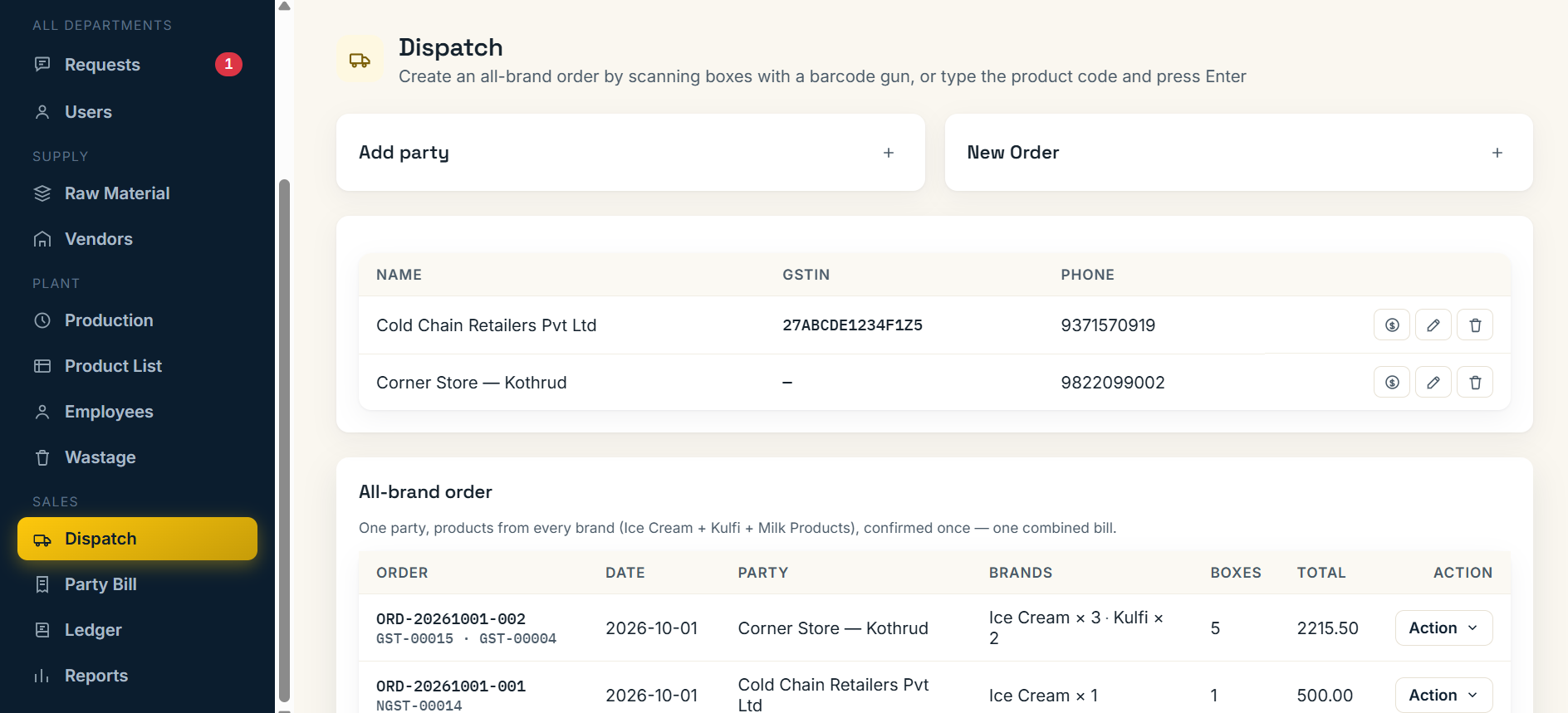
All-brand OrderDispatchOne party, one bill across Ice Cream, Kulfi and Milk Products.
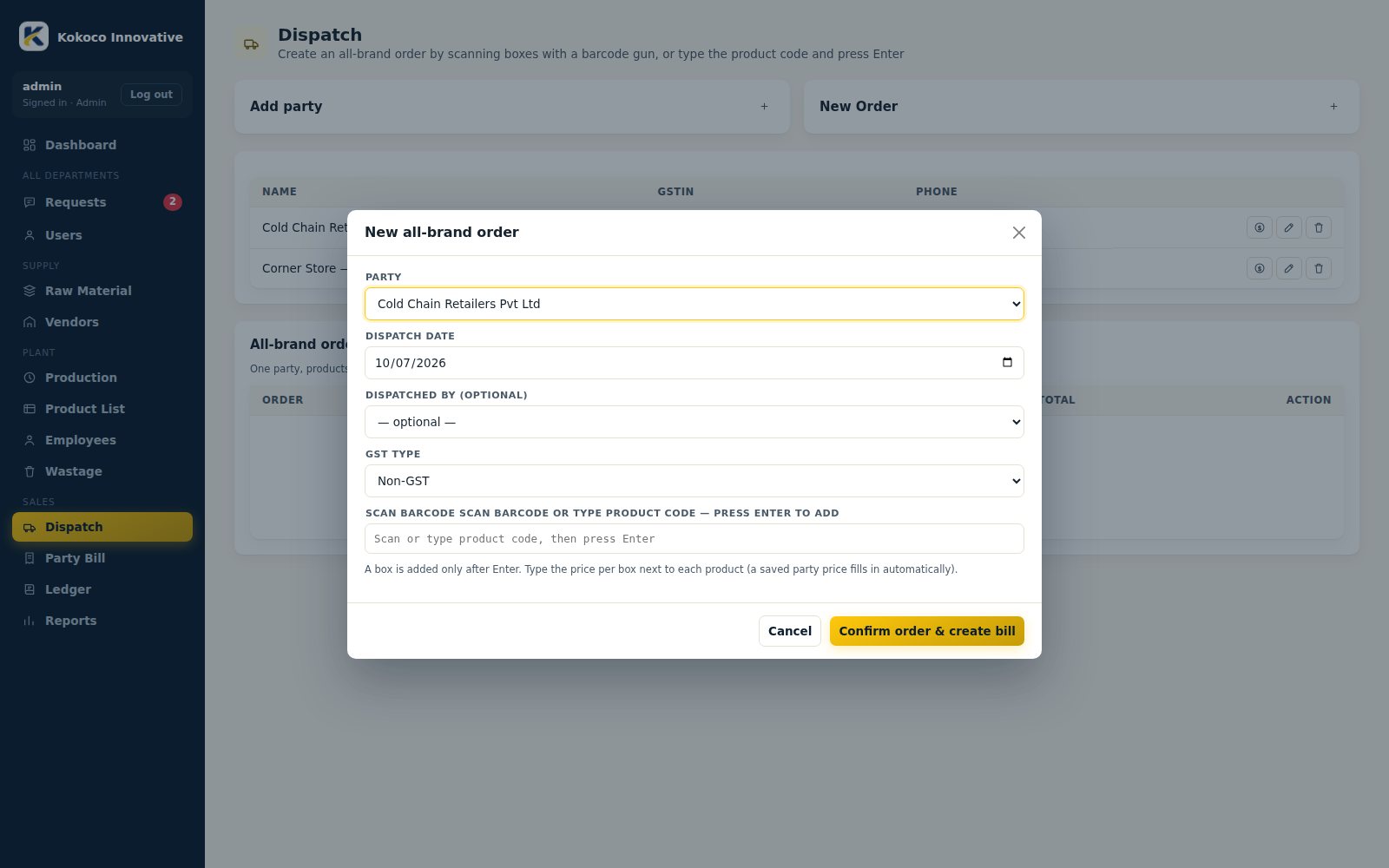
- Pick the party; it is created in any brand where it does not exist yet.
- Add lines with brand, product, boxes and rate; oldest boxes are picked first, or scan exact boxes.
- Set GST / Non-GST once and confirm to create the order (ORD-YYYYMMDD-001).
- Each brand still gets its own invoice; the combined PDF shows brand sub totals and one grand total.
Party BillAdmin / DispatchCustomer statement across brands, matched by GSTIN, phone or name.
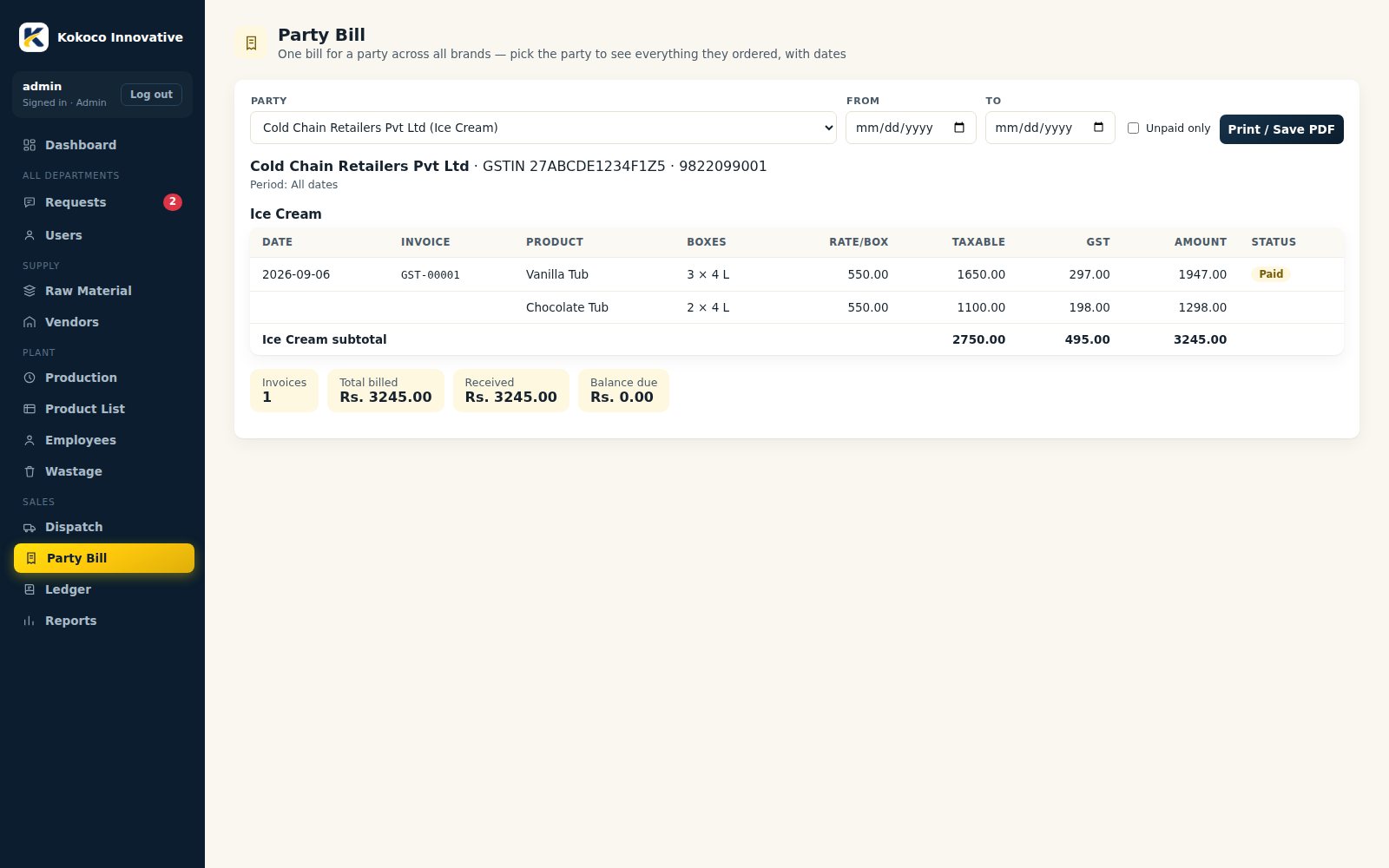
- Pick the party and a date range.
- See all invoices from every brand, with an unpaid-only option.
- Print or download the bill.
LedgerAdminRunning account for every party (receivable) and vendor (payable).

- Dispatch invoices are debits for a party; purchases are credits for a vendor.
- Record a payment (mode and UTR / cheque no.), credit note, opening balance or debit note.
- Payments are matched oldest-first, so each invoice shows Paid, Part paid or Open.
- Statement shows running balance for any date range, with Excel and Print.
WastageProduction / DispatchLoss of finished boxes and of raw material, with a reason for every entry.
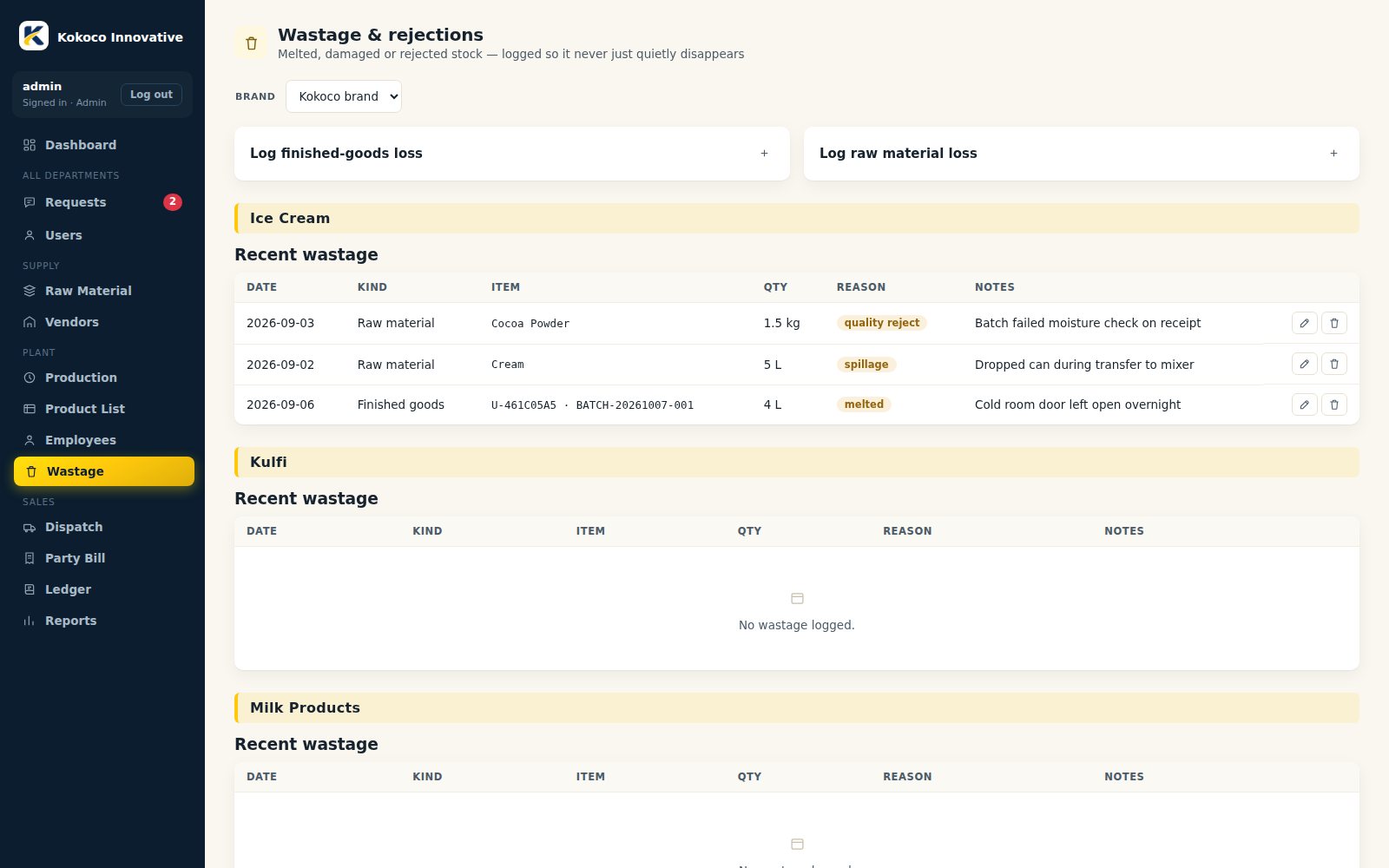
- Finished goods: scan the box and choose melted, damaged, quality reject, expired, spillage or other; the box leaves available stock.
- Raw material: pick the material and quantity; it is deducted from stock and shown in the stock ledger.
Employees & AttendanceAdminEmployee master with department, and daily attendance.
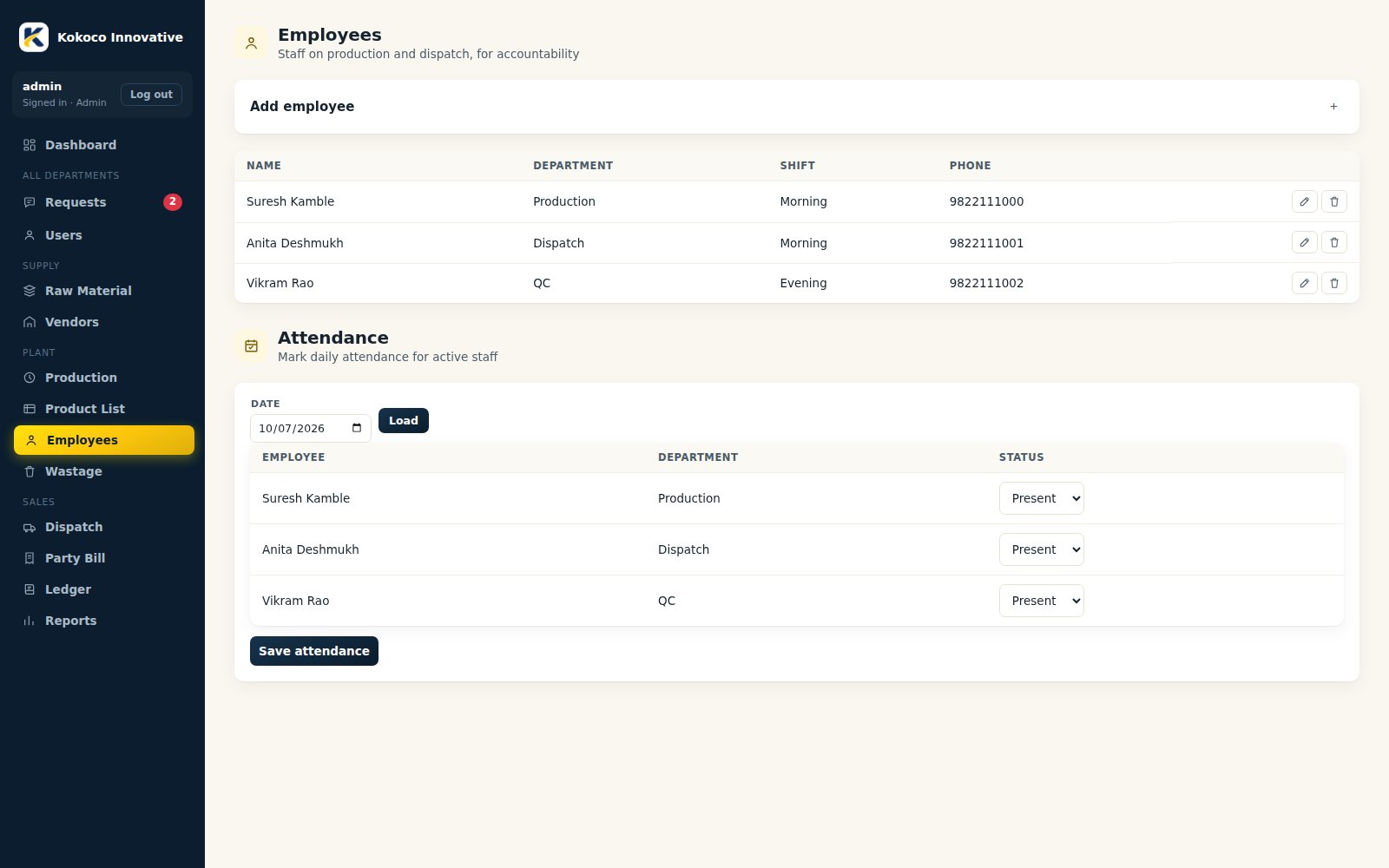
- Add employees with their department (departments used here become request targets).
- Mark each day as present, absent, half-day or leave; saving the same date again corrects it.
- Review totals per employee for any date range and export to Excel.
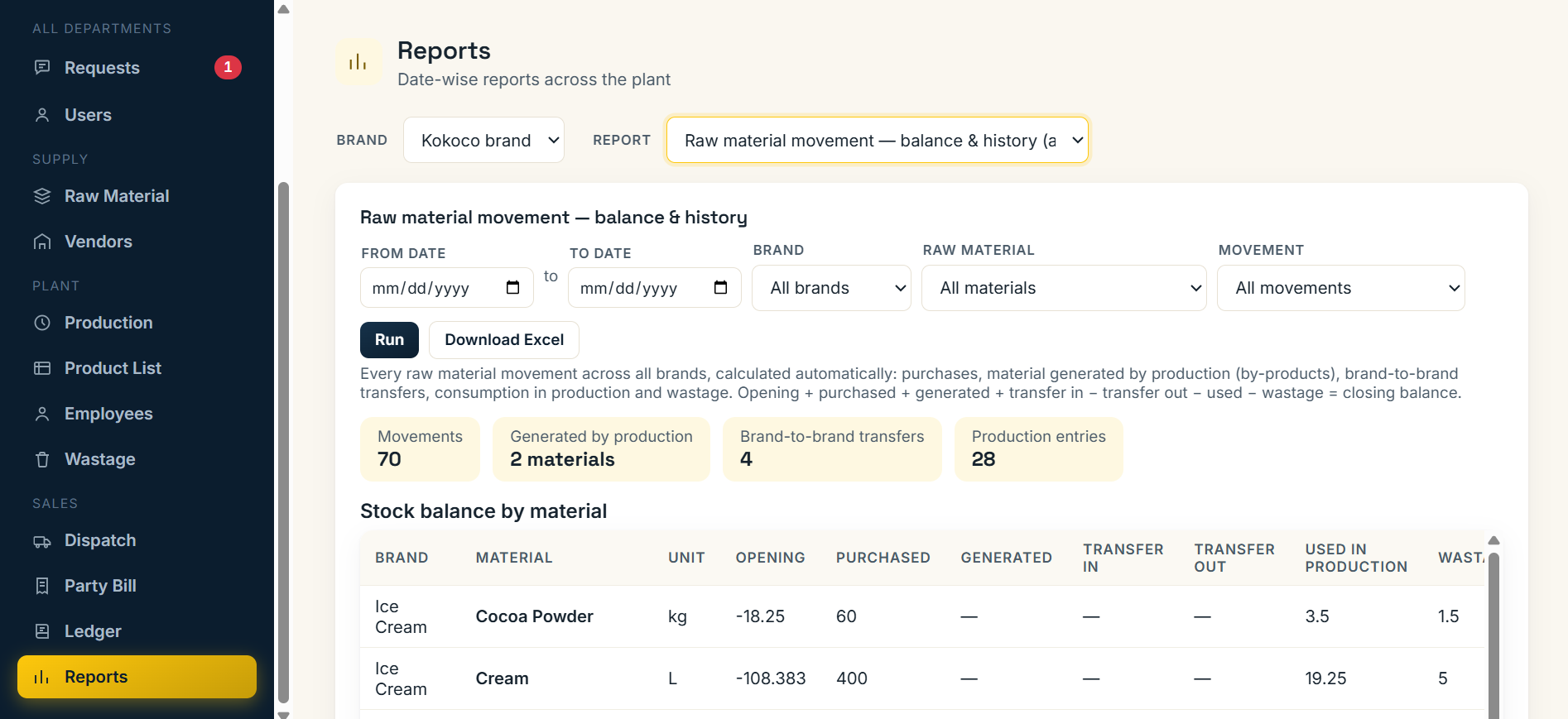
ReportsAdminRaw material, production, dispatch, GST and sales reports, with Excel export and Print.

- Report dropdown plus Brand dropdown: Kokoco brand shows all brands one under another.
- Raw material purchases and consumption, raw material used (by product, material or batch) and raw material movement ledger.
- Production batch-wise, dispatch register with batch and expiry, and dispatch summary party-wise and item-wise.
- GST / Non-GST sales report, GSTR-1 style export and HSN-wise summary.
- Sales summary grouped by product, brand, staff, party, raw material, month, date or GST type.
Users & Department LoginsAdminEvery department gets its own login and sees only what it needs.
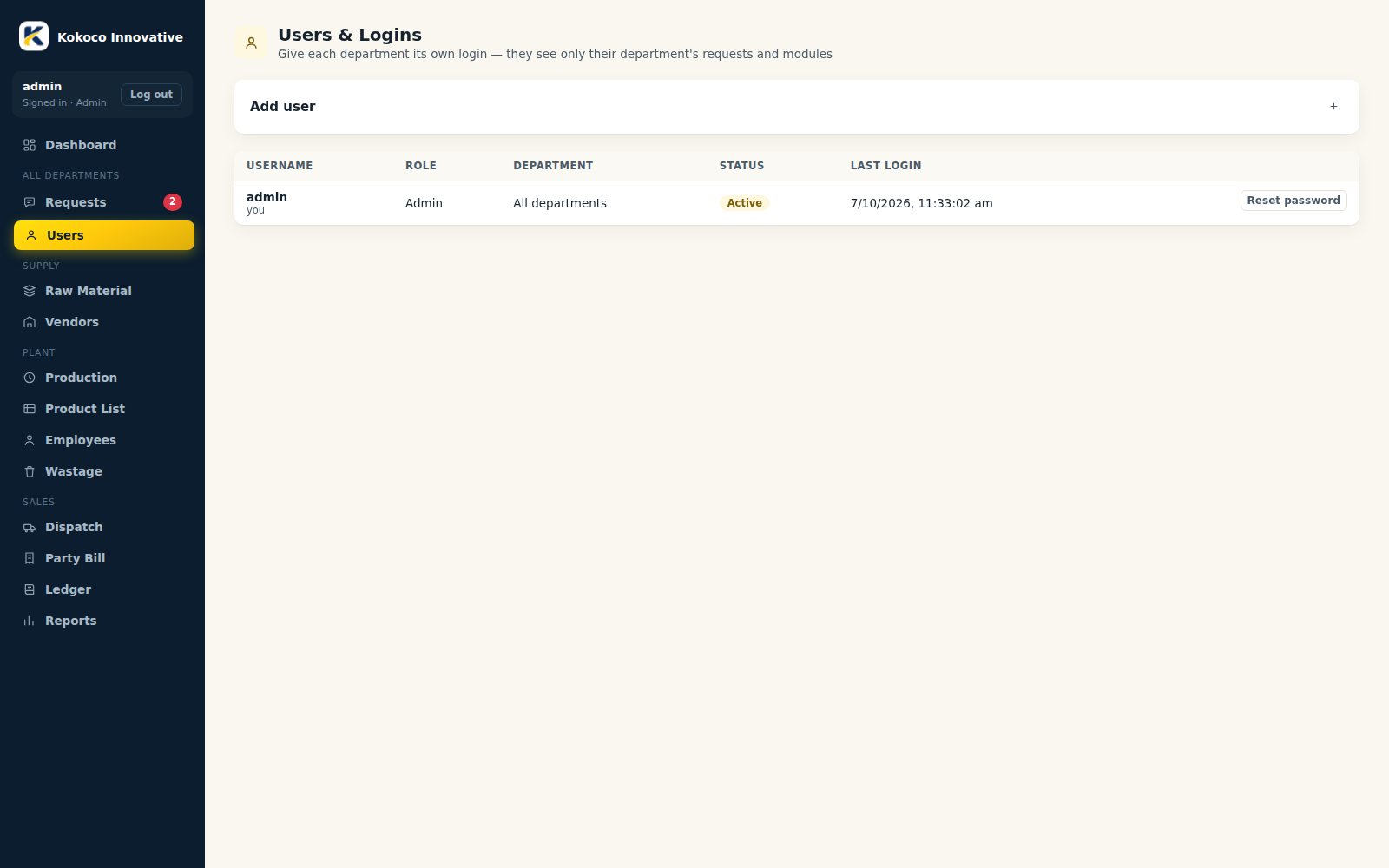
- Admin creates logins with username, password, role and department.
- Production, Dispatch, QC and Store each get the modules they need; others are view-only.
- Disable, reset password or delete a login; disabling signs the person out at once.
How It Works
One connected flow, from the first purchase to the final report.
Purchase raw material
Set recipe
Request to Production
Batch production
Box barcodes
Scan & dispatch
Bill, ledger & payment
Reports
Who Can Open What
Access is checked on the server for every brand, so a department can never open a module it has not been given.
| Login | Can change | View only |
|---|---|---|
| Production | Requests, Production, Catalog, Barcode, Wastage, Material transfer | Raw Material, Employees |
| Dispatch | Requests, Dispatch, Party Bill, Barcode, Wastage | Catalog, Production, Employees |
| QC | Requests | Production, Catalog, Wastage, Employees |
| Store | Requests, Raw Material, Vendors, Material transfer | Employees |
| Admin | Everything, including Dashboard, Reports, Ledger, Attendance and Users | - |
ERP Demo Screens
Click a screen to view it full size. Screens show sample data.
Need a similar ERP for your business?
Tell us about your process — we will build the system around it.