
H One Hotel ERP
H One Hotel ERP, in One System
A complete hotel ERP covering ten modules — from room bookings and housekeeping to restaurant billing and payroll.
See the H One Hotel ERP in Action
A guided tour of the working system. Screens show sample data.
- Bookings
- Housekeeping
- Restaurant / POS
- Inventory
What the ERP Covers
The key modules of H One Hotel ERP, working together in one system.
Bookings
Manage room bookings, check-in and check-out.
Housekeeping
Track room cleaning status and tasks.
Restaurant / POS
Take restaurant orders and make bills.
Inventory
Keep stock of hotel and kitchen supplies.
Staff & Payroll
Maintain staff records and payroll.
Role-based Access
Each user sees only the modules meant for their role.
Excel Export
Export data to Excel for your own records.
Mobile Friendly
Works on phones and tablets with a slide-in menu.
Modules & How They Work
Tap a module to see its screen and working step by step. Click a screen to view it full size. Screens show sample data.
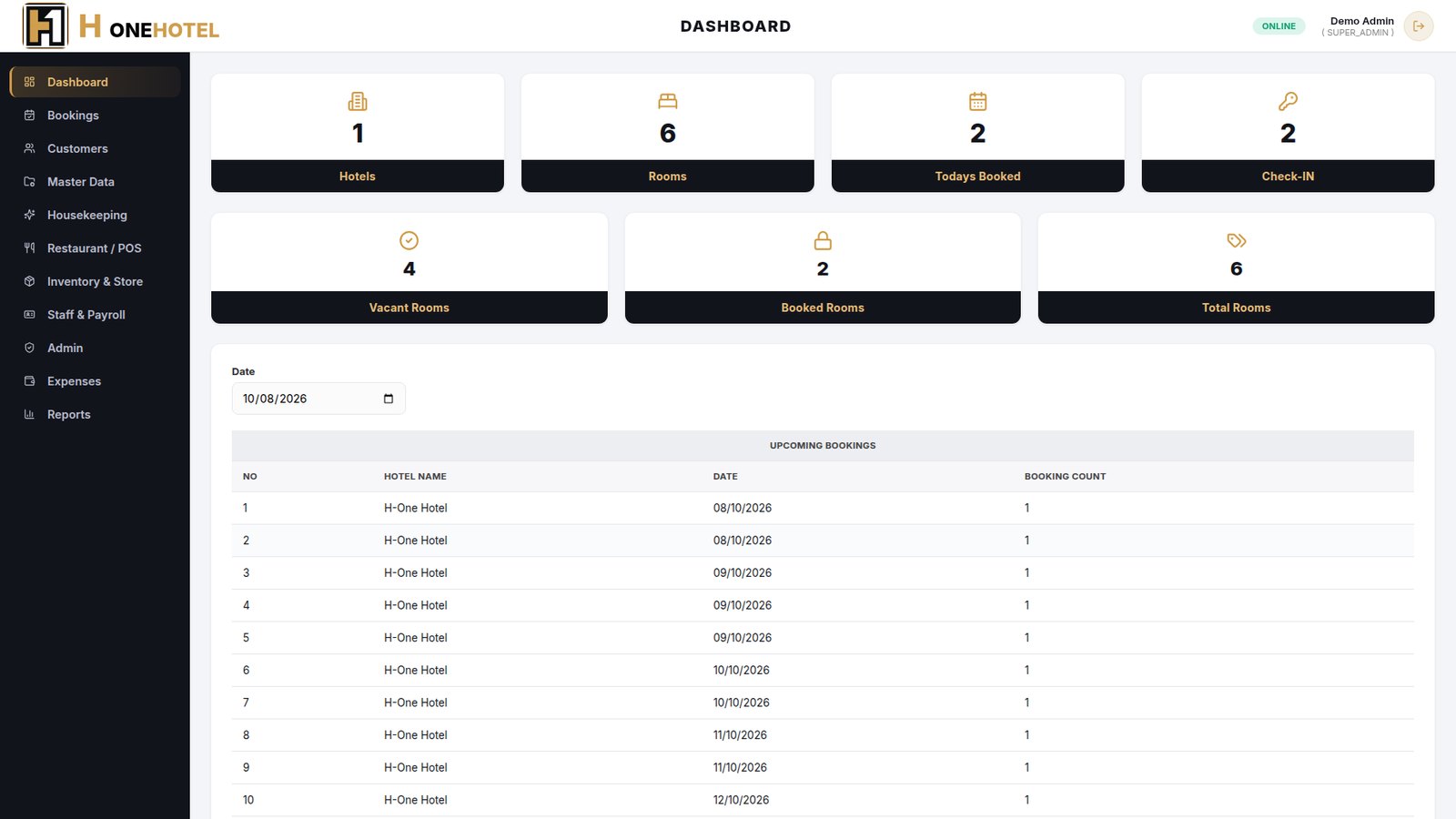
DashboardOverviewRooms, bookings and check-ins for the selected date at a glance.
- Cards show hotels, rooms, today's bookings and current check-ins.
- Vacant, booked and total rooms are counted automatically from check-in status.
- Pick any date to see the upcoming bookings list for that day.
BookingsFront deskCreate and manage room bookings from check-in to check-out.
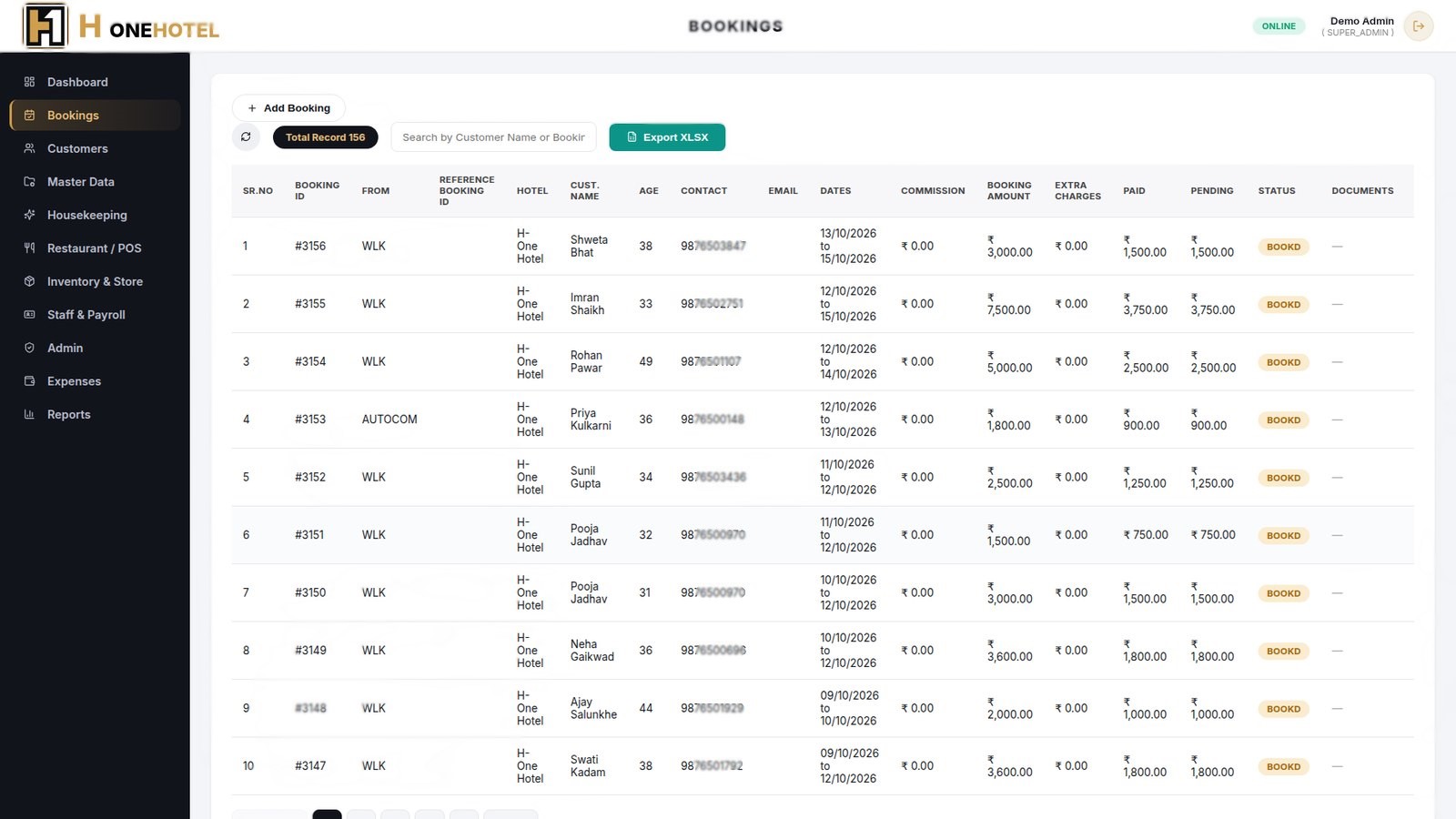
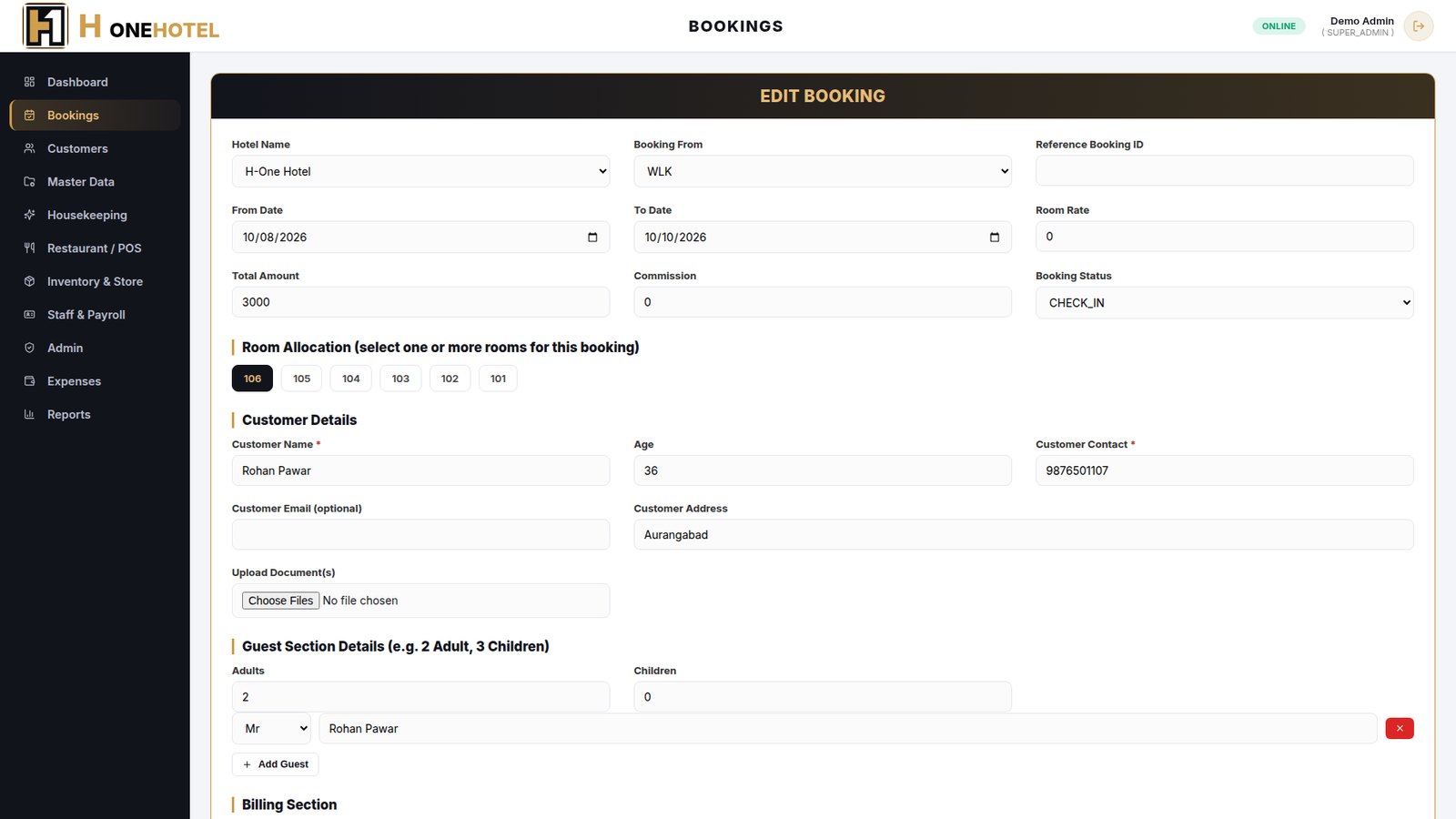
- Add a booking with source (walk-in, Booking.com, other), dates, total amount and commission.
- Tick one or more rooms for the booking and enter customer and guest details.
- Add payments (cash, GPay, card) and extra charges; pending amount is worked out for you.
- Move the status through Booked, Check-in, Check-out or Cancelled.
- Search by customer name or booking ID, upload ID documents, and print an invoice or GST invoice from the action menu.
CustomersFront deskCustomer list built automatically from bookings, with their documents.
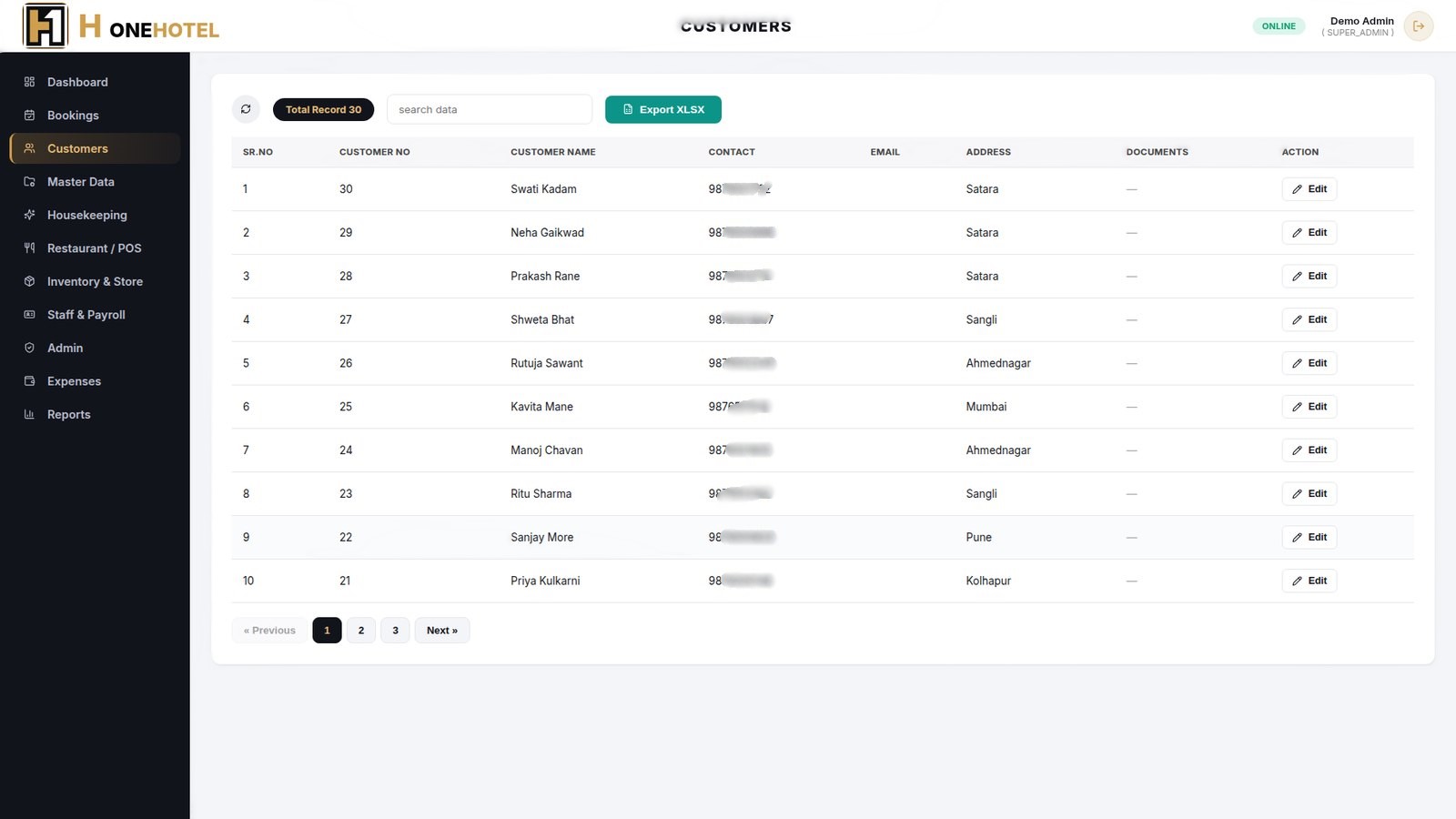
- A customer is added to the list when a booking is saved.
- The list shows name, contact, address and uploaded documents.
- Edit customer details or view ID documents from one place.
Master DataAdminSet up the hotel and its rooms once, then use them everywhere.
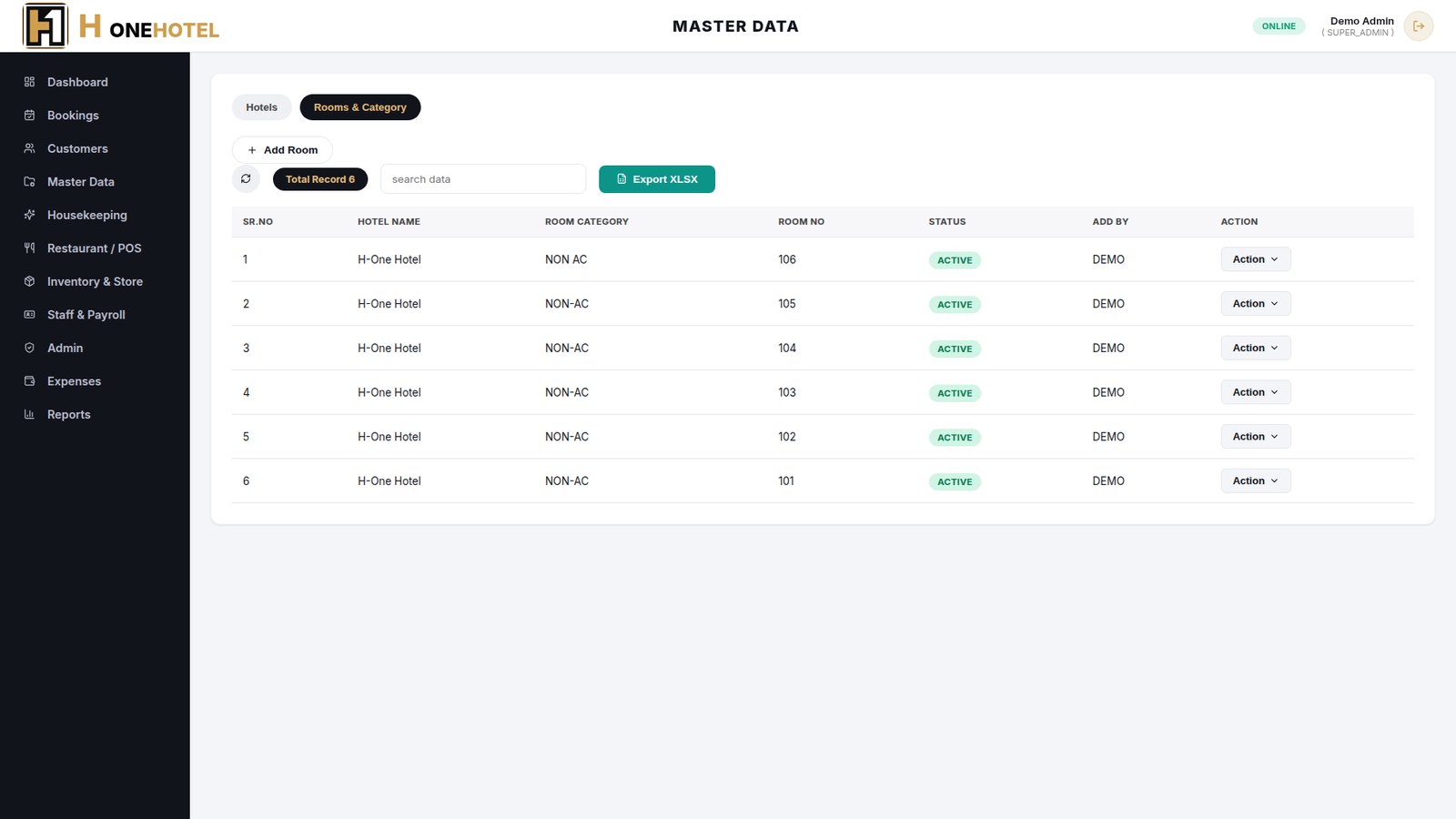
- Hotels tab holds the hotel name, code, address, GST number and contact.
- Rooms & Category tab lists every room with its category and status.
- Duplicate room numbers are blocked so bookings always point to one room.
HousekeepingHousekeepingCleaning schedule, room status, staff areas, lost & found and linen.
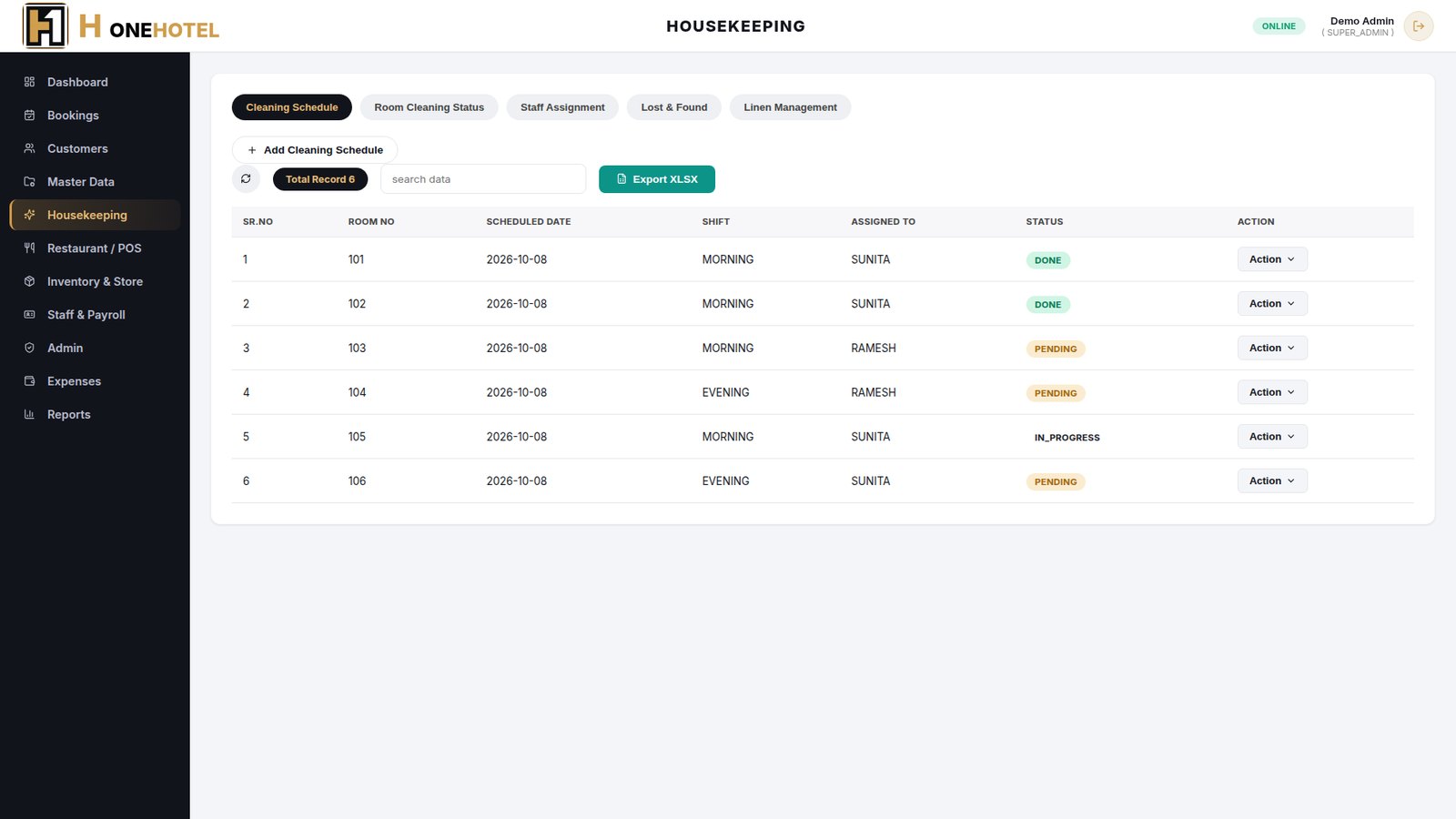
- Cleaning Schedule assigns a room, shift and staff member, and tracks Pending / Done.
- Room Cleaning Status shows each room as Clean, Dirty or Occupied.
- Staff Assignment, Lost & Found and Linen Management keep the rest of the floor work in one place.
Restaurant / POSRestaurantMenu, tables, orders and kitchen orders with billing to the room.
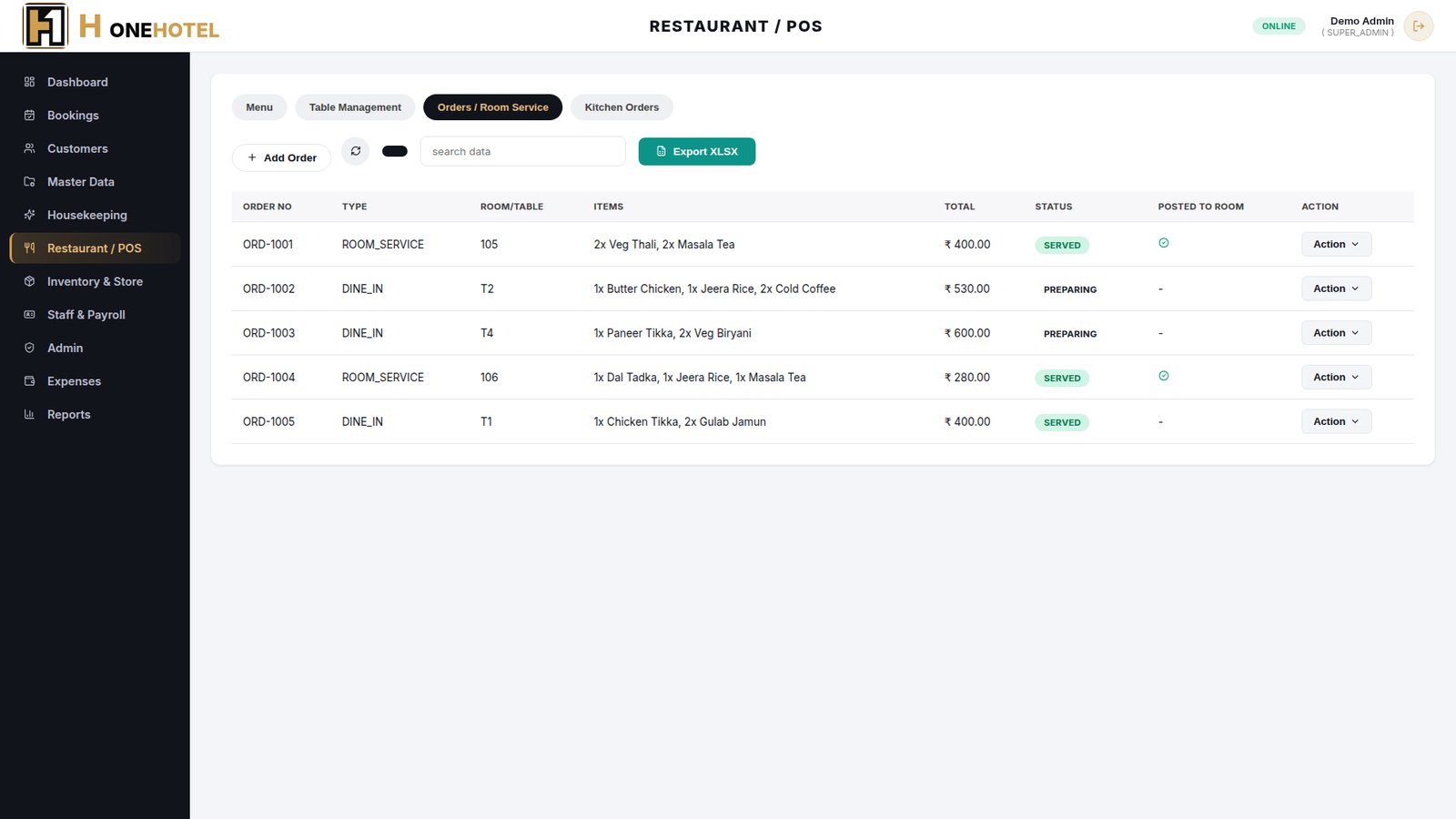
- Build the menu with category and price, and set up tables with capacity.
- Take dine-in or room-service orders with items and quantity; the total is calculated.
- Use Post to Room to add a room-service bill to the guest's booking.
- Kitchen Orders shows what is being prepared and what is completed.
Inventory & StoreStoreStock of hotel and kitchen supplies with suppliers and purchase orders.
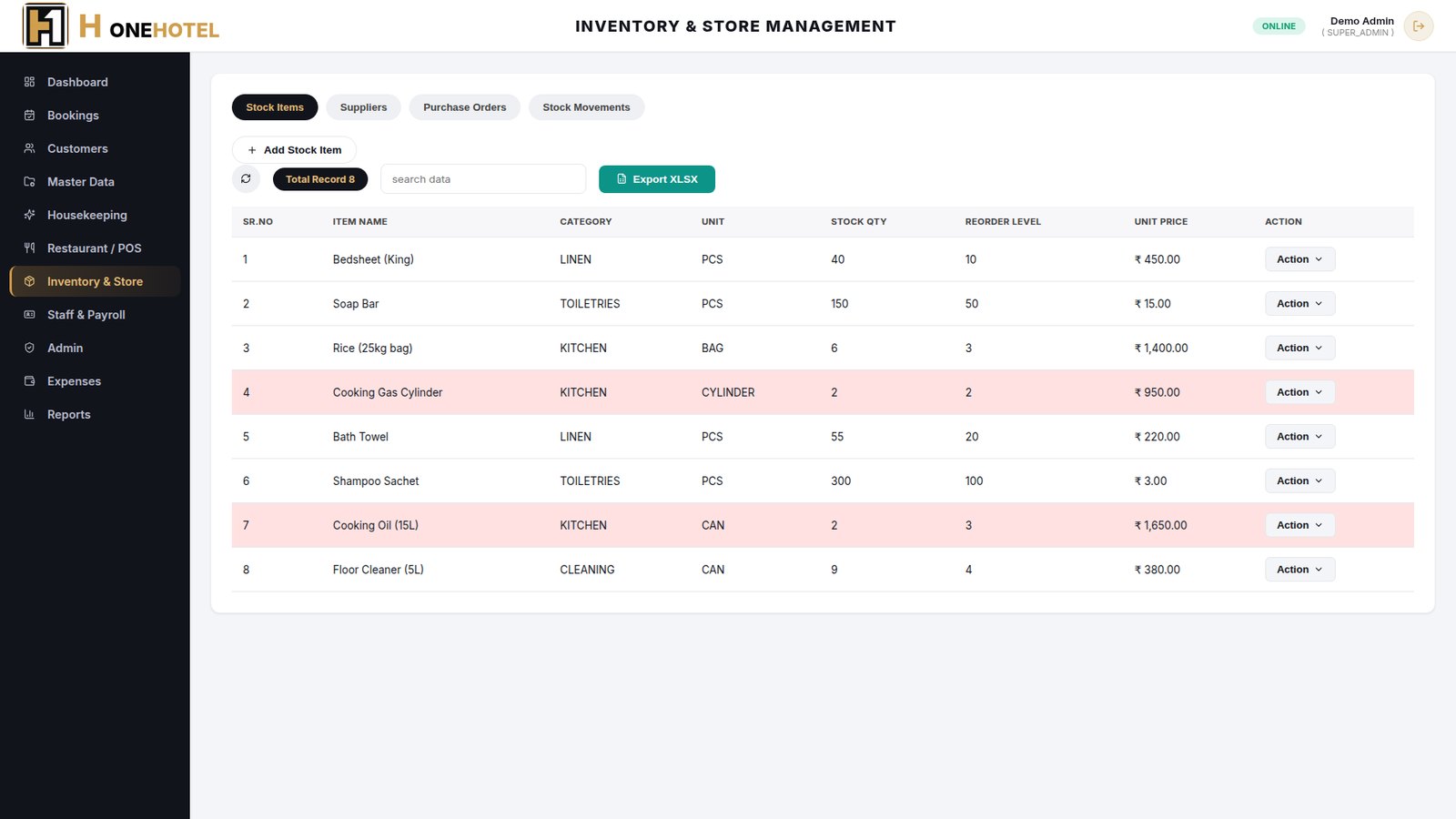
- Stock Items lists category, unit, quantity, reorder level and price.
- Items at or below the reorder level are highlighted in red.
- Suppliers, Purchase Orders and Stock Movements (in / out) record every purchase and use.
Staff & PayrollManagerEmployees, daily attendance and monthly payroll.
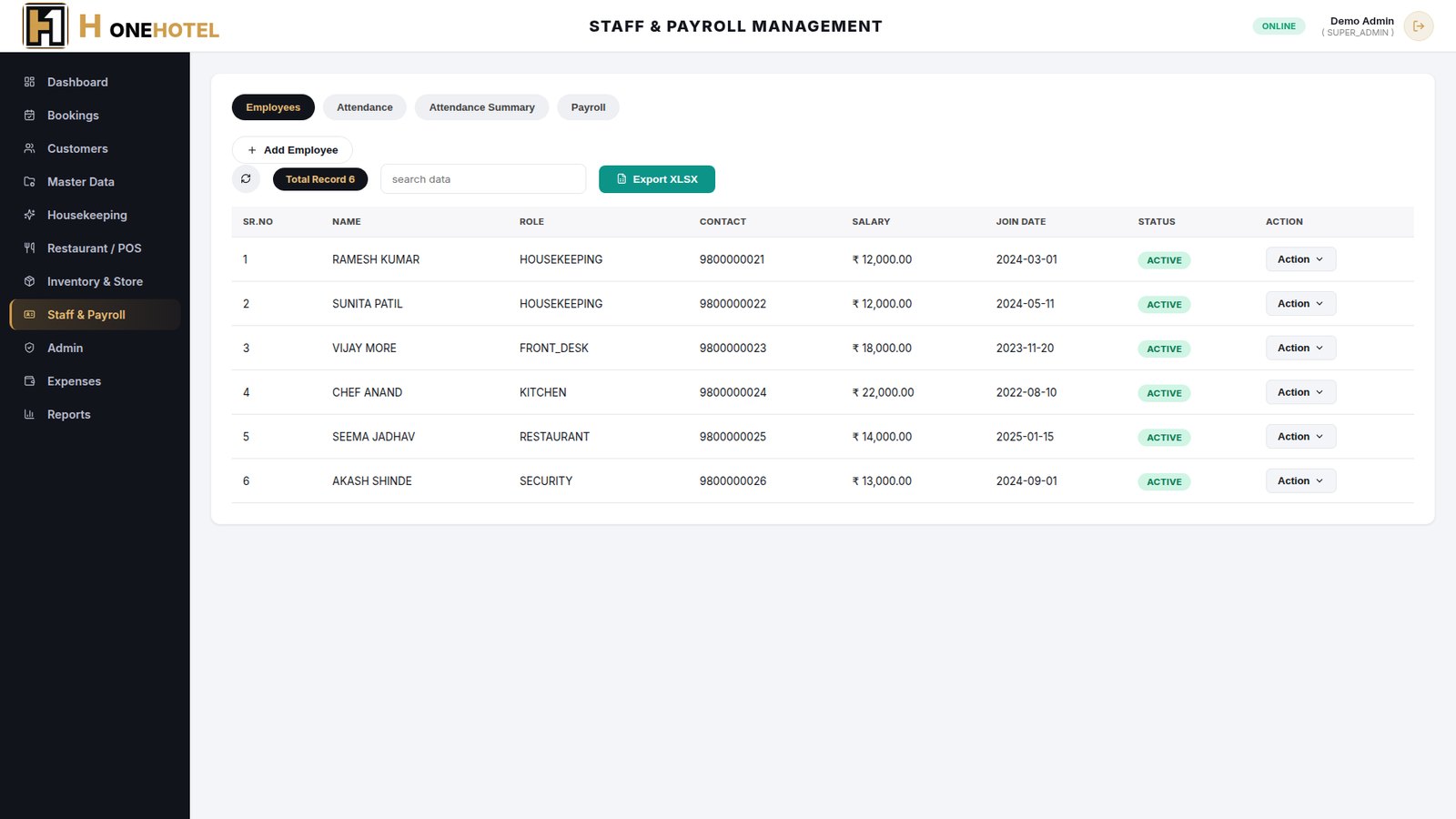
- Add employees with role, contact, salary and joining date.
- Mark attendance as Present, Absent or Leave; Attendance Summary shows the month at a glance.
- Payroll records basic salary, deductions, bonus and net pay with Paid / Pending status.
Admin & RolesSuper adminCreate users and choose exactly what each one can do.
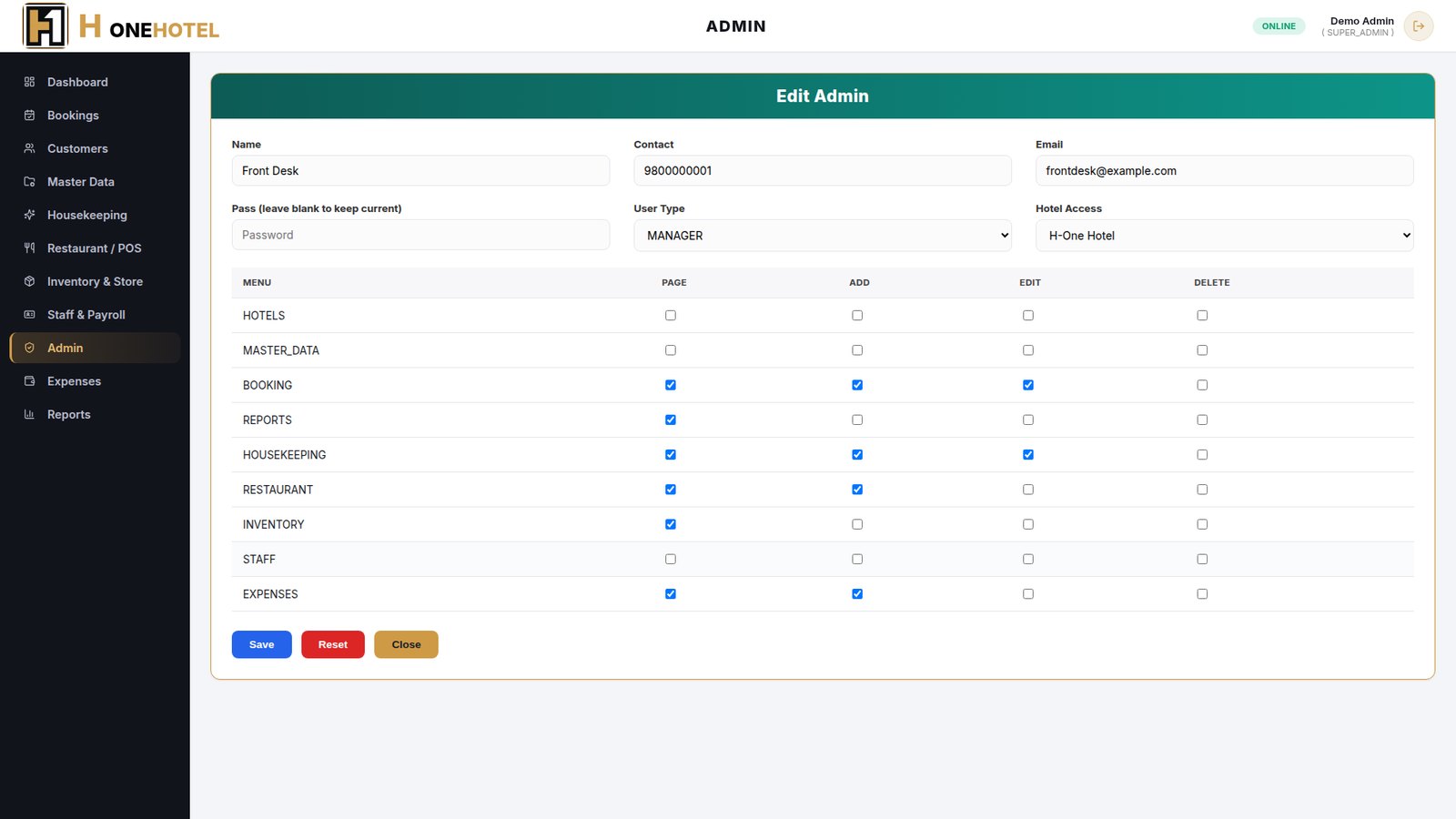
- Add a user with name, contact, email, password and user type.
- A permission grid lets you tick Page, Add, Edit and Delete for each module.
- Users only see the modules they have been given.
ExpensesManagerDaily hotel expenses by type, feeding the profit and loss report.
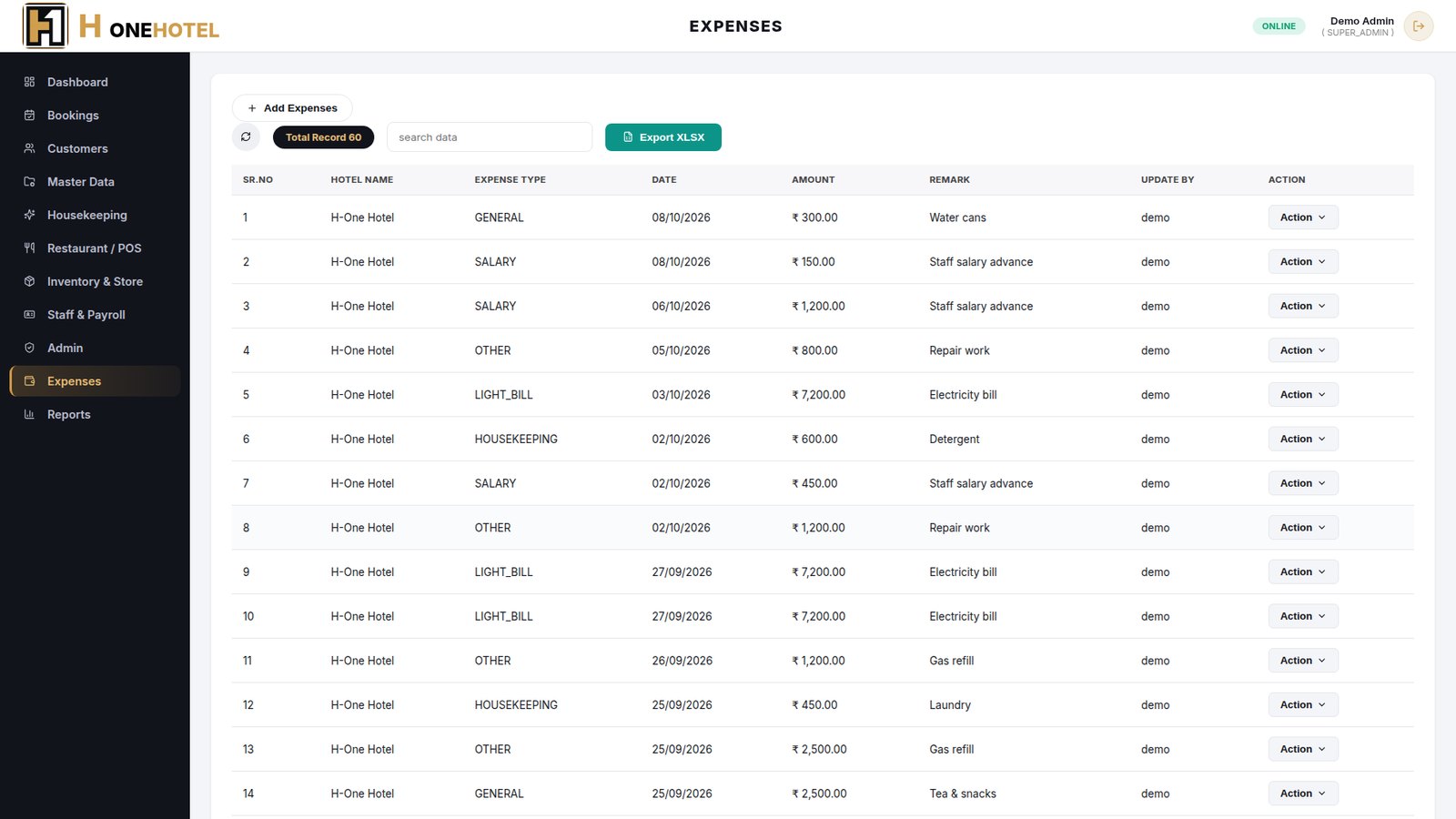
- Add an expense with type (general, light bill, rent, housekeeping, salary, other), date, amount and remark.
- Search the list and export it to Excel.
- Expenses flow straight into the Reports module.
ReportsManagerProfit and loss, income by booking source and expenses by type.
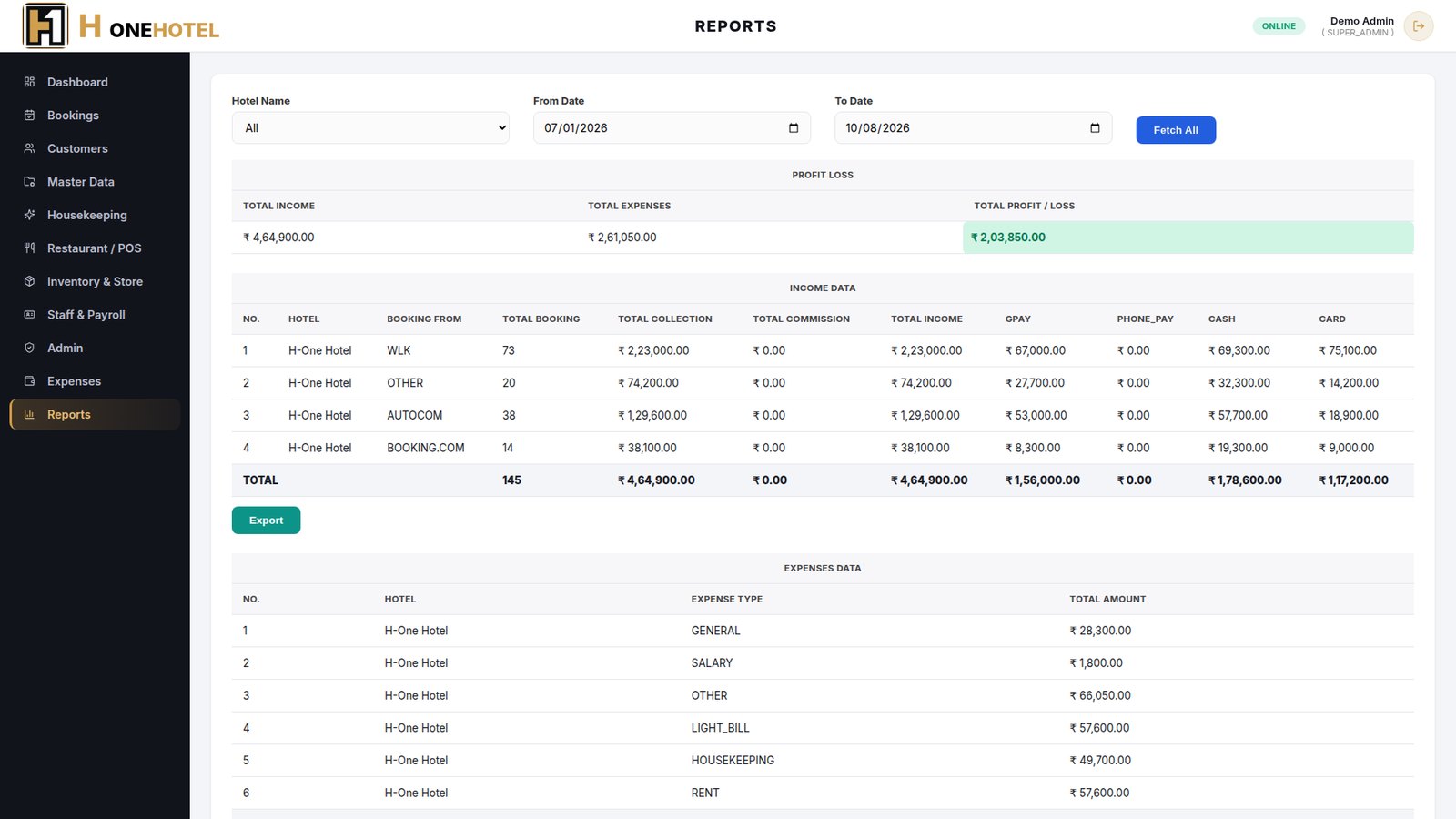
- Pick the hotel and a date range, then click Fetch All.
- See total income, total expenses and profit / loss for the period.
- Income is split by booking source and payment mode (GPay, cash, card); expenses are split by type.
- Export the report to Excel.
How It Works
One connected flow, from start to final report.
Room booking
Check-in
Housekeeping
Restaurant billing
Check-out
Reports
ERP Demo Screens
Click a screen to view it full size. Screens show sample data.
Need a similar ERP for your business?
Tell us about your process — we will build the system around it.