
Eagle Garments ERP
ERP Case Study
Eagle Garments ERP, in One System
A complete ERP for a garments and school-uniform business — branches, stock, billing, ledgers, staff, attendance and reports in one system.
Multi-branch StoresGST / Non-GST BillingAttendance & Salary
Multi-branchSTORES
GST / Non-GSTBILLING
Customer & Vendor LedgersACCOUNTS
Role-basedSTAFF ACCESS
Demo video coming soon
ERP Working Video
See the Eagle Garments ERP in Action
A guided tour of the working system. Screens show sample data.
- Multi-branch
- GST / Non-GST
- Customer & Vendor Ledgers
- Role-based
Modules
Modules & How They Work
Tap a module to see its working step by step. Click a screen to view it full size. Screens show sample data.
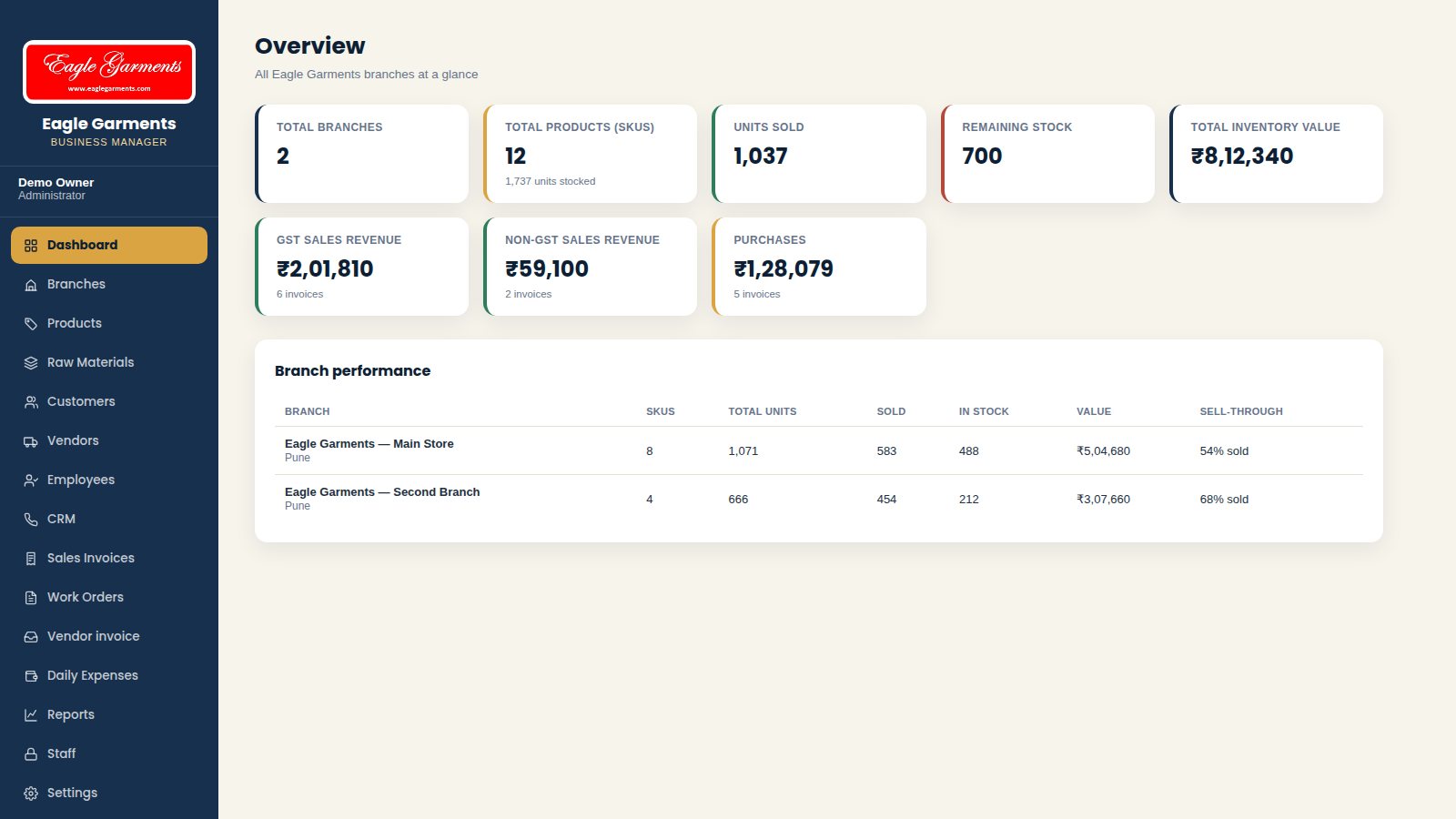
DashboardOwnerBusiness overview: branches, stock, sales and purchases in one screen.
- Cards show total branches, products, units sold, remaining stock and total inventory value.
- GST sales revenue, non-GST sales revenue and purchases are shown separately.
- Branch performance table compares stock, sales and inventory value for every branch.
BranchesOwnerRun more than one store and see each branch's own numbers.

- Add a branch with name, location and manager.
- Each branch card shows products, units, sold, in stock and inventory value.
- Open a branch to see its products and activity.
ProductsStoreProduct list with category, rack number, price, stock and status.
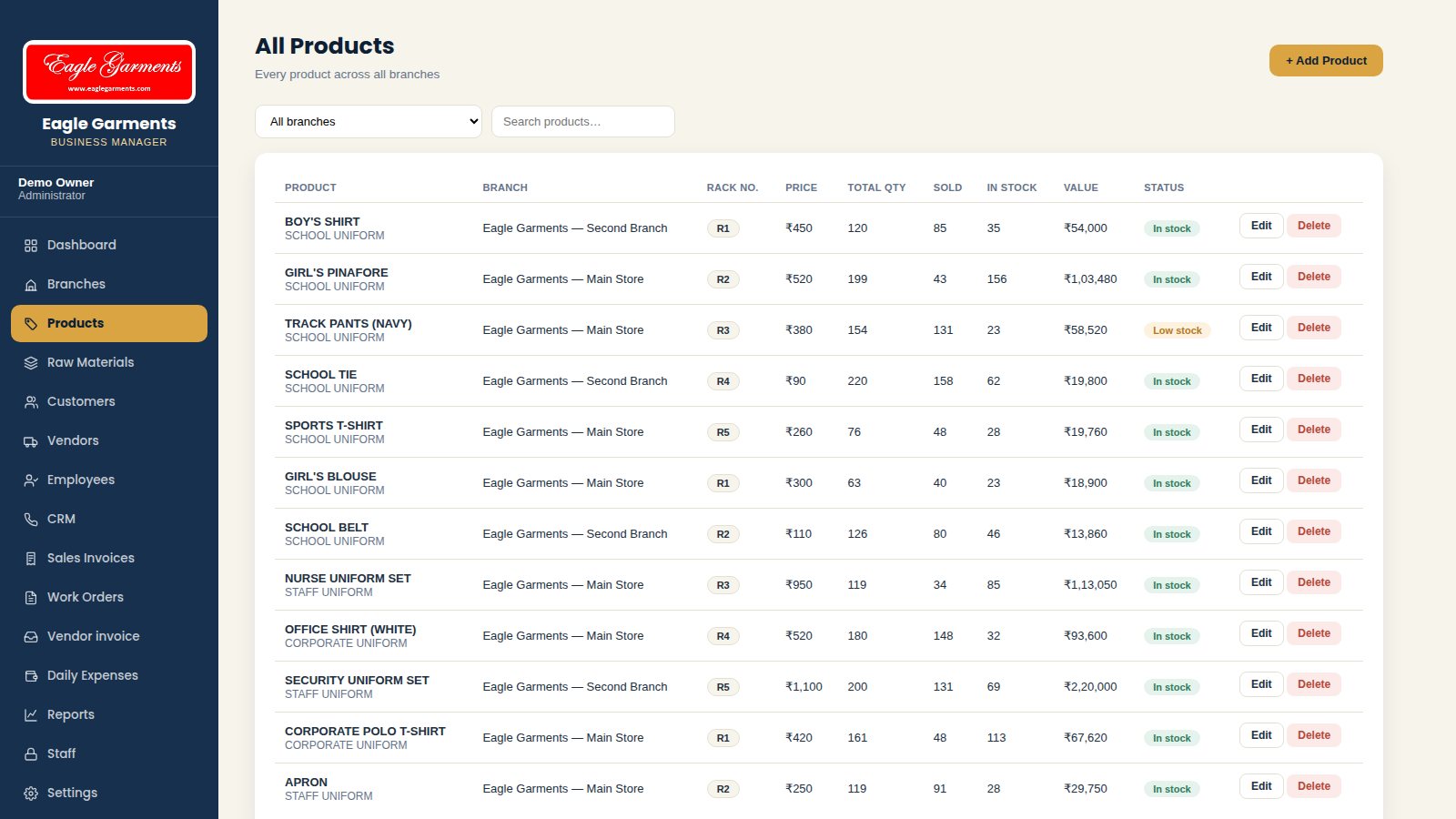
- Add a product with branch, name, category, rack number and price.
- Enter total quantity; sold quantity updates automatically from sales invoices.
- Search by name and filter by branch; low-stock products are flagged in the status column.
Raw MaterialsStoreFabric, buttons, zips and thread with stock and reorder level.
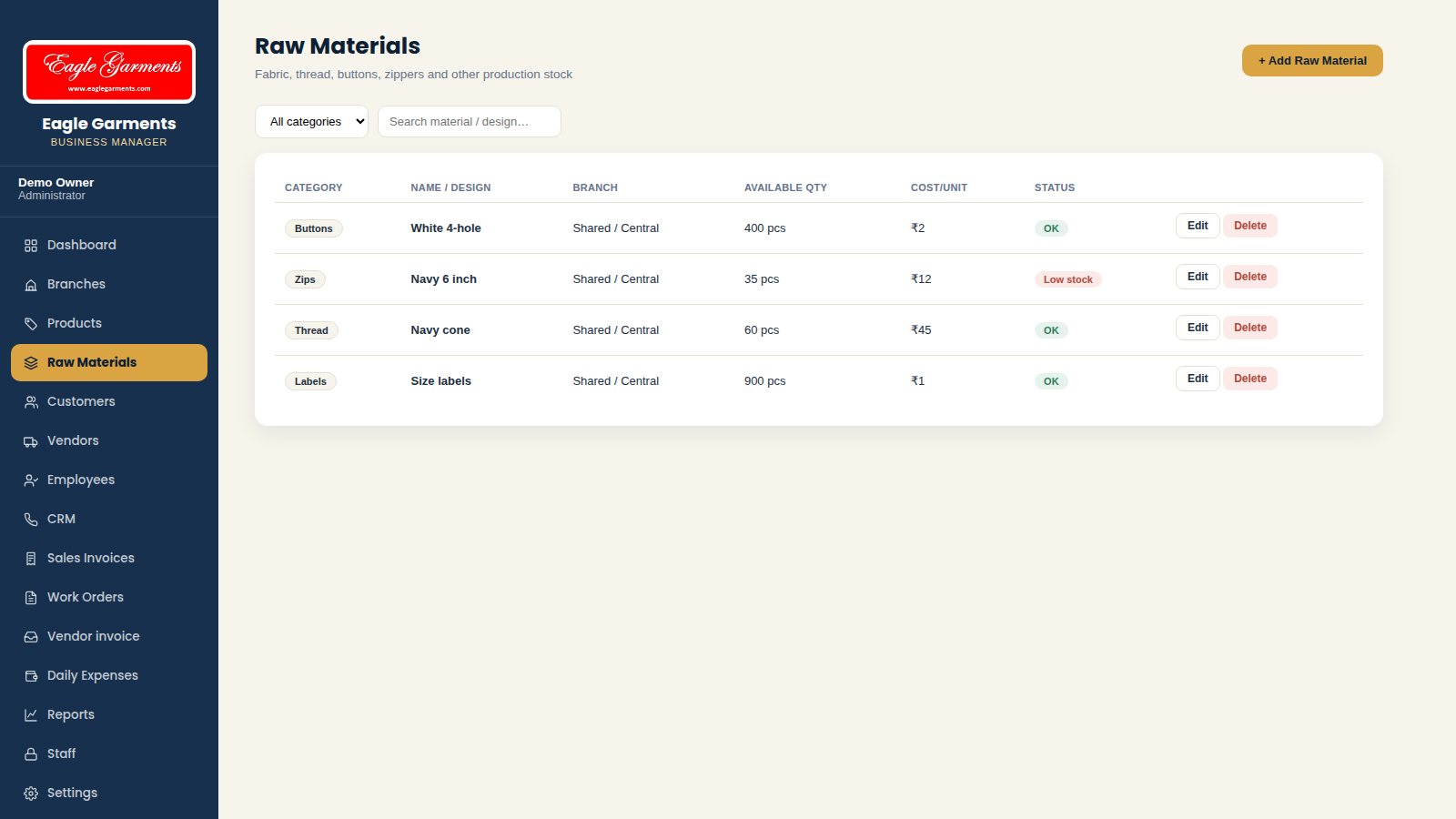
- Add a material with category, unit, quantity available and cost per unit.
- Set a reorder level; materials below it show a Low stock status.
- Edit quantities as material is bought or used.
Customers & LedgerAccountsSchools and companies you supply, with a full account ledger.
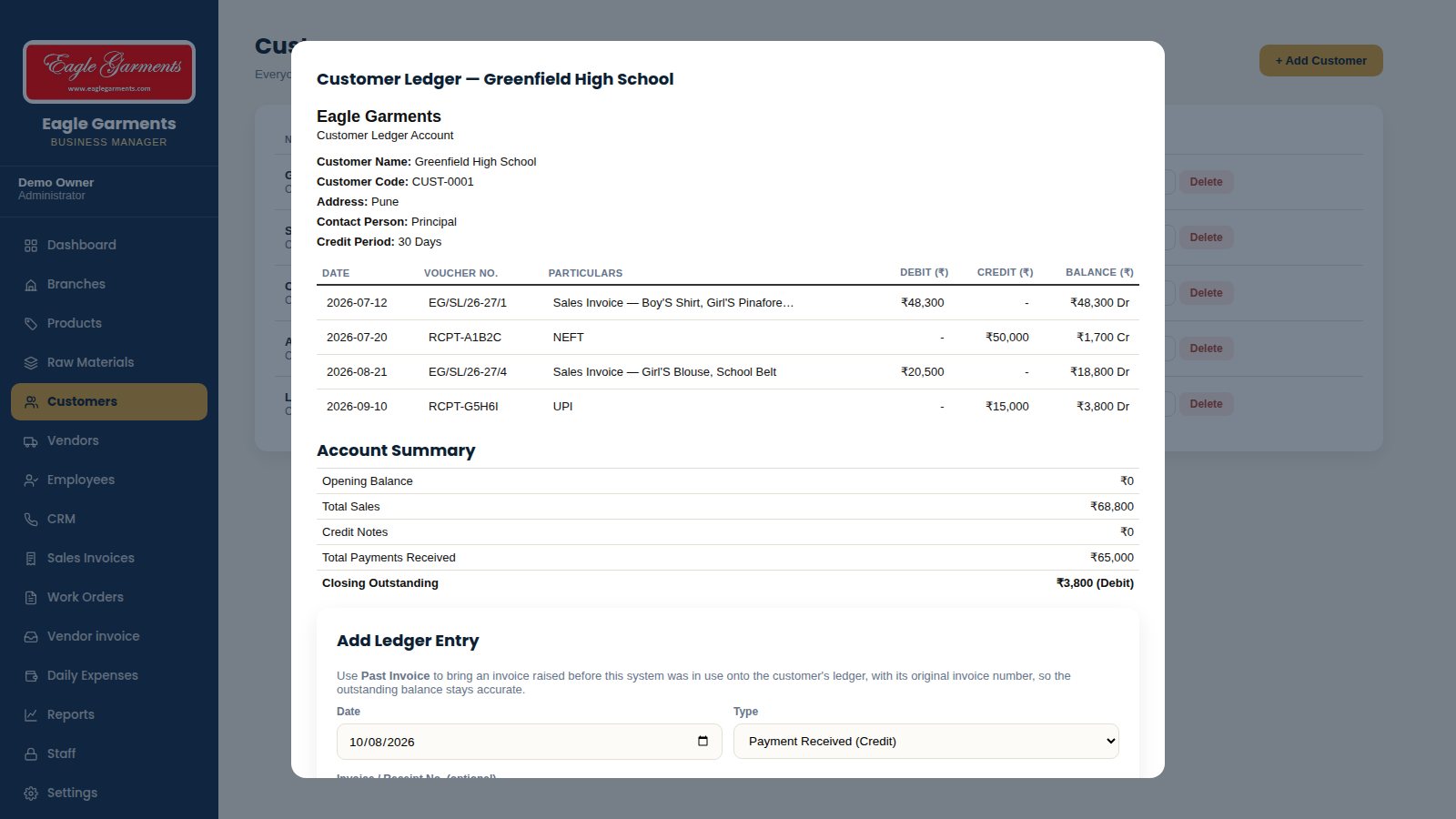
- Add a customer with contact person, address and credit period.
- Open Ledger to see every sales invoice and payment with a running balance.
- Account summary shows opening balance, total sales, payments received and closing outstanding.
- Add a ledger entry such as a payment received (cash, NEFT, cheque or UPI).
Vendors & LedgerAccountsSuppliers with GSTIN and a payable ledger.
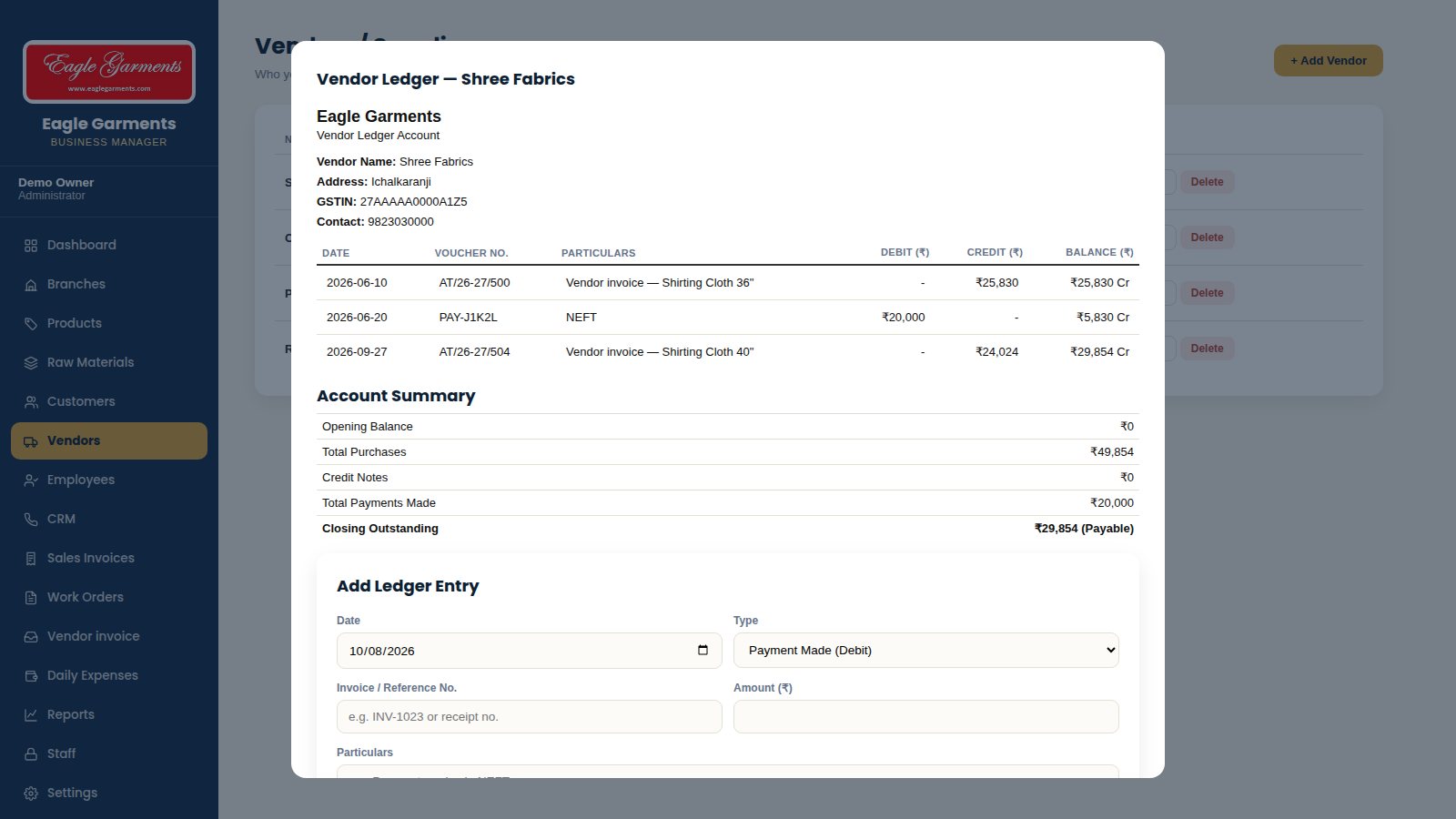
- Add a vendor with GSTIN, phone and address.
- Vendor invoices you enter appear in the vendor ledger as purchases.
- Record payments made; the summary shows closing outstanding payable.
EmployeesAdminStaff records with designation, branch, salary and incentive rate.
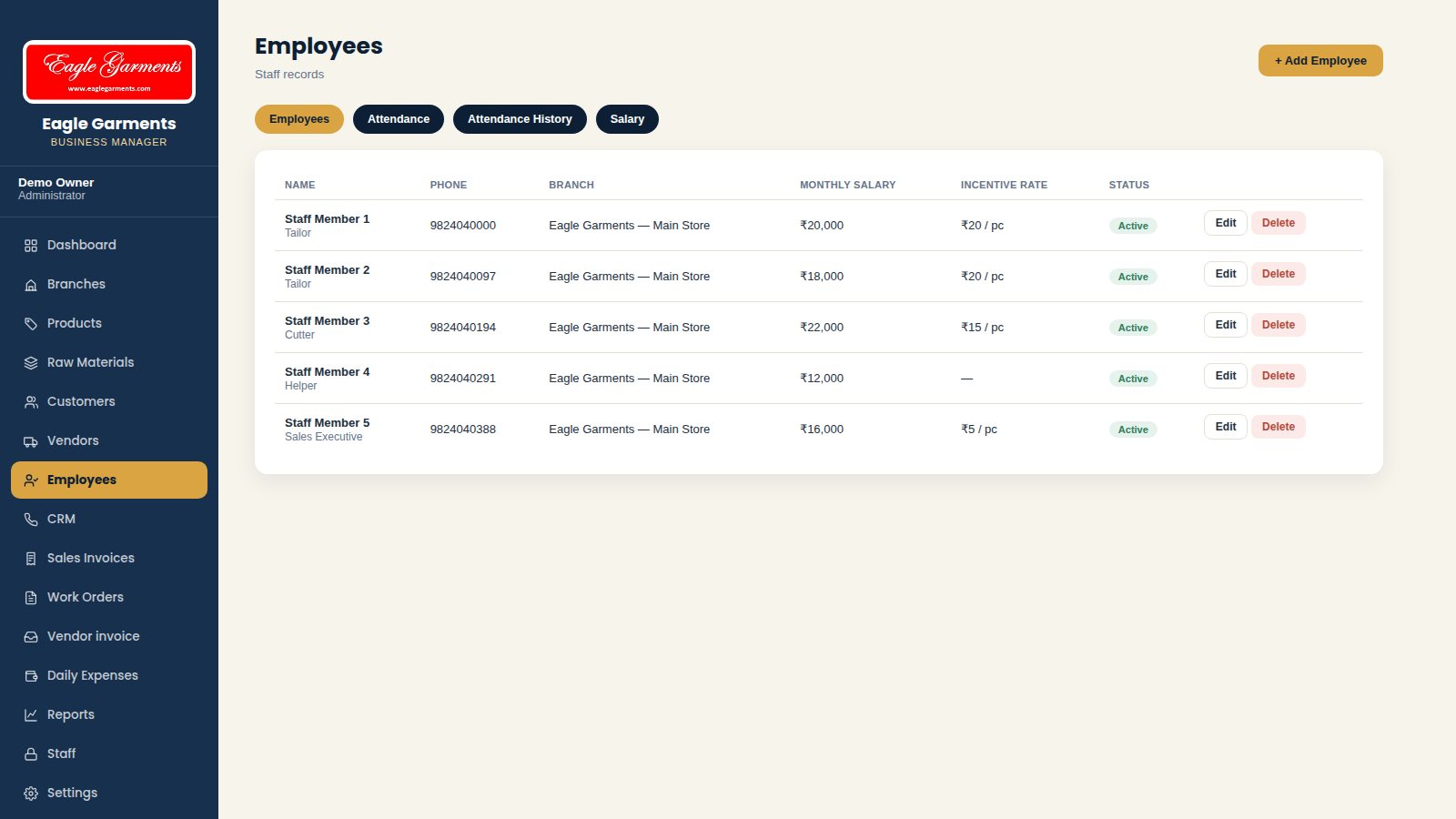
- Add an employee with designation, branch, joining date and monthly salary.
- Set an incentive rate for pieceworkers such as tailors.
- Mark an employee active or inactive.
Attendance & SalaryAdminDaily attendance, attendance history and monthly salary with incentives.
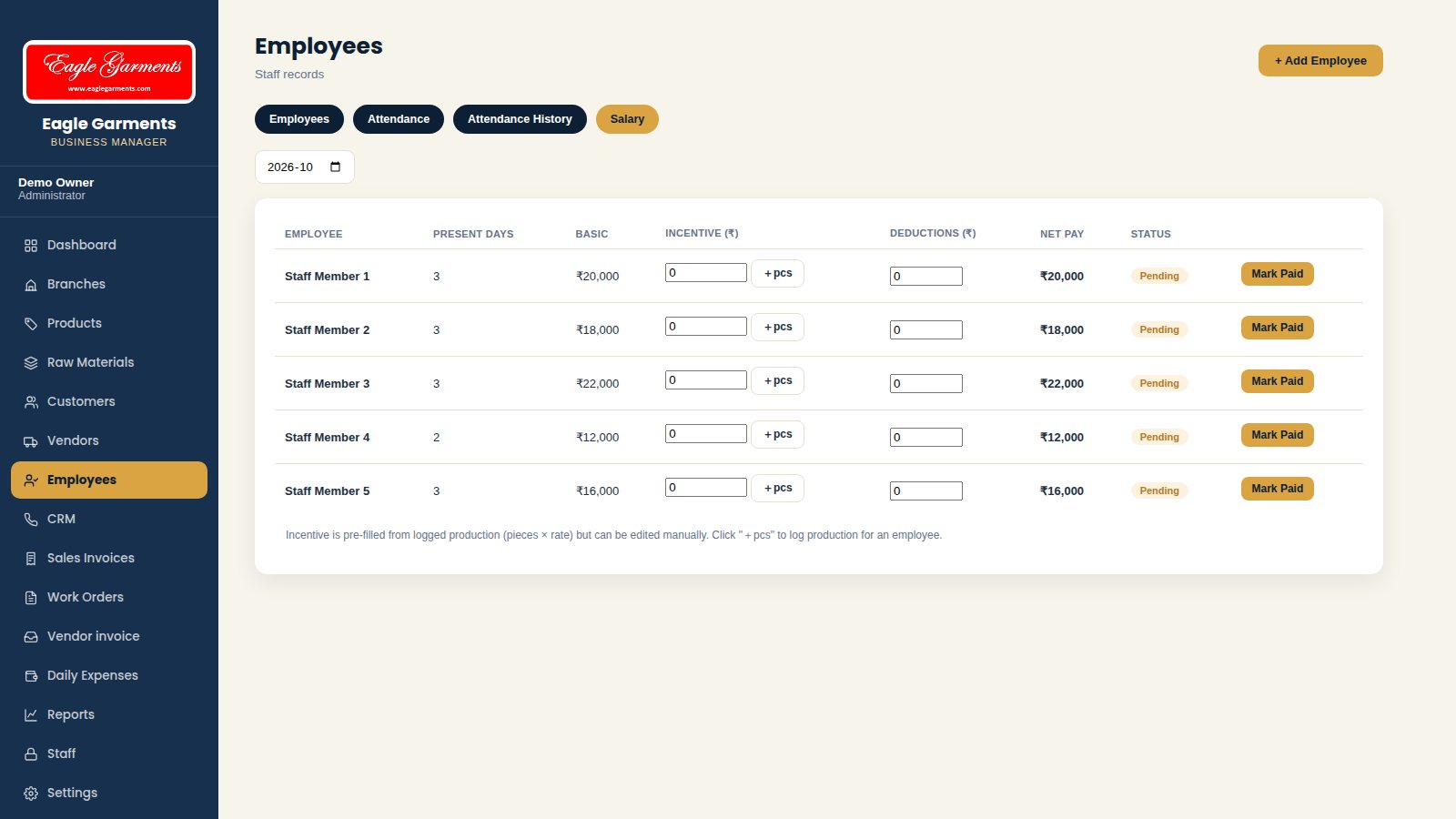
- Attendance tab: choose a date and mark each employee present, absent or half-day.
- Attendance History shows the month at a glance.
- Salary tab: present days, basic salary, incentive and deductions give the net pay.
- Mark Paid records the payment for the month.
CRM Follow-upsSalesTrack schools and companies that may become customers.
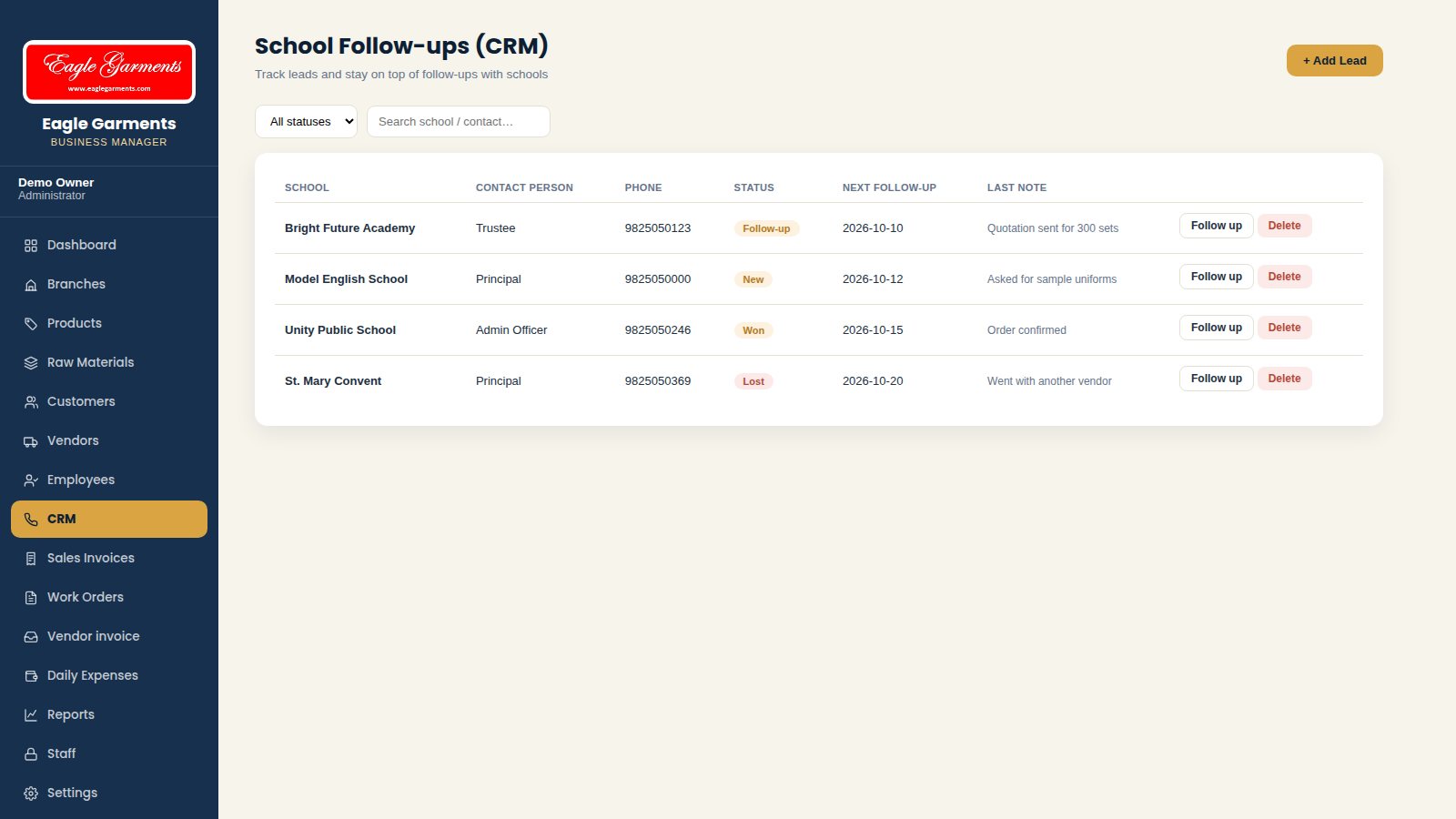
- Add a lead with contact person, phone and status (New, Follow-up, Won, Lost).
- Set the next follow-up date so nothing is missed.
- Add dated notes after every call; the history is kept with the lead.
Daily ExpensesAccountsRent, electricity, transport, salary and other costs by branch.
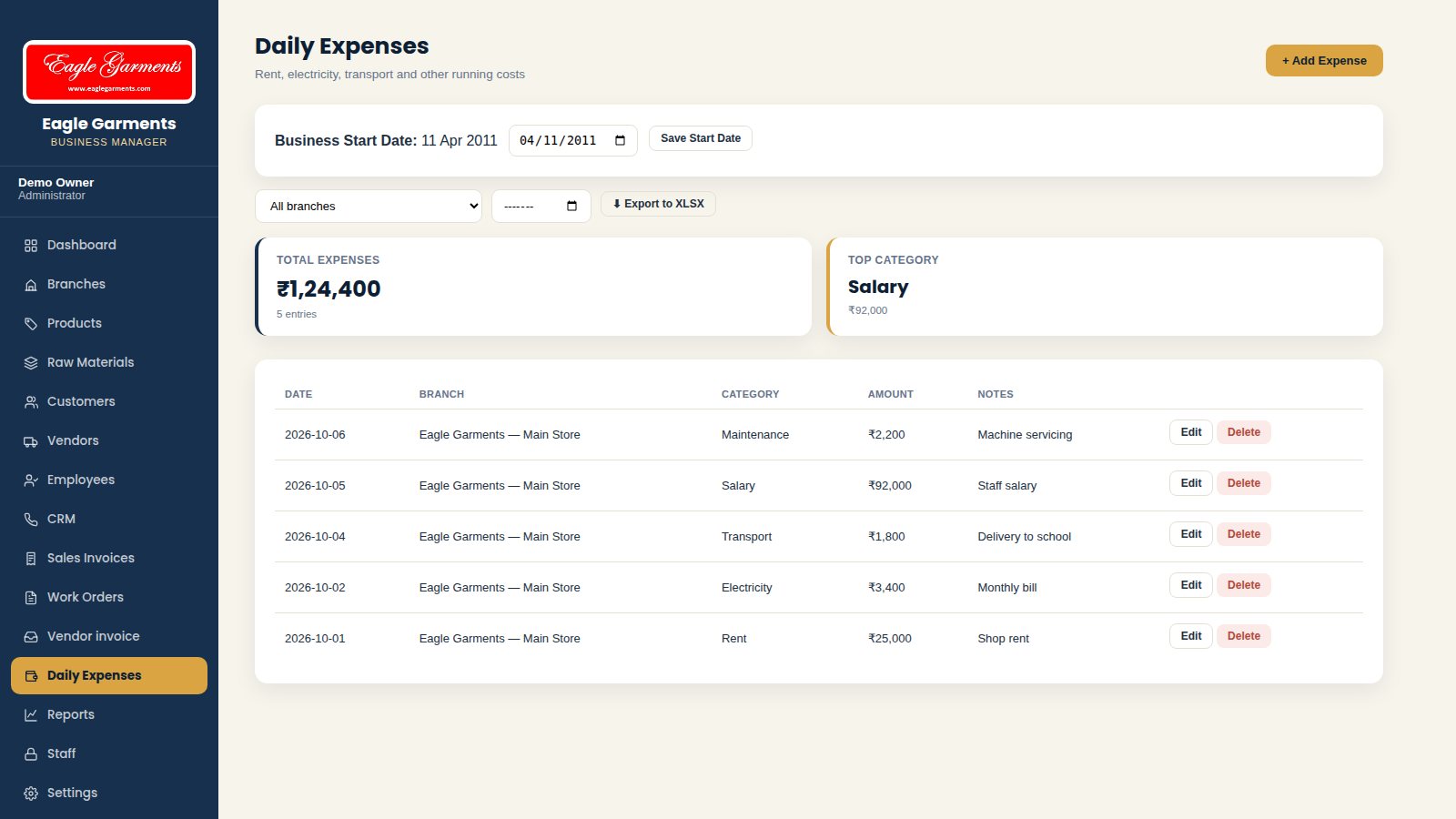
- Add an expense with date, branch, category, amount and notes.
- Totals and the top category are shown at the top.
- Filter by branch and export to Excel.
Sales InvoicesBillingGST invoices, Non-GST invoices and labor-charge invoices in separate lists.
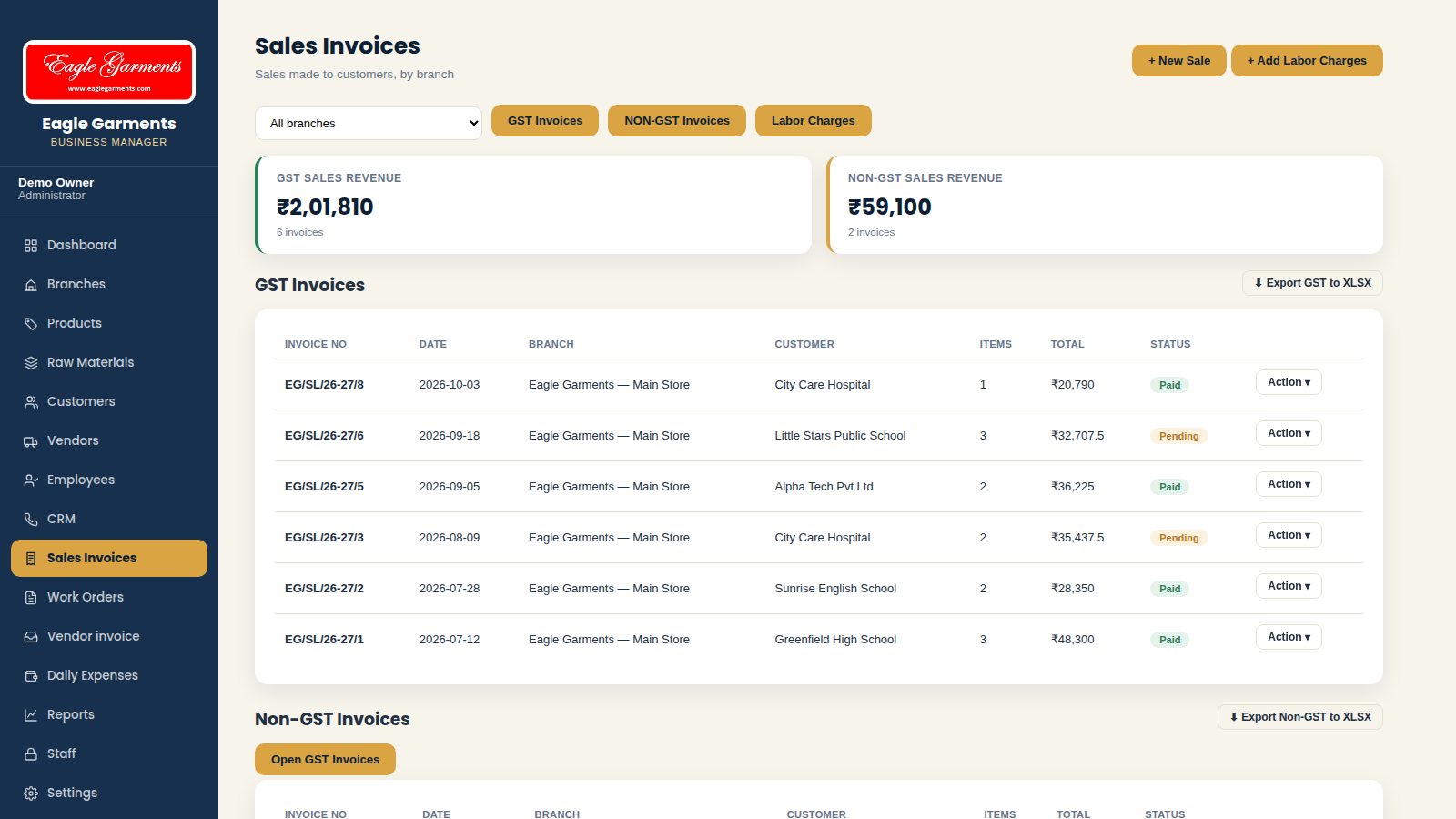
- New Sale: choose branch and customer, then add products with quantity and price.
- Choose GST or Non-GST; GST % is split into CGST, SGST and IGST.
- Add an advance payment and set the payment status (paid or pending).
- Invoice numbers run in order for each type (for example EG/SL/26-27/1).
- Labor Charges has its own invoice for stitching and job work; Export GST to XLSX gives the GST sheet.
Invoice Print, PDF & SharingBillingEvery invoice is ready to print, download or send to the customer.
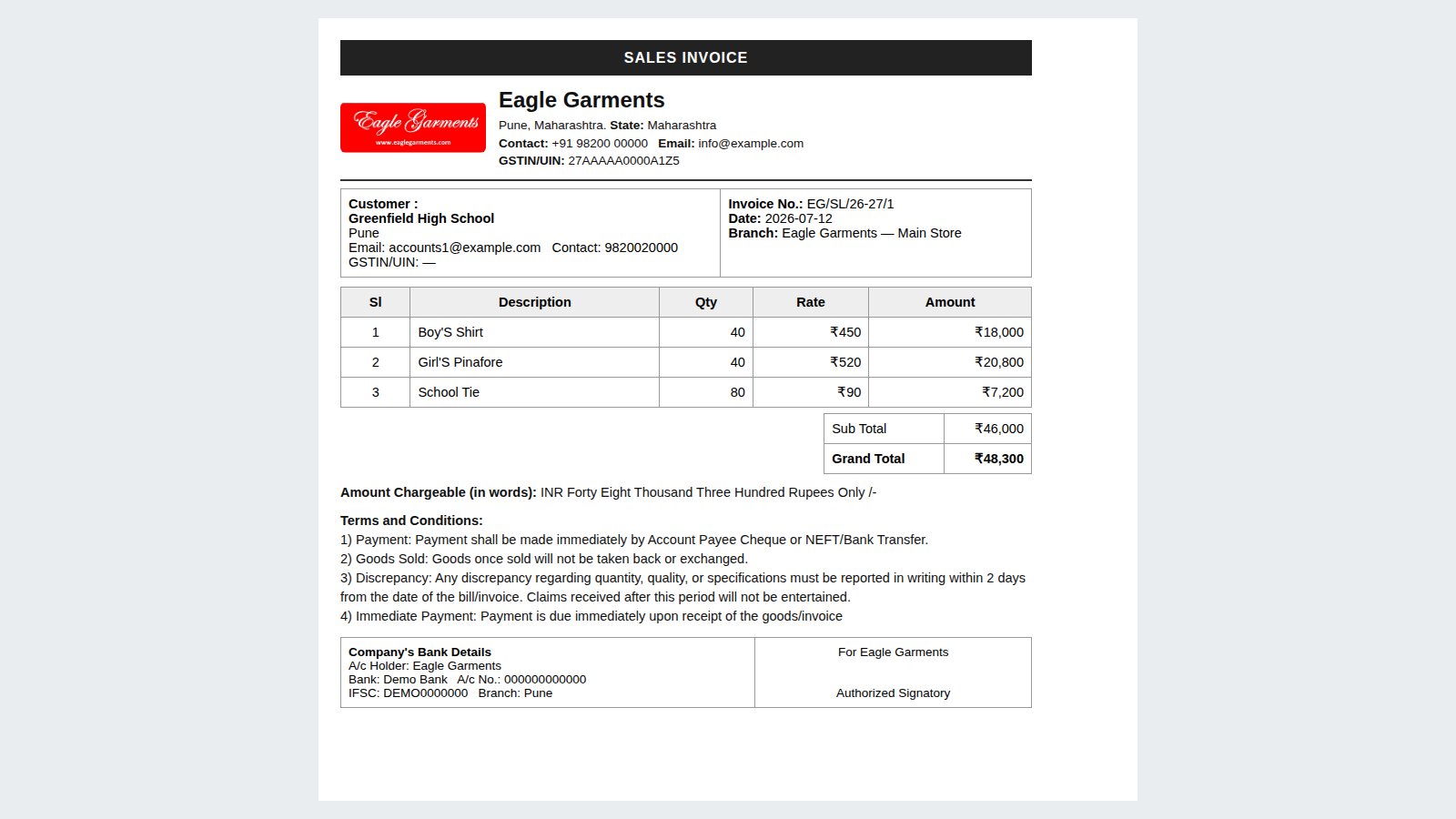
- Open Action next to an invoice.
- Print or Download PDF for a clean invoice with company, GSTIN, bank and terms.
- Share via WhatsApp or Send via Mail directly to the customer.
- Mark Paid / Mark Pending, Edit or Delete the invoice from the same menu.
Work OrdersSalesCustomer orders to deliver, with advance and balance due.
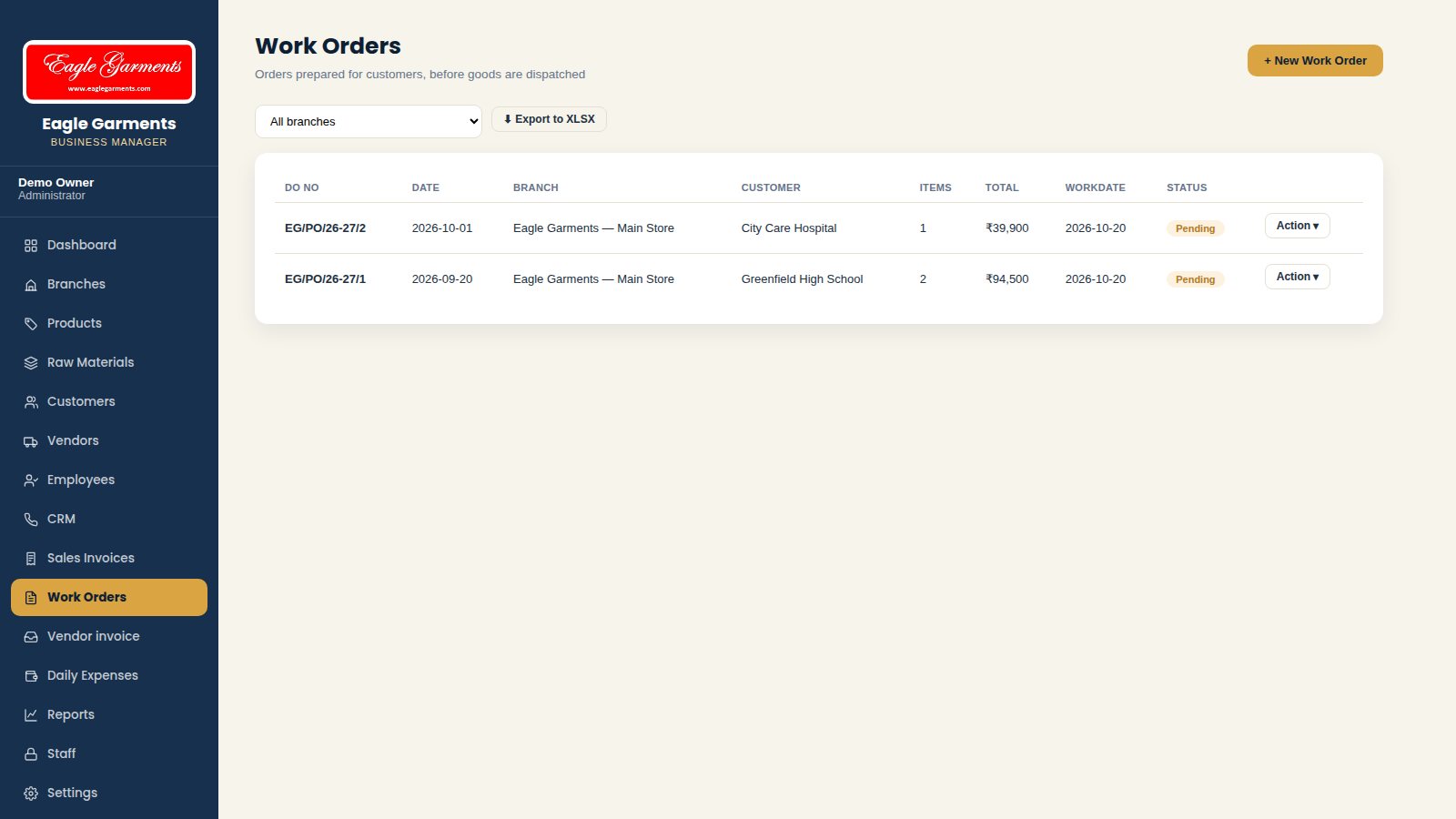
- Create a work order for a customer with products and quantities.
- Record advance payment, packaging and delivery date.
- Track the status of every order until it is delivered.
Vendor InvoicePurchasePurchase invoices from vendors with GST and payment status.
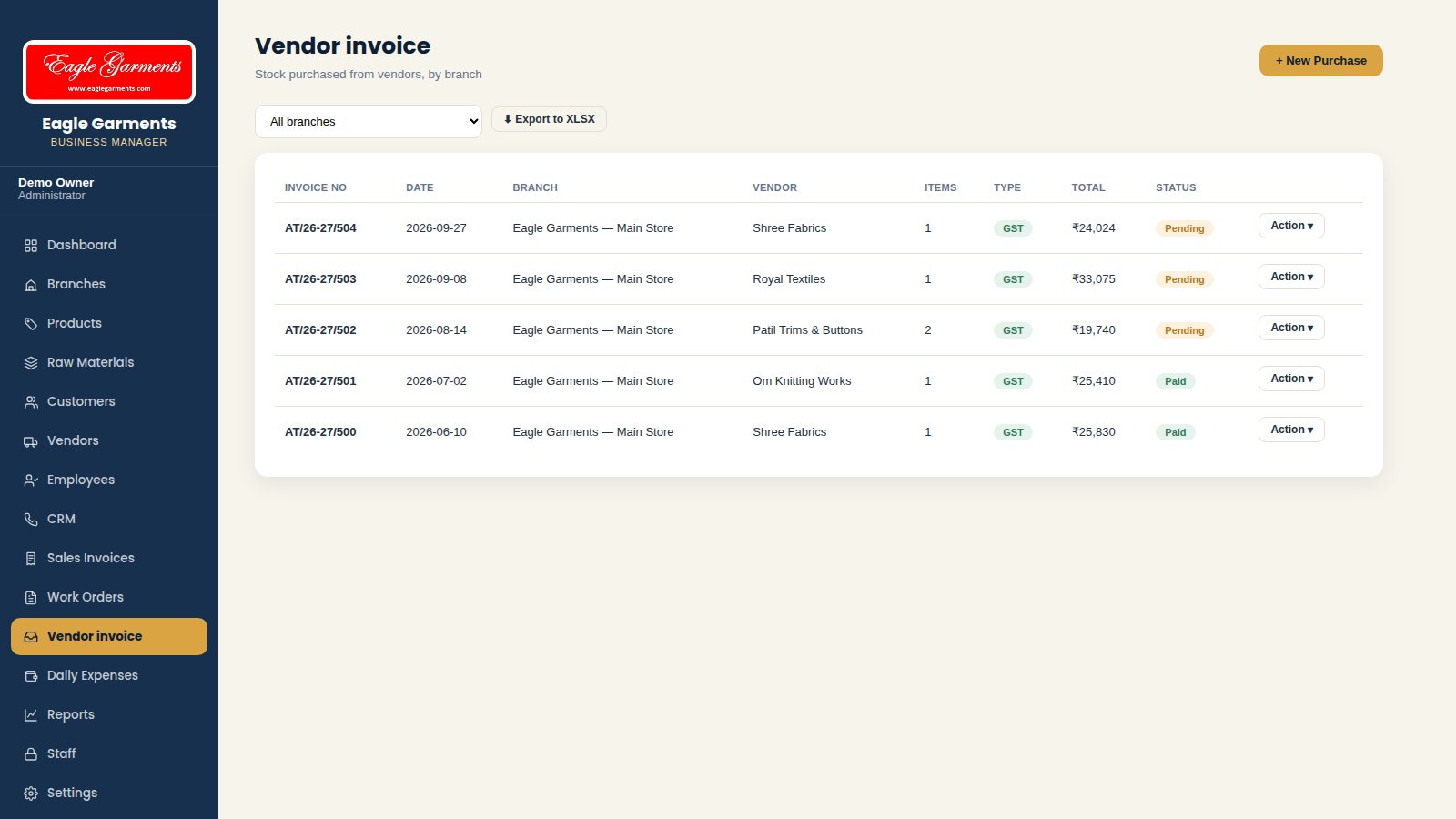
- Enter vendor invoice number, date, vendor and items.
- CGST, SGST or IGST is calculated on the purchase.
- Record advance payments; balance due is tracked until paid.
ReportsOwnerPurchase, sales, stock, outstanding, GST, expense and profit / loss reports.
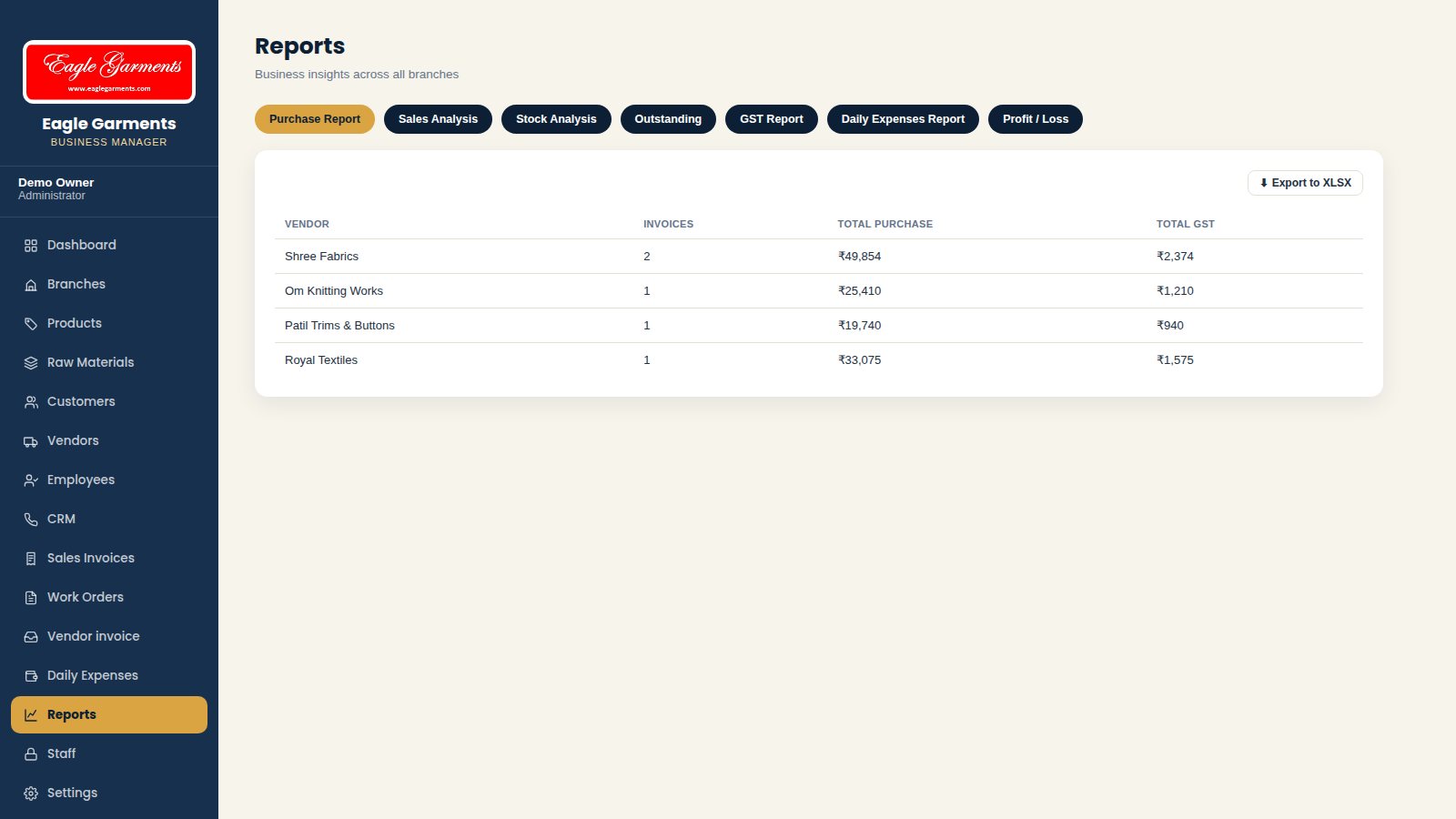
- Choose from Purchase Report, Sales Analysis, Stock Analysis, Outstanding, GST Report, Daily Expenses Report and Profit / Loss.
- Reports cover all branches or one branch.
- Export any report to Excel with one click.
Staff Logins & PermissionsOwnerGive each staff member only the access they need.
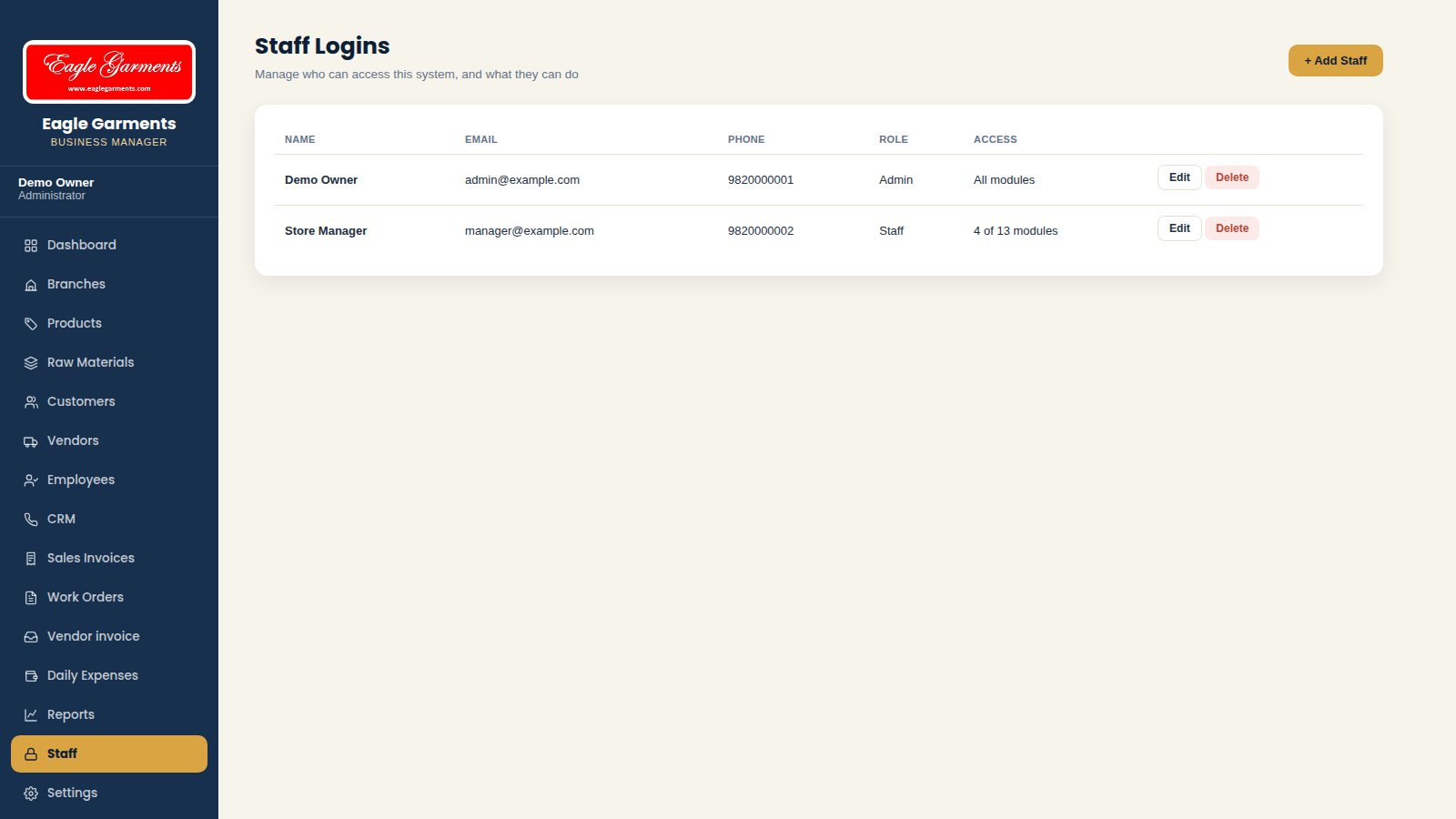
- Add a staff login with name, email and password.
- For every module choose Access, View, Add, Edit, Delete, Download and Mail.
- Staff only see the modules they have been given.
SettingsOwnerCompany details, bank details and invoice numbering.
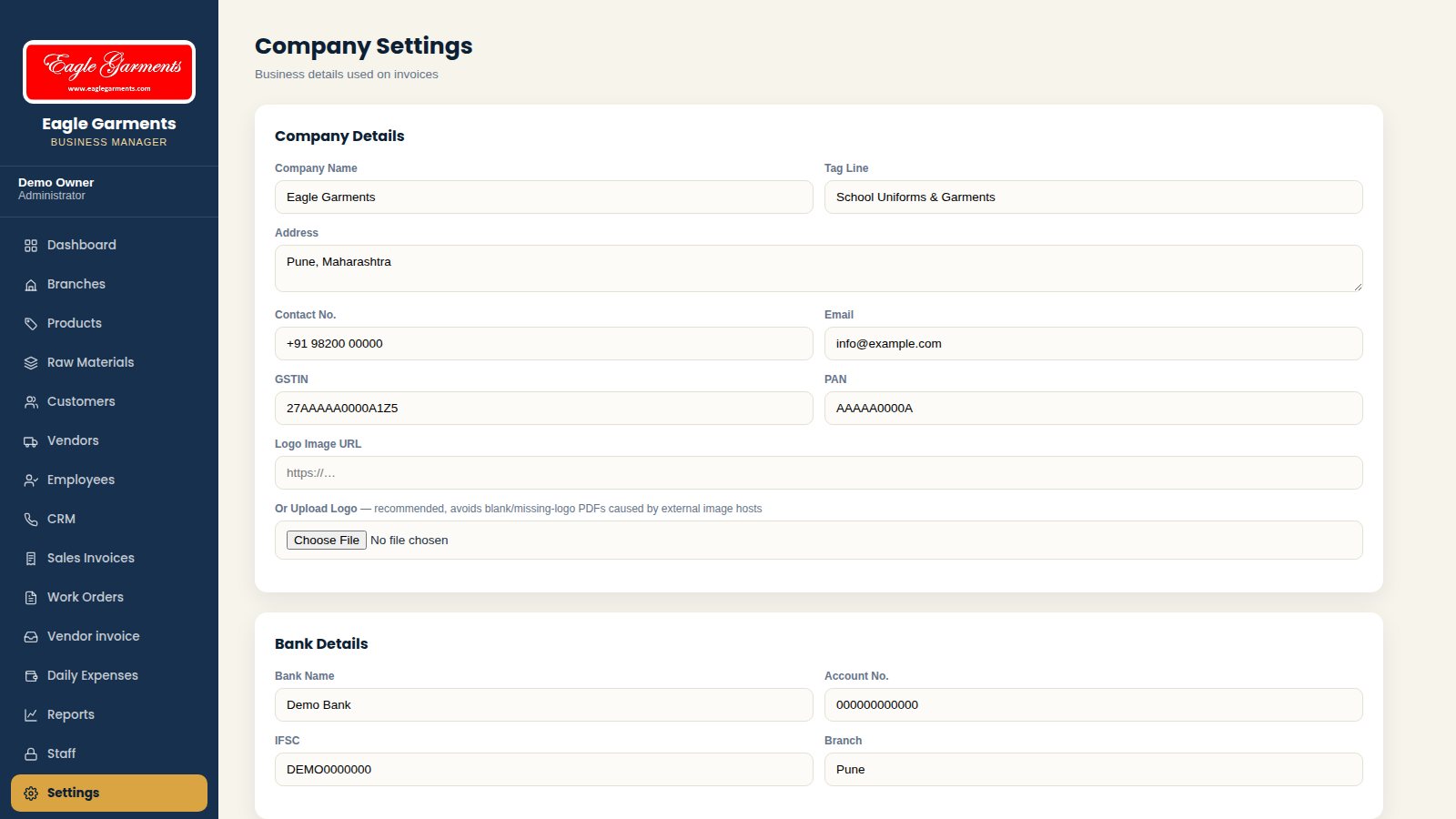
- Company details: name, address, contact, GSTIN, PAN and logo appear on every invoice.
- Bank details are printed on invoices.
- Invoice prefixes, starting numbers and the default GST % are set here.
- Download a backup of all data at any time.
Workflow
How It Works
One connected flow, from start to final report.
1
Add products
2
Create sale / work order
3
Invoice & share
4
Record payment
5
Track ledgers
6
Vendor invoices
7
Staff & salary
8
Reports
Screens
ERP Demo Screens
Click a screen to view it full size. Screens show sample data.
Need a similar ERP for your business?
Tell us about your process — we will build the system around it.